简要总结: API4AI Object Detection is a cloud-based computer vision API that identifies and locates objects in images through pre-trained deep learning models. It offers a Basic free tier (25 credits) and a Pro plan ($24.99/month), making it accessible for both testing and production use. The API delivers competitive accuracy while handling integration, infrastructure, and model maintenance automatically.
Object detection has shifted from experimental tech to everyday business infrastructure. Retailers track inventory, security systems identify threats, and manufacturing lines spot defects — all in real time.
But building an object detection system from scratch? That’s a different story. Training models demands GPU clusters, massive labeled datasets, and months of iteration. Most teams don’t have that luxury.
That’s where API4AI Object Detection comes in. It’s a subscription-based cloud API that handles the heavy lifting — pre-trained models, server infrastructure, version updates — so developers can focus on integration rather than model architecture.
This review breaks down how API4AI Object Detection performs in 2026, what it costs, where it excels, and where it falls short compared to other vision APIs.

What Is API4AI Object Detection?
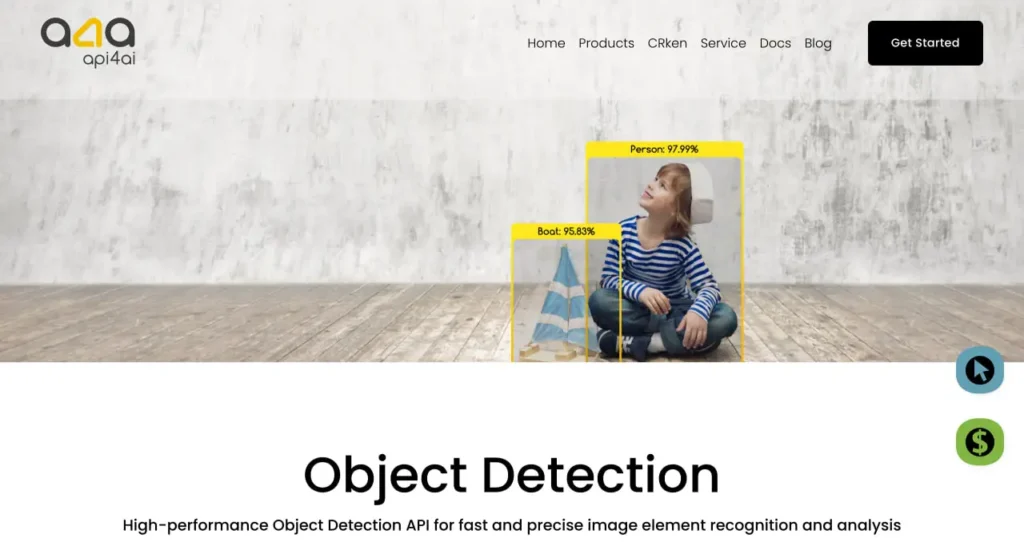
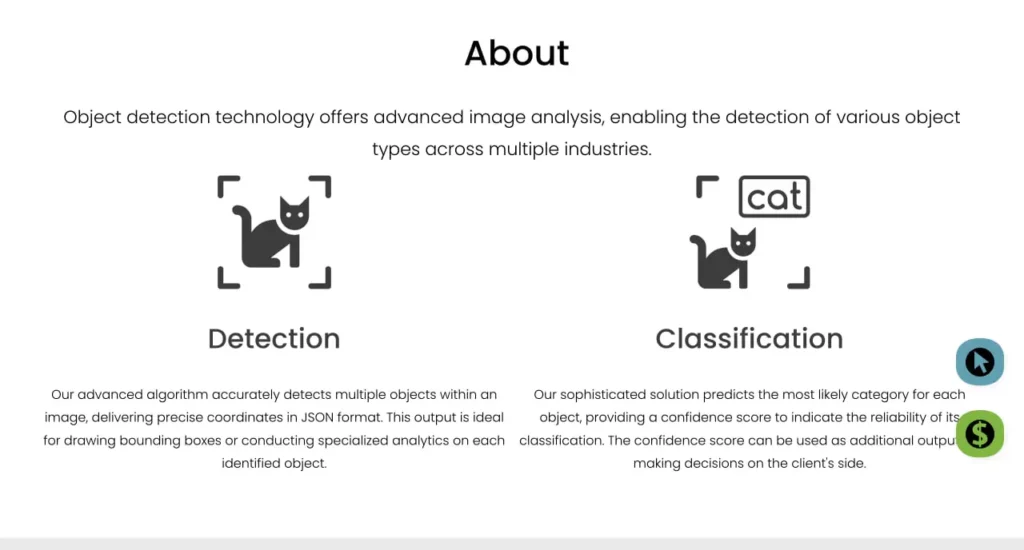
API4AI Object Detection is part of API4AI’s broader suite of cloud-native image processing APIs. The service detects and localizes objects within images, returning bounding box coordinates and class labels for recognized items.
According to the official website, API4AI is built for businesses that need “affordable and personalized AI and computer vision solutions” without maintaining custom infrastructure. The platform positions itself as a practical middle ground — more accessible than building in-house, more transparent than black-box enterprise systems.
Here’s the thing though — object detection APIs aren’t all created equal. Some prioritize speed, others accuracy. Some specialize in retail products, others in surveillance or automotive scenarios.
API4AI takes a generalist approach. The models are trained on broad datasets (likely COCO or similar benchmarks), making them suitable for common use cases: people, vehicles, animals, household objects, and typical commercial items. They won’t recognize niche industrial parts or obscure species without fine-tuning, but for mainstream detection tasks, they’re ready out of the box.
How It Works (Technical Flow)
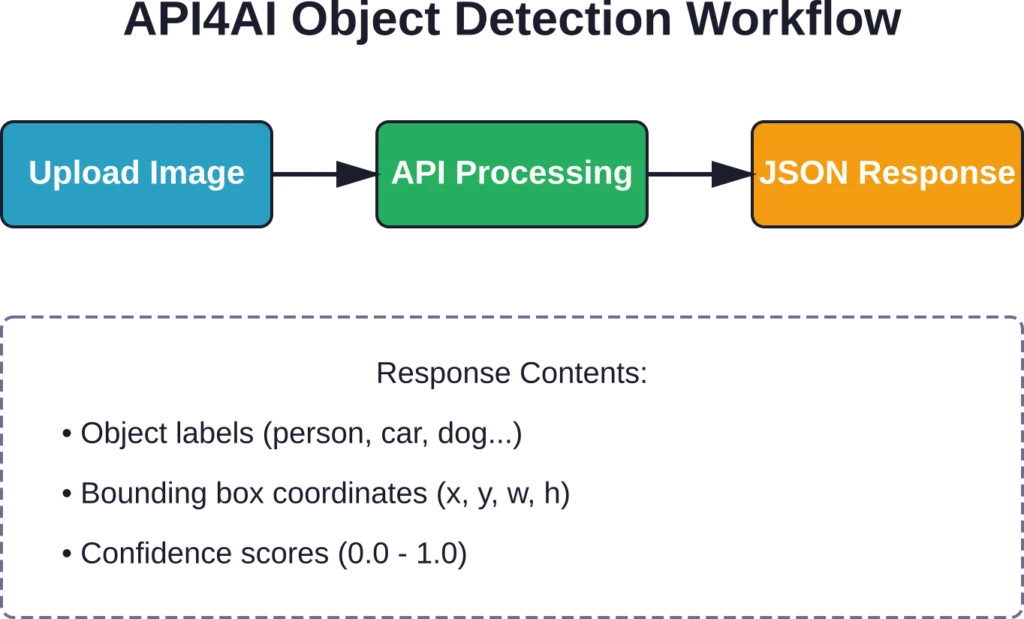
The integration pattern is standard for cloud vision APIs. You send an image via HTTP POST request (either as a file upload or image URL), the API processes it through their detection pipeline, and returns JSON with object labels, confidence scores, and bounding box coordinates.
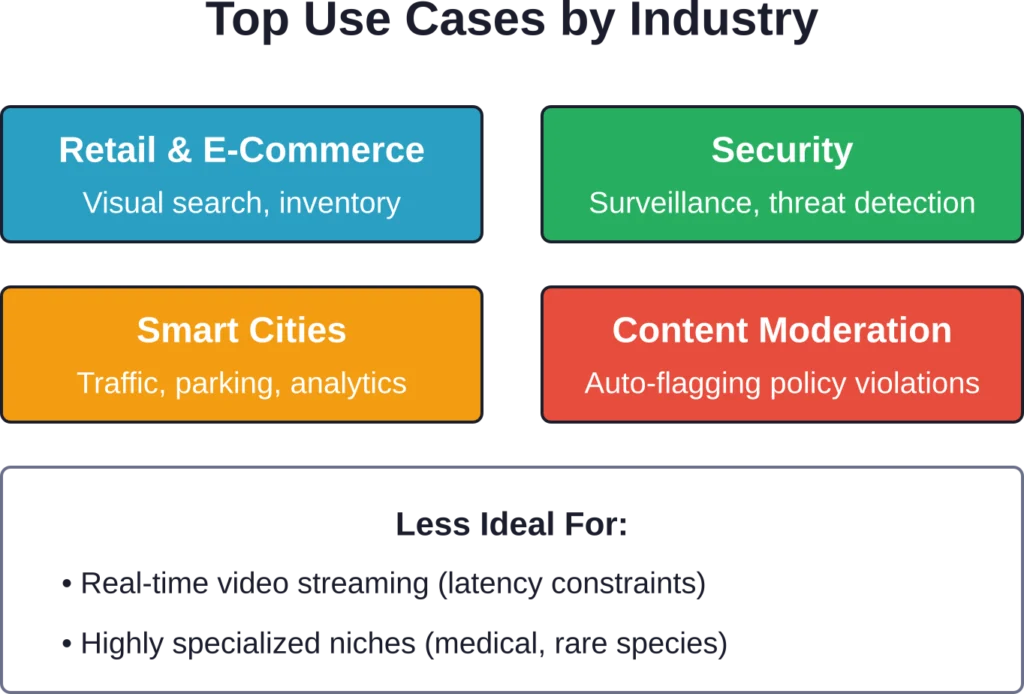
Typical response time sits in the 1-3 second range for most images, depending on resolution and object count. That’s acceptable for batch processing and most interactive apps, but won’t cut it for real-time video streaming (which typically demands sub-500ms latency).
The API doesn’t store your images permanently unless you opt in. Processing is stateless — upload, analyze, receive results, done. That’s a plus for privacy-conscious applications, though it means no built-in annotation tools or dataset management features.
Detect Objects in Geospatial Images With FlyPix AI
Finding and tracking objects across large image datasets can take significant time when done manually. 飞像素 AI provides AI-powered tools that help identify and monitor objects in aerial, satellite, and drone imagery.
Need a Faster Way to Detect Objects?
FlyPix AI 可以提供帮助:
- object detection in images
- large-scale image processing
- monitoring assets and locations
- custom detection models
👉 试试 FlyPix AI to explore geospatial object detection.
主要特性和功能
API4AI Object Detection doesn’t reinvent object detection, but it packages standard capabilities into a clean, developer-friendly interface. Here’s what you get:
Object Classes and Coverage
The model recognizes common object categories: people, vehicles (cars, trucks, bikes), animals (dogs, cats, birds), furniture, electronics, food items, and typical outdoor/indoor objects. The exact total class count is not publicly specified in available documentation.
For niche domains — medical imaging, rare wildlife, industrial components — you’ll need custom training or a specialized API. API4AI’s strength is breadth, not depth.
Bounding Box Precision
The API returns bounding boxes as pixel coordinates (x, y, width, height), normalized to the image dimensions. In practice, boxes align well with object edges for clear, isolated items. Overlapping objects or partial occlusions still trip it up occasionally — that’s a limitation of most general-purpose detectors, not unique to API4AI.
Confidence scores range from 0 to 1. In testing scenarios reported across various sources, confidence score thresholds affect detection reliability and false positive rates. Tuning your acceptance threshold matters.

Multi-Object Detection
The API handles multiple objects per image without issue. Whether there’s one person or twenty, three cars or a dozen, it returns all detected instances with separate bounding boxes and labels. Practical limits exist — processing 100+ densely packed objects might degrade accuracy or increase latency — but typical use cases (under 30 objects per frame) work smoothly.
Image Format Support
Accepted formats include JPEG, PNG, BMP, and TIFF. Maximum image size varies by plan (documentation should specify), but most APIs cap around 10-20 MB per request. Larger images get resized server-side, which can affect detection quality for small objects.
REST API and SDKs
Integration uses standard REST endpoints. The documentation provides code examples in Python, JavaScript, PHP, and cURL. No official SDKs are mentioned in the sources, so you’re wrapping HTTP requests manually or using a generic HTTP client library.
That’s not a dealbreaker — REST APIs are straightforward — but polished SDKs with built-in retry logic, error handling, and result parsing would streamline integration. Some competitors offer these; API4AI keeps it minimal.

Pricing Breakdown (2026 Plans)
According to available data, API4AI Object Detection offers two tiers as of the information gathered:
| Plan | 成本 | Credits | 最适合 |
|---|---|---|---|
| 基本的 | 自由的 | 25 (hard limit) | Testing, prototyping, low-volume personal projects |
| 专业版 | $24.99/month | 多变的 | Small to mid-scale production apps |
The Basic plan includes 25 credits with a hard limit — once you hit that ceiling, you’re done until you upgrade. That’s tight for anything beyond initial testing, but it’s enough to validate the API for your use case before committing.
Real talk: $24.99/month is competitive for a Pro tier, especially compared to enterprise-only platforms that start at hundreds per month. But the devil’s in the details — credit consumption rates vary by image size and complexity. A 4K image might burn multiple credits, while a small thumbnail uses one.
Check the official API4AI website for current credit packages, overage rates, and any volume discounts. Pricing structures shift frequently, and documentation is the only reliable source.
How It Compares on Price
When stacked against competitors, API4AI sits in the affordable-to-moderate range. Google Cloud Vision and Amazon Rekognition offer pay-per-request models starting around $1.50 per 1,000 images (after free tiers), which can scale lower at high volumes but becomes unpredictable with spiky traffic.
Specialist platforms like Clarifai and Chooch AI typically start around $30-$100/month for entry production plans, positioning API4AI’s Pro tier competitively for startups and small teams.
The free Basic tier is more restrictive than some rivals — Google Cloud Vision offers a free tier, Microsoft Azure offers a free tier — but if you’re budget-conscious and usage is predictable, API4AI’s flat-rate Pro plan avoids surprise billing.
Accuracy and Performance Benchmarks
Objective performance data for API4AI Object Detection specifically is limited in public sources. The company doesn’t publish COCO benchmark mAP (mean average precision) scores or ImageNet accuracy on their marketing pages, which is common among smaller API providers.
Here’s what we know from broader industry context. Authoritative sources indicate that modern object detection models achieve around 65+ mAP on COCO leaderboards, with Vision Transformer architectures achieving competitive accuracy on ImageNet classification tasks. These are state-of-the-art figures for 2026, representing cutting-edge research implementations.
API4AI likely uses established architectures like YOLO, Faster R-CNN, or EfficientDet under the hood — proven models that balance speed and accuracy. Industry-standard object detection models typically achieve mAP scores in established ranges, which translates to solid performance on clear images with distinct objects, and occasional misses on challenging scenarios (heavy occlusion, low light, unusual angles).

Real-World Performance Notes
In practice, detection quality hinges on several factors:
- Image clarity: High-resolution, well-lit photos yield better results than grainy, low-res uploads.
- Object size: Large, prominent objects detect reliably. Small or distant objects can present detection challenges.
- Context: Common scenarios (street scenes, retail shelves, office interiors) work well. Unusual contexts or rare object combinations confuse the model.
Latency sits around 1-3 seconds per image for typical requests. That’s slower than edge-optimized solutions (which run sub-second on-device) but acceptable for server-side batch jobs, content moderation queues, or user-uploaded photo analysis.
For real-time video, you’d need frame sampling (analyze every Nth frame) or switch to an edge inference solution. API4AI isn’t marketed for live streaming, and the latency reflects that.
Use Cases Where API4AI Object Detection Shines
Not every object detection API fits every scenario. API4AI’s cloud-native, pay-as-you-go model works best for specific use cases:
Content Moderation and Safety
Detecting prohibited items in user-generated content — weapons, drugs, explicit material (though API4AI offers a separate NSFW API for adult content). E-commerce platforms, social networks, and marketplaces use object detection to auto-flag policy violations before human review.
零售和电子商务
Product recognition in uploaded photos, visual search (“find items similar to this”), and inventory monitoring. A wine retailer might use API4AI’s broader suite (which includes wine recognition) alongside object detection to identify bottle shapes, labels, and packaging.
According to the official website, API4AI supports product identification apps, making it relevant for retail teams building visual search or catalog automation.
Smart City and Transportation Analytics
Counting vehicles, monitoring parking occupancy, analyzing traffic patterns. The official site mentions visitor statistics and transportation analysis as use cases — tracking how many people visit a location, what vehicles they arrive in, and what objects they carry.
This fits municipal planning, retail foot traffic analysis, and event management scenarios.
安全与监控
Detecting people, vehicles, or suspicious objects in security footage. Real-time video isn’t ideal due to latency, but batch analysis of recorded clips works. Combine with alert thresholds (e.g., flag frames with more than 10 people in a restricted zone) for automated monitoring.
生产和质量控制
Identifying defective products on assembly lines, though this often requires custom-trained models. API4AI’s general-purpose detector could handle high-level tasks (“is there a product in the frame?” or “count items on the conveyor”) but wouldn’t catch subtle defects without fine-tuning.
For deep manufacturing QC, specialized platforms like Landing AI or custom Detectron2 implementations are better bets.

Integration Experience (Developer Perspective)
API4AI keeps integration straightforward — no SDKs required, just HTTP requests. That’s both a pro and a con.
Getting Started
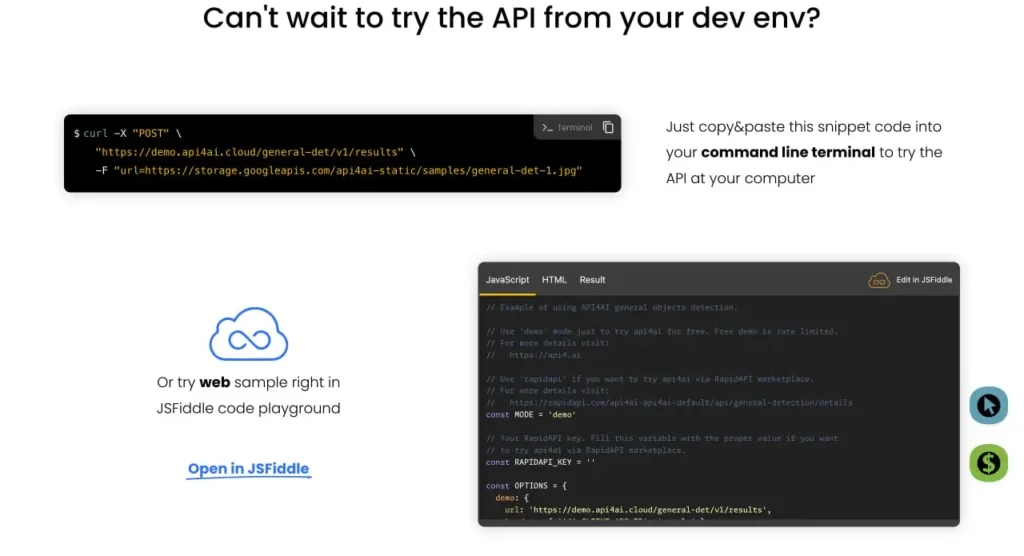
Sign up for a free Basic account, grab your API key from the dashboard, and you’re live in under five minutes. The documentation provides sample code in multiple languages, typically structured like this:
| import requests url = “https://api.api4ai.com/v1/object-detection” headers = {“Authorization”: “Bearer YOUR_API_KEY”} files = {“image”: open(“photo.jpg”, “rb”)} response = requests.post(url, headers=headers, files=files) print(response.json()) |
Response format is clean JSON with an array of detected objects, each containing label, confidence, and bounding box coordinates. Parsing and rendering boxes on the frontend is up to you — API4AI doesn’t provide visualization libraries.
错误处理
Standard HTTP status codes apply: 200 for success, 401 for auth errors, 429 for rate limits, 500 for server issues. The API returns error messages in JSON, which helps debugging.
Rate limiting specifics aren’t detailed in the sources. Presumably the Basic tier throttles aggressively (since it’s free), while Pro allows higher throughput. Check the documentation for exact request-per-second limits.
还缺少什么?
No batch upload endpoint is mentioned — you’d loop through images client-side, making individual requests. For processing thousands of images, that’s inefficient compared to platforms that accept batch jobs or ZIP uploads.
No webhooks or async processing callbacks. Everything is synchronous: request, wait, response. That’s fine for small workloads, but large-scale operations benefit from async patterns.
Annotation and dataset management features don’t exist. If you’re building training datasets or need human-in-the-loop review, you’ll need separate tools (like Roboflow or V7).
API4AI Object Detection vs. Competitors
How does API4AI stack up against other object detection APIs? Here’s a side-by-side look at key factors:
| 特征 | API4AI | 谷歌云视觉 | AWS Rekognition | 克拉利法伊 |
|---|---|---|---|---|
| 免费套餐 | 25 credits (hard limit) | 1,000 requests/month | 5,000 images/month (1 year) | 1,000 operations/month |
| Entry Paid Plan | $24.99/month (Pro) | ~$1.50 per 1k after free | ~$1.00 per 1k after free | ~$30/month (Essential) |
| Object Classes | Varies by use case | 10,000+ labels | Thousands of labels | 10,000+ concepts |
| 延迟 | 1-3 seconds | ~1 second | ~1 second | ~1-2 seconds |
Google and AWS dominate on scale and class coverage — tens of thousands of labels, custom model training, massive infrastructure. But they’re also more complex to set up, with steeper learning curves and unpredictable costs at high volumes.
API4AI trades breadth for simplicity. Cloud vision platforms provide extensive label coverage, which API4AI’s offering is more limited on, but the clean API and predictable flat-rate pricing (on Pro) are attractive. For teams that need quick integration and don’t require exotic object recognition, that’s a fair trade.
Clarifai sits in a similar niche — developer-friendly, reasonably priced, flexible — but with deeper customization options and a more mature ecosystem. API4AI undercuts on price slightly but offers less extensibility.
When to Choose API4AI
Pick API4AI if you:
- Need fast, no-fuss integration without infrastructure overhead
- Detect common objects (people, vehicles, animals, everyday items)
- Want flat-rate pricing to avoid billing surprises
- Run moderate volumes (hundreds to low thousands of images per month)
When to Skip It
Look elsewhere if you:
- Need real-time video analysis (sub-500ms latency)
- Require custom-trained models for niche domains
- Process massive volumes (millions of images) where per-request pricing beats flat-rate
- Need advanced features like object tracking, 3D pose estimation, or segmentation
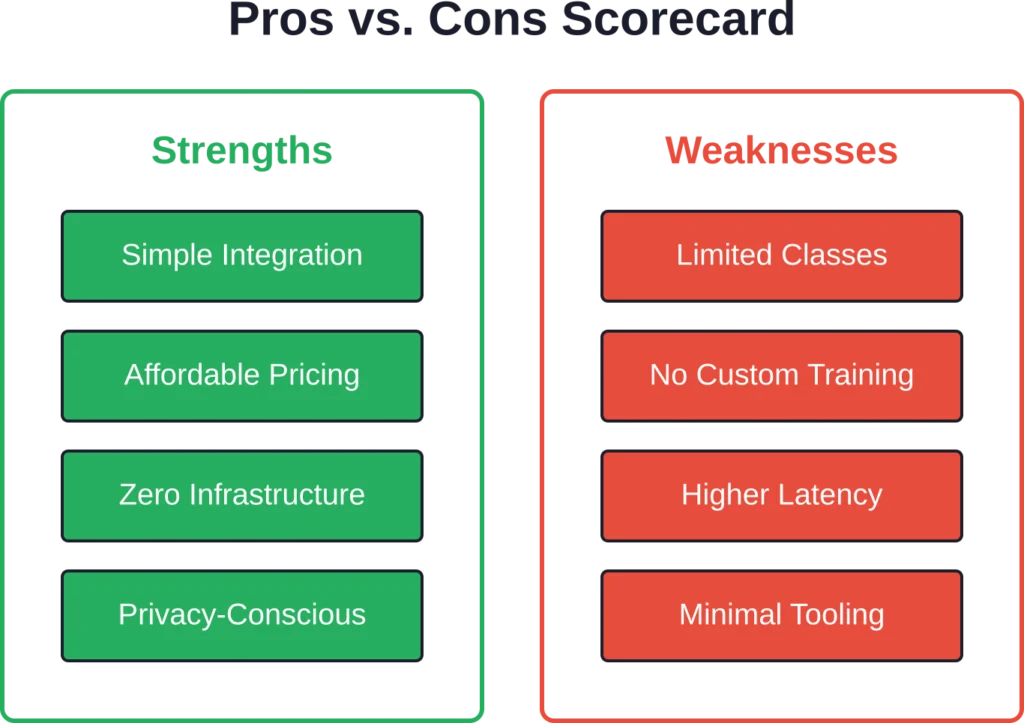
Strengths and Weaknesses (Honest Take)
Every tool has trade-offs. Here’s where API4AI Object Detection excels and where it stumbles:
优势
- Simple integration: REST API, clear documentation, sample code in multiple languages. Developers can prototype in an afternoon.
- Affordable entry point: $24.99/month Pro plan beats many competitors’ starting tiers. Free Basic tier (25 credits) allows meaningful testing.
- No infrastructure management: Cloud-native means zero server setup, model updates, or GPU provisioning. API4AI handles scaling and maintenance.
- Transparent processing: According to the official website, images aren’t stored permanently (unless opted in), addressing privacy concerns for sensitive applications.
弱点
- Limited class coverage: API4AI’s object class coverage is narrower than enterprise platforms like Google Cloud Vision and AWS Rekognition. Fine for general use, restrictive for specialized domains.
- No custom training: Stuck with pre-trained models. If your objects aren’t in the default set, you’re out of luck. Competitors like Google AutoML or Roboflow let you train custom detectors.
- Latency constraints: 1-3 second response times rule out real-time video. Edge solutions (like YOLO on device or TensorFlow Lite) respond in milliseconds.
- Minimal tooling: No SDKs, no batch endpoints, no annotation tools. Integration is manual, and workflow features don’t exist.
- Unclear performance benchmarks: No published mAP scores or accuracy metrics. Users rely on trial-and-error to gauge fit.

Security, Privacy, and Compliance
Cloud APIs handle sensitive data — photos of people, products, locations. Understanding how API4AI manages privacy and security matters.
According to the official website, API4AI processes images without permanent storage unless users opt in. That’s a privacy win. Uploaded images pass through detection pipelines and results return, but files aren’t archived server-side by default.
For compliance-heavy industries (healthcare, finance, government), confirm whether API4AI meets specific standards: GDPR (for EU data), HIPAA (for health data in the US), or SOC 2 (for general security practices). Documentation or sales teams should provide certifications.
Data transmission uses HTTPS, encrypting images in transit. Storage encryption (if you opt in to save images) and access controls aren’t detailed in public sources, so audit reports or direct inquiries are necessary for high-security deployments.
One gap: on-premises or private cloud deployment isn’t mentioned. Everything runs on API4AI’s infrastructure, which means data leaves your environment. For organizations with strict data residency rules (e.g., government agencies, banks), that’s a potential blocker.
Competitors like Microsoft Azure and AWS offer private endpoints, VPC integration, and on-prem options. API4AI’s cloud-only model prioritizes convenience over control.
Future Outlook (2026 and Beyond)
Object detection continues evolving rapidly. Authoritative sources highlight that Vision Transformer architectures have achieved competitive accuracy on ImageNet benchmarks and deliver 50% faster inference through token pruning techniques. These advances are filtering from research labs into production APIs.
API4AI’s roadmap isn’t publicly detailed, but broader industry trends suggest several directions:
- Model upgrades: Expect periodic accuracy improvements as API4AI adopts newer architectures (ViT-based detectors, EfficientDet variants). Users benefit passively — API updates happen server-side without code changes.
- Edge deployment: Cloud latency remains a friction point. Some providers now offer edge SDKs (models that run on-device). If API4AI adds this, it would unlock real-time use cases currently off-limits.
- Custom training: The lack of fine-tuning is a competitive disadvantage. Adding simple custom model training (upload labeled images, retrain on your objects) would broaden API4AI’s appeal significantly.
- Expanded class coverage: Growing the default object library to provide broader coverage would close the gap with Google and AWS, attracting users with slightly more specialized needs.
In the near term (2026-2027), API4AI likely focuses on stability, performance optimization, and incremental feature additions rather than radical pivots. The platform occupies a niche — affordable, easy-to-use, general-purpose detection — and doubling down on that makes strategic sense.
Who Should Use API4AI Object Detection?
After digging through features, pricing, and trade-offs, who’s the ideal user?
- Startups and small dev teams: Need object detection in an MVP or early-stage product. Budget-conscious, short on ML expertise, want something working by Friday. API4AI’s free tier for testing and $24.99 Pro plan fit perfectly.
- Indie developers and side projects: Building a photo app, content filter, or visual search prototype. Not selling to enterprises, just validating an idea. API4AI delivers without the complexity of AWS or GCP.
- Non-technical teams: Marketing departments, product managers, or operations teams who need object detection but lack engineering resources. REST APIs are accessible enough for non-devs with basic coding skills or low-code tools.
- Mid-scale production apps: Moderate traffic (hundreds to a few thousand detections daily), detecting common objects. E-commerce visual search, security monitoring for small businesses, smart city pilots.
Who should skip it? Large enterprises processing millions of images, teams needing custom models, real-time video applications, or highly specialized domains (medical, rare wildlife, industrial QC). For those scenarios, Google AutoML, AWS Rekognition Custom Labels, Roboflow, or custom Detectron2 implementations are better investments.
常见问题
API4AI Object Detection identifies and locates objects within images, returning labels and bounding box coordinates. Common applications include content moderation (flagging prohibited items), retail visual search, security surveillance analysis, smart city traffic monitoring, and inventory tracking. It works best for general-purpose objects like people, vehicles, animals, and everyday items.
API4AI offers a Basic free plan with 25 credits (hard limit) for testing and prototyping. The Pro plan costs $24.99 per month and includes a higher credit allowance. Credit consumption varies by image size and complexity, so check the official API4AI website for current packages, overage rates, and volume pricing details.
No, API4AI Object Detection uses pre-trained models covering common object classes. Custom training isn’t available, so if your objects aren’t in the default set, the API won’t recognize them. For custom models, consider platforms like Google AutoML Vision, AWS Rekognition Custom Labels, Roboflow, or open-source frameworks like Detectron2.
API4AI doesn’t publish specific accuracy benchmarks like mAP (mean average precision) scores. Industry-standard object detection models achieve around 50-65 mAP on COCO datasets, and API4AI likely falls in that range. Accuracy depends on image quality, object size, and context — clear photos with distinct objects perform better than low-resolution, occluded, or unusual scenarios.
API4AI offers simpler integration and flat-rate pricing ($24.99/month Pro), making it more accessible for small teams and moderate volumes. Google Cloud Vision provides broader class coverage (10,000+ labels), custom training via AutoML, and scales better for enterprise workloads, but has a steeper learning curve and pay-per-request pricing that can fluctuate. Choose API4AI for simplicity and cost predictability; choose Google for advanced features and massive scale.
Not ideally. API4AI Object Detection has 1-3 second latency per image, which is too slow for real-time video streaming (which requires sub-500ms response). It’s suitable for batch processing recorded footage or analyzing sampled frames periodically, but live video applications need edge-optimized solutions like YOLO on-device or TensorFlow Lite.
According to the official website, API4AI doesn’t store uploaded images permanently by default. Processing is stateless — images pass through detection pipelines, results return, and files aren’t archived unless users explicitly opt in. For compliance-sensitive applications, confirm data handling policies and certifications (GDPR, HIPAA, SOC 2) directly with API4AI.
Final Verdict: Is API4AI Object Detection Worth It?
API4AI Object Detection delivers solid performance for teams that need straightforward, affordable object detection without custom infrastructure. The free Basic tier (25 credits) allows meaningful testing, and the $24.99/month Pro plan undercuts many competitors while offering predictable costs.
Integration is clean — REST API, sample code, clear JSON responses — making it accessible even for developers without deep ML expertise. For common objects (people, vehicles, animals, everyday items), detection quality is reliable, though latency (1-3 seconds) rules out real-time video.
But wait. The lack of custom training is a real limitation. If your use case involves specialized objects (medical devices, rare species, proprietary products), API4AI won’t cut it. Competitors like Google AutoML, AWS Custom Labels, or Roboflow let you train detectors on your data, while API4AI keeps you locked to its pre-trained model.
Class coverage varies by use case, and trails enterprise platforms that recognize thousands of labels. That’s fine for mainstream applications but restrictive for niche domains.
Tooling is minimal. No SDKs, no batch endpoints, no annotation features. Everything is manual HTTP requests and client-side loops. For quick prototypes, that’s manageable. For production-scale workflows, the lack of polish shows.
The short answer? API4AI Object Detection is worth it if you’re building moderate-volume applications with standard objects, value simplicity over customization, and want flat-rate pricing. It’s a practical middle ground between DIY open-source models (which demand ML expertise) and enterprise platforms (which demand budget).
If your needs stretch beyond that — real-time video, custom objects, massive scale, advanced workflow tools — you’ll outgrow it quickly. But for startups, indie developers, and teams validating ideas, API4AI hits the sweet spot.