
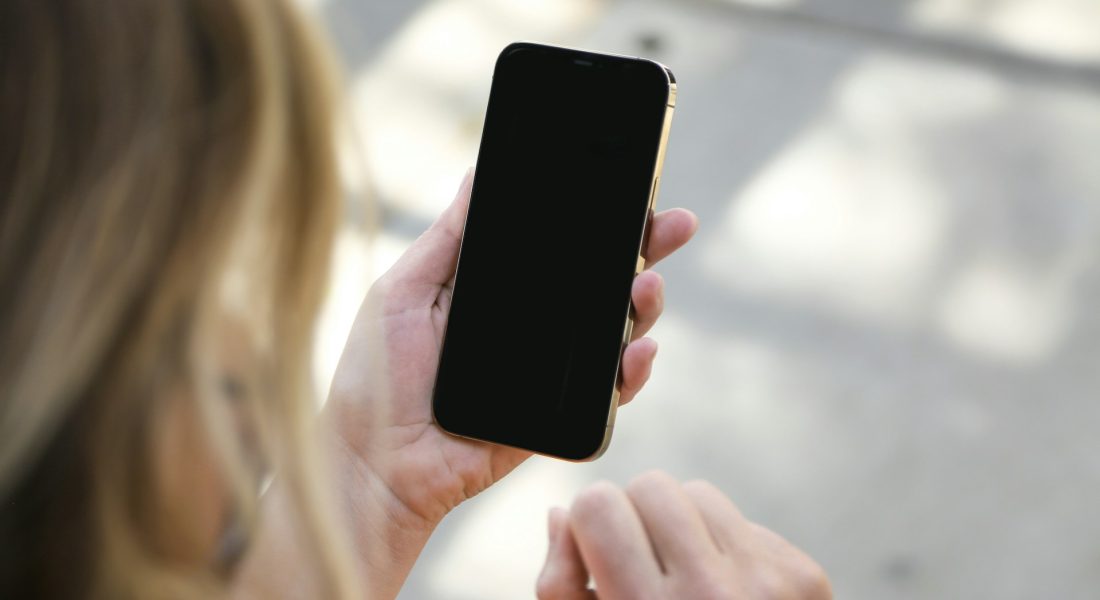
In our list of the best 3D scanners for iPhone, Apple’s built-in LiDAR sensor—available on Pro models from iPhone 12 Pro onward—stands out as a powerful, no-extra-hardware solution. It works by emitting invisible infrared laser pulses that bounce off objects and return to the sensor, allowing the iPhone to calculate distances with millimeter accuracy and build detailed depth maps, even in total darkness. This enables faster low-light autofocus, precise measurements in the Measure app, and highly realistic augmented reality overlays.
What truly elevates LiDAR is how it powers dedicated scanning apps, transforming your iPhone into a professional-grade 3D scanner. Apps like Polycam, 3D Scanner App, Scaniverse, and Canvas leverage this technology to capture detailed models of objects, rooms, or entire spaces in minutes—ideal for interior design, 3D printing, real estate, or creative projects. With no additional gear required, the iPhone LiDAR sets the benchmark for accessible, high-quality mobile scanning.

1. FlyPix AI
At FlyPix when it comes to LiDAR data, we look at it less as a raw scan and more as something that needs context to be useful. From our side, LiDAR captured on iPhone or other mobile devices fits naturally into broader geospatial workflows, especially when it is combined with imagery from drones or satellites. We work with LiDAR data as one of several inputs that help describe terrain, structures, and objects more clearly than photos alone.
In practice, this means using LiDAR-based depth information to support tasks like object detection, surface analysis, and change tracking. iPhone LiDAR scans can act as an accessible starting point for spatial data, which can then be aligned with larger datasets for analysis. Rather than treating mobile LiDAR as a standalone solution, we see it as part of a pipeline where lightweight capture meets more structured interpretation.
Key Highlights:
- Works with LiDAR data alongside other geospatial sources
- Focus on object detection, segmentation, and spatial context
- No-code workflows for analyzing spatial inputs
- Supports combining mobile and aerial data sources
Who it’s best for:
- Teams working with mixed geospatial data sources
- Users who capture LiDAR scans on mobile devices and need analysis tools
- Projects that require spatial understanding beyond simple measurements
- Analysts looking to connect LiDAR data to real-world mapping tasks
Contact information:
- Website: flypix.ai
- Phone: +49 6151 3943470
- Email: [email protected]
- Address: Robert-Bosch-Str. 7, 64293 Darmstadt, Germany
- Linkedin: www.linkedin.com/company/flypix-ai

2. Apple Measure App
Apple’s Measure app is often the first place people actually notice the LiDAR scanner on an iPhone doing something tangible. The app turns the phone into a digital measuring tool, using LiDAR to understand depth and surfaces almost instantly. On supported devices, measurements feel more stable and less dependent on perfect lighting or camera angles.
What stands out is how little setup it needs. You point, tap, and move your phone, and the app fills in distances, heights, and midpoints on the screen. It does not try to be a full scanning or modeling tool. Instead, it focuses on quick, practical measurements that are good enough for everyday tasks without requiring extra steps or exports.
Key Highlights:
- Uses iPhone LiDAR for faster and more stable measurements
- Simple tap-based interface
- Can detect surfaces like floors, tables, and walls
- Shows distance, height, and midpoint information
Who it’s best for:
- iPhone users who want quick measurements
- Home projects and basic space checks
- People who need rough dimensions without extra tools
- Anyone curious to see LiDAR in action on their device
Contact information:
- App Store: apps.apple.com/ua/app/measure/id1383426740

3. Polycam
Polycam takes iPhone LiDAR a step further by turning scans into usable 3D models and spatial records. Instead of stopping at measurements, it lets users capture entire rooms, objects, or spaces and keep them as digital references. LiDAR helps with depth accuracy, while the app handles stitching and structure in the background.
The result is something closer to documentation than measurement alone. Users can revisit scans, extract dimensions later, or share them with others. It is less about quick checks and more about keeping a detailed snapshot of a space, whether for planning, design, or record-keeping.
Key Highlights:
- Uses iPhone LiDAR for 3D room and object capture
- Creates reusable spatial models
- Supports measurements, floor plans, and exports
- Works across different devices and platforms
Who it’s best for:
- Users who need more than basic measurements
- Designers, builders, and planners documenting spaces
- Teams sharing spatial references remotely
- Anyone exploring LiDAR-based 3D capture on iPhone
Contact information:
- Website: poly.cam
- Twitter: x.com/Polycam3D
- Instagram: www.instagram.com/polycam3d
- Linkedin: www.linkedin.com/company/polycam
- App Store: apps.apple.com/ua/app/polycam-3d-scanner-lidar-360/id1532482376
- Google Play: play.google.com/store/apps/details?id=ai.polycam&pcampaignid=web_share

4. Snapchat
Snapchat is not usually the first app people think of when talking about the iPhone LiDAR scanner, but it plays a quiet role in showing how depth sensing can shape everyday experiences. On iPhones with LiDAR, some Lenses rely on more accurate depth mapping to place virtual objects in a scene. Instead of guessing where walls, floors, or faces are, the app can understand distance and separation more clearly.
From a user point of view, this shows up as filters that feel more stable and better anchored to the real world. Objects can appear behind people, stick to surfaces, or react to movement in a way that feels more consistent. Snapchat is not using LiDAR for measurement or scanning, but it does highlight how depth data can improve real time interaction without asking the user to think about the technology at all.
Key Highlights:
- Uses depth data to improve AR Lenses on supported iPhones
- Better separation between people and background
- More stable placement of virtual objects
- LiDAR works in the background without setup
Who it’s best for:
- iPhone users exploring AR features casually
- Creators using Lenses for photos and short videos
- Anyone curious how LiDAR affects social apps
- Users who want AR that feels less glitchy
Contact information:
- Website: www.snapchat.com
- App Store: apps.apple.com/ua/app/snapchat-chat-with-friends/id447188370
- Google Play: play.google.com/store/apps/details?id=com.snapchat.android&pcampaignid=web_share

5. Canvas
Canvas takes a more practical approach to the iPhone LiDAR scanner by using it for space capture and documentation. With supported iPhones and iPads, users can scan rooms by simply moving the device around. LiDAR helps the app understand walls, openings, and dimensions without manual measuring.
The main idea is not just scanning, but turning those scans into usable floor plans and CAD-ready files. Instead of treating LiDAR output as a final result, Canvas treats it as raw input that can be refined into structured drawings. This makes mobile LiDAR useful for people who need accurate layouts but do not want to spend time measuring by hand.
Key Highlights:
- Uses iPhone LiDAR for room and space scanning
- Converts scans into structured floor plans
- Supports export into design and construction formats
- Focus on accuracy over visual effects
Who it’s best for:
- Architects and interior designers
- Contractors documenting existing spaces
- Remodelers who need fast measurements
- Teams that want fewer site revisits
Contact information:
- Website: canvas.io
- Email: [email protected]
- Twitter: x.com/scannedbycanvas
- Facebook: www.facebook.com/scannedwithcanvas
- Instagram: www.instagram.com/scannedwithcanvas
- Linkedin: www.linkedin.com/company/scannedwithcanvas
- App Store: apps.apple.com/ua/app/canvas-lidar-3d-measurements/id1169235377

6. Home Planner
Home Planner connects the iPhone LiDAR scanner to interior design workflows. Instead of starting with empty grids, users can scan a room and generate a basic floor plan automatically. LiDAR helps capture room shape and scale so furniture and layouts are based on real dimensions, not estimates.
Once the scan is done, the focus shifts to planning and visualization. Users can adjust layouts, test furniture placement, and explore finishes while staying grounded in the original room size. LiDAR is not the headline feature, but it sets the foundation that keeps designs realistic rather than purely decorative.
Key Highlights:
- Uses LiDAR scanning to create room layouts
- Converts scans into editable 2D and 3D plans
- Helps keep furniture and spacing realistic
- Works as a starting point for design changes
Who it’s best for:
- Homeowners planning renovations
- Interior designers testing layouts
- Users who want to avoid manual measuring
- Anyone combining room scans with design tools
Contact information:
- Website: www.homeplannerapp.com
- Address: Office 102, Prevezis 13 Nicosia 1065, Cyprus
- Twitter: x.com/homeplannerapp
- Facebook: www.facebook.com/homeplannerapp
- Instagram: www.instagram.com/home.planner.app
- App Store: apps.apple.com/ua/app/home-planner-ai-room-design/id1076159017
- Google Play: play.google.com/store/apps/details?id=com.icandesignapp.all&pcampaignid=web_share

7. IKEA
IKEA Kreativ uses the iPhone LiDAR scanner in a very practical way – to understand the shape of a real room before any furniture planning starts. On iPhones with LiDAR, the Full Room Scan feature allows the app to capture walls, floors, and openings so users do not have to rely on rough estimates or manual measurements. The scan creates a digital version of the space that reflects its actual layout.
From there, the focus shifts to planning rather than scanning. LiDAR is mainly a foundation step that helps keep layouts grounded in reality. The app does not try to act as a full 3D scanning tool. Instead, it uses LiDAR to reduce guesswork when visualizing how furniture fits into an existing room.
Key Highlights:
- Uses iPhone LiDAR for full room scanning
- Creates a digital room based on real dimensions
- Scans work only on LiDAR-equipped iOS devices
- Designed around room layout and furniture planning
Who it’s best for:
- iPhone users with LiDAR-supported devices
- People planning furniture placement at home
- Users who want to avoid manual room measurements
- Anyone visualizing room layouts before buying items
Contact information:
- Website: www.ikea.com
- Address: IKEA of Sweden AB SE-34381 Älmhult
- Google Play: play.google.com/store/apps/details?id=com.ingka.ikea.app&pcampaignid=web_share

8. 3D Scanner App
3D Scanner App treats the iPhone LiDAR scanner as a general capture tool for objects and spaces. Users move their phone around an object or room, and the app builds a 3D model directly on the device. LiDAR helps with depth and shape, while the app handles editing and cleanup afterward.
The app is not limited to interiors. It can be used for small objects, rooms, or outdoor spaces, depending on how the scan is captured. The end result is a model that can be measured, adjusted, and shared, making LiDAR useful beyond simple visualization.
Key Highlights:
- Uses iPhone LiDAR for 3D object and space capture
- On-device editing and cleanup tools
- Supports measurement within captured models
- Easy sharing of 3D files
Who it’s best for:
- Users experimenting with mobile 3D scanning
- Designers and hobbyists capturing real objects
- People needing basic 3D models from a phone
- Anyone exploring LiDAR beyond room planning
Contact information:
- Website: 3dscannerapp.com
- Email: [email protected]
- Twitter: x.com/laanlabs
- Facebook: www.facebook.com/laanlabs
- App Store: apps.apple.com/ua/app/3d-scanner-app/id1419913995

9. Dot3D
Dot3D takes a more technical approach to the iPhone LiDAR scanner, focusing on accuracy and large-scale capture. Instead of quick scans, it allows users to document entire buildings, outdoor scenes, or complex environments. LiDAR data is processed with tools that help improve alignment and consistency across large scans.
The app also supports post-processing and export into common point cloud formats. LiDAR on the iPhone becomes a data source rather than the final product, feeding into workflows like surveying, engineering, or documentation where precision matters more than visual polish.
Key Highlights:
- Uses iPhone LiDAR for large scene capture
- Supports accuracy control and reference measurements
- Processes data locally on device or desktop
- Exports to standard point cloud formats
Who it’s best for:
- Professionals needing structured LiDAR data
- Surveying and engineering workflows
- Public safety and site documentation
- Users working with large or complex spaces
Contact information:
- Website: www.dot3d.app
- Email: [email protected]
- Address: 83 Morse St. Norwood, MA 02062 USA
- Twitter: x.com/dotproduct3d
- Facebook: www.facebook.com/DotProduct3D
- Instagram: www.instagram.com/dotproduct3d
- Linkedin: www.linkedin.com/company/dotproduct
- App Store: apps.apple.com/ua/app/dot3d-lidar-3d-scanning/id1641016966
10. Scaniverse
Scaniverse uses the iPhone LiDAR scanner to capture real places and objects as shareable 3D scenes. Instead of focusing on measurements or technical outputs, they lean toward exploration and visual capture. Users scan spaces by walking around them, letting LiDAR handle depth while the app builds a full scene that can be viewed, revisited, or shared later.
What sets their approach apart is how social and discovery-driven it feels. Scans are not just saved locally. They can be placed on a map, explored by others, and browsed like a visual archive of real places. LiDAR becomes a way to document environments with more depth than photos, without turning the process into a technical task.
Key Highlights:
- Uses iPhone LiDAR for 3D scene capture
- Focus on places, environments, and public sharing
- Map-based browsing of scanned locations
- Simple capture flow without manual setup
Who it’s best for:
- Users interested in 3D place capture
- Creators sharing scans on social platforms
- Travelers documenting locations in depth
- Anyone curious about LiDAR without technical work
Contact information:
- Website: scaniverse.com
- Email: [email protected]
- Twitter: x.com/scaniverse
- Instagram: www.instagram.com/scaniverse
- App Store: apps.apple.com/ua/app/scaniverse-3d-scanner/id1541433223
- Google Play: play.google.com/store/apps/details?id=com.nianticlabs.scaniverse&pcampaignid=web_share

11. Magicplan
magicplan uses the iPhone LiDAR scanner to speed up floor plan creation. With Auto-Scan, users can walk through a room while LiDAR detects walls, doors, windows, and objects in real time. Instead of scanning each room separately, multiple rooms can be captured in one session and combined into a single floor plan.
After scanning, the app shifts into editing mode. Detected elements can be adjusted, removed, or replaced, which helps clean up areas where LiDAR did not fully close a room. The goal is not perfect scanning, but saving time during the early stages of layout and documentation.
Key Highlights:
- Uses iPhone LiDAR for automatic room detection
- Scans multiple rooms in one session
- Detects walls, openings, and objects
- Allows manual edits after scanning
Who it’s best for:
- Users creating quick floor plans
- Contractors documenting existing spaces
- Real estate and renovation planning
- iPhone users who want less manual setup
Contact information:
- Website: www.magicplan.app
- Phone: 833-750-2616
- Email: [email protected]
- Twitter: x.com/magicplan
- Facebook: www.facebook.com/magicplan
- Instagram: www.instagram.com/magicplan_app
- Linkedin: www.linkedin.com/company/magicplanapp
- App Store: apps.apple.com/ua/app/magicplan/id427424432
- Google Play: play.google.com/store/apps/details?id=com.sensopia.magicplan&pcampaignid=web_share

12. SiteScape
SiteScape treats the iPhone LiDAR scanner as a mobile site documentation tool. Their focus is on capturing scale-accurate 3D scans of rooms, buildings, and construction spaces. Users scan by moving through an area, producing point clouds that can later be reviewed or exported for other workflows.
Rather than keeping scans inside the app, they emphasize sharing and export. LiDAR data can be sent to CAD or BIM tools, turning a phone scan into something that fits professional drafting and modeling processes. The app stays close to raw spatial data, with less emphasis on visuals and more on structure.
Key Highlights:
- Uses iPhone LiDAR for building-scale scans
- Produces point cloud data
- Supports export to common formats
- Designed for on-site capture and review
Who it’s best for:
- Construction and design teams
- Surveying and site documentation
- Users exporting scans to CAD or BIM tools
- Professionals needing quick spatial capture
Contact information:
- Website: www.sitescape.ai
- Email: [email protected]
- Twitter: x.com/SiteScapeAI
- Facebook: www.facebook.com/groups/sitescape
- Instagram: www.instagram.com/sitescape3d
- Linkedin: www.linkedin.com/company/sitescapeai
- App Store: apps.apple.com/ua/app/sitescape-lidar-3d-scanner/id1524700432
13. AR Playground
AR Playground approaches the iPhone LiDAR scanner as a way to make physical spaces more interactive during live events. Rather than scanning rooms for measurement or modeling, they use depth awareness to anchor digital content more convincingly in real environments. On LiDAR-equipped iPhones, this helps virtual elements respond better to floors, walls, and movement, which matters when people are walking around and engaging with experiences in real time.
Their work sits at the intersection of AR and event design. LiDAR is not exposed as a tool the user controls, but as a background layer that helps games, portals, and interactive content feel stable and grounded. The focus stays on participation and flow, not on technical capture or outputs.
Key Highlights:
- Uses iPhone LiDAR to improve spatial AR placement
- Focus on live, in-person experiences
- Depth-aware AR elements tied to real spaces
- LiDAR works behind the scenes without setup
Who it’s best for:
- Event organizers using AR experiences
- Brands running interactive installations
- Educational or training events with AR content
- Users who care more about interaction than scanning
Contact information:
- Website: www.arplayground.com.au
- Phone: 0438 498 212
- Email: [email protected]
- Address: Level 3/80 Market St, South Melbourne VIC 3205
- App Store: apps.apple.com/ua/app/playground-ar-physics-sandbox/id1305282341
- Google Play: play.google.com/store/apps/details?id=com.CendaGames.RemoteCar&pcampaignid=web_share
Wrapping it up
The iPhone LiDAR scanner is one of those features that quietly changes how people use their phone without asking for much attention. Sometimes it shows up as faster room scans, sometimes as cleaner AR effects, and other times you barely notice it at all. That is kind of the point. It slips into the background and makes things work a bit more smoothly.
What really stands out is how flexible it has become. The same sensor supports playful AR, practical floor plans, creative video, and serious site documentation, depending on the app behind it. You do not have to treat LiDAR as a specialist tool anymore. On the iPhone, it is simply another way the device understands space, and that opens the door to more useful and less fussy experiences over time.