
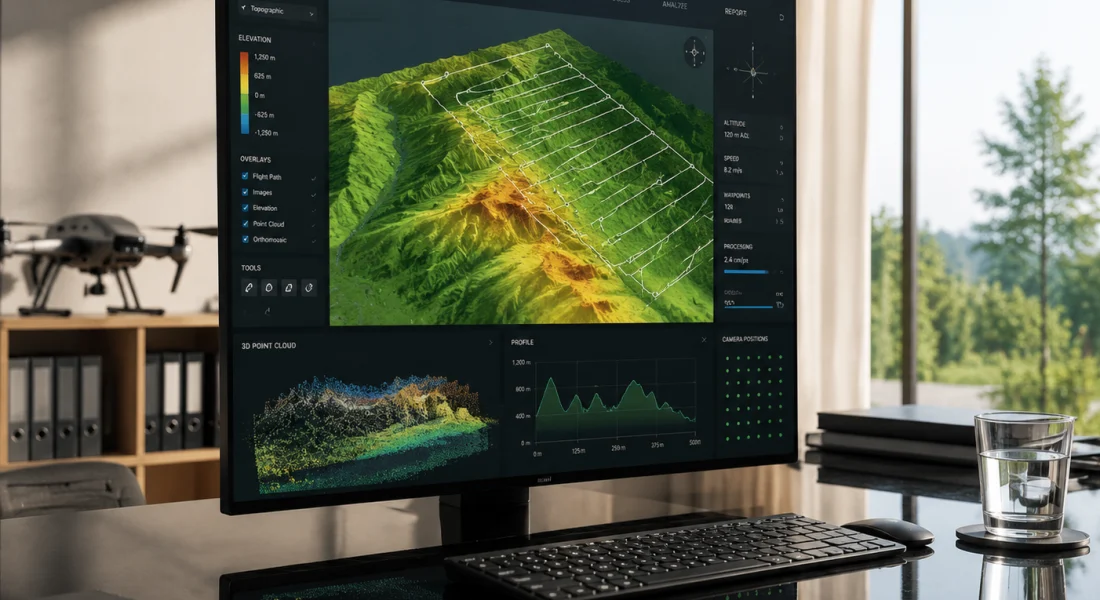
त्वरित सारांश: ArcGIS Drone2Map, Esri का डेस्कटॉप फोटोग्रामेट्री एप्लिकेशन है जो ड्रोन से ली गई छवियों को 2D और 3D GIS-तैयार उत्पादों में परिवर्तित करता है। यह प्राकृतिक रंग, थर्मल और मल्टीस्पेक्ट्रल डेटासेट को सपोर्ट करता है, ArcGIS इकोसिस्टम के साथ सहजता से एकीकृत होता है, और ऑर्थोमोसैक्स, पॉइंट क्लाउड और टेक्सचर्ड मेश जैसे आउटपुट प्रदान करता है। यह टूल उन GIS पेशेवरों के लिए डिज़ाइन किया गया है जिन्हें सटीक, भू-स्थानिक रूप से संदर्भित ड्रोन मैपिंग परिणामों की आवश्यकता होती है।.
हवाई तस्वीरों को उपयोगी भू-स्थानिक जानकारी में बदलने के लिए डेस्कटॉप ड्रोन मैपिंग सॉफ्टवेयर अनिवार्य हो गया है। ArcGIS Drone2Map फोटोग्रामेट्री और GIS के संगम पर स्थित है, जो Esri इकोसिस्टम में पहले से निवेश कर चुके संगठनों के लिए एक डेस्कटॉप समाधान प्रदान करता है।.
लेकिन क्या यह गति, सटीकता और उपयोगिता के मामले में खरा उतरता है? यह समीक्षा सिस्टम आवश्यकताओं, प्रोसेसिंग प्रदर्शन, सुविधाओं की व्यापकता और वास्तविक दुनिया में इसके उपयोग का विश्लेषण करती है ताकि यह निर्धारित किया जा सके कि ड्रोन2मैप आपके कार्यप्रवाह के लिए उपयुक्त है या नहीं।.
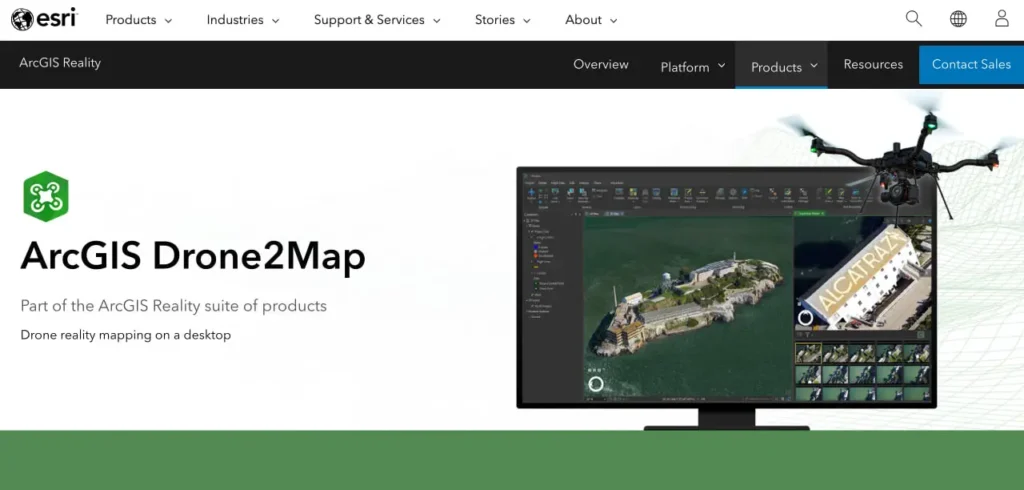
ArcGIS Drone2Map क्या है?
ArcGIS Drone2Map एक डेस्कटॉप एप्लिकेशन है जो ड्रोन द्वारा ली गई छवियों को भौगोलिक रूप से सटीक 2D और 3D उत्पादों में परिवर्तित करता है। ArcGIS Reality सूट का हिस्सा होने के नाते, यह प्राकृतिक रंग RGB, थर्मल इन्फ्रारेड और मल्टीस्पेक्ट्रल डेटासेट को संभालता है।.
यह सॉफ़्टवेयर ऑर्थोमोसैक्स, डिजिटल सतह मॉडल, पॉइंट क्लाउड, टेक्सचर्ड मेश और 3डी मॉडल तैयार करता है। सभी आउटपुट जियोरेफरेंस किए गए हैं और सीधे ArcGIS Online, ArcGIS Pro और Portal for ArcGIS के साथ एकीकृत होते हैं।.
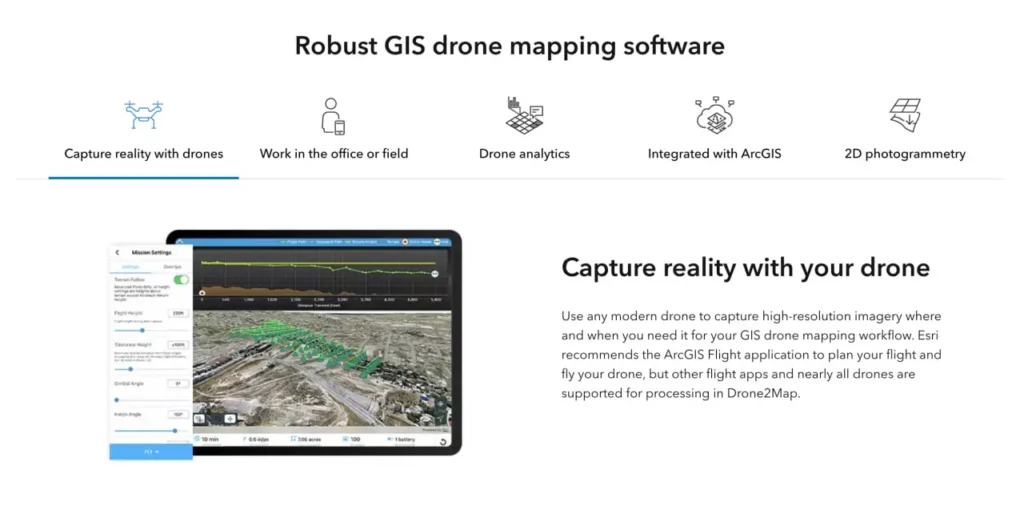
यह एक स्वतंत्र उड़ान नियोजन उपकरण नहीं है। ड्रोन2मैप छवियों को एकत्र करने के बाद संसाधित करता है, हालांकि यह एसरी के मोबाइल उड़ान ऐप्स के साथ काम करता है।.
समर्थित छवि प्रारूप
आधिकारिक दस्तावेज़ के अनुसार, Drone2Map JPEG और TIFF फॉर्मेट को स्वीकार करता है। TIFF सपोर्ट में मोनोक्रोमैटिक, मल्टीबैंड RGB, इन्फ्रारेड और थर्मल इमेजरी शामिल हैं। यह सॉफ्टवेयर 8-, 10-, 12-, 14- और 16-बिट पूर्णांक के साथ-साथ फ्लोटिंग-पॉइंट डेटा को भी हैंडल करता है।.
पिरामिड या बहुपृष्ठीय संरचना के बिना एकल-परत TIFF फ़ाइलें आवश्यक हैं। अधिकांश आधुनिक ड्रोन कैमरे बिना किसी अतिरिक्त रूपांतरण के संगत प्रारूपों में आउटपुट देते हैं।.
FlyPix AI की मदद से ड्रोन से ली गई तस्वीरों को उपयोगी डेटा में बदलें।
ड्रोन सर्वेक्षणों में हजारों छवियां कैप्चर की जाती हैं, लेकिन उन्हें उपयोगी जानकारियों में बदलने के लिए सावधानीपूर्वक प्रोसेसिंग की आवश्यकता होती है। FlyPix AI इमेज एनोटेशन, ऑब्जेक्ट डिटेक्शन और क्लासिफिकेशन को स्वचालित करने में मदद करता है, जिससे टीमें इमेज को अधिक कुशलता से प्रोसेस कर सकें।.
क्या आप ड्रोन डेटा के साथ काम कर रहे हैं?
FlyPix AI निम्नलिखित में मदद कर सकता है:
- ड्रोन छवि विश्लेषण
- वस्तु का पता लगाना और उसकी निगरानी करना
- छवि एनोटेशन स्वचालन
- कस्टम भू-स्थानिक एआई मॉडल
👉 FlyPix AI को आजमाएं यह देखने के लिए कि एआई आपके ड्रोन वर्कफ़्लो को कैसे सपोर्ट कर सकता है।.
सिस्टम आवश्यकताएँ और हार्डवेयर आवश्यकताएँ
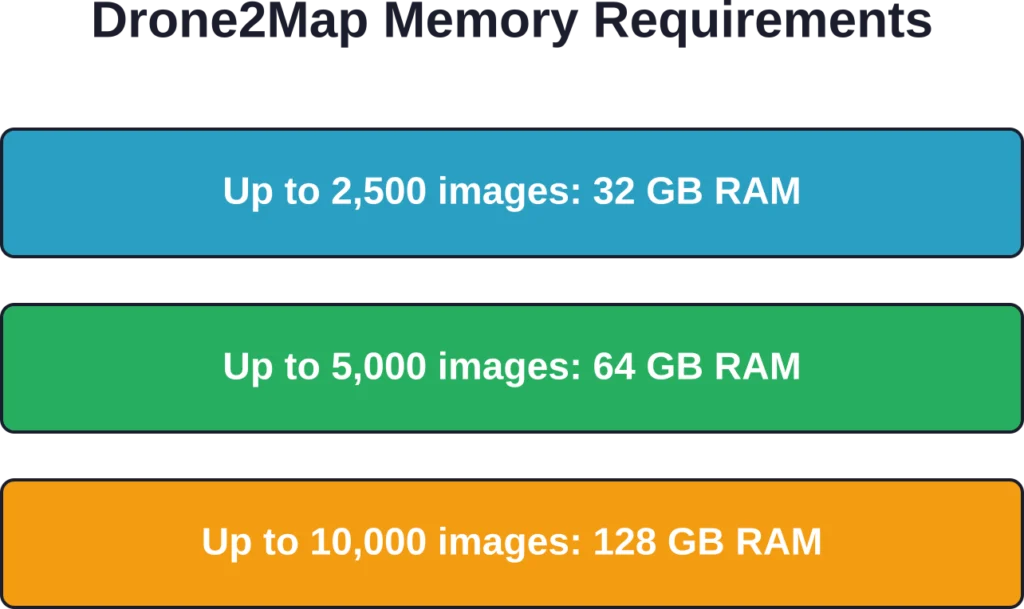
Drone2Map को बहुत अधिक संसाधनों की आवश्यकता होती है। आधिकारिक सिस्टम आवश्यकताओं वाले पृष्ठ पर विशिष्ट न्यूनतम आवश्यकताएं सूचीबद्ध हैं, लेकिन वास्तविक प्रदर्शन काफी हद तक डेटासेट के आकार पर निर्भर करता है।.
न्यूनतम हार्डवेयर विनिर्देश
न्यूनतम सीपीयू कॉन्फ़िगरेशन के लिए 6 कोर और 12 थ्रेड्स की आवश्यकता होती है। बड़े डेटासेट के साथ सर्वोत्तम प्रदर्शन के लिए, 48 थ्रेड्स वाले 24-कोर प्रोसेसर और 48 जीबी रैम की अनुशंसा की जाती है।.
बुनियादी डिस्प्ले के लिए GPU की आवश्यकता 4 GB VRAM है। डीप लर्निंग सुविधाओं के लिए 8 GB VRAM की आवश्यकता होती है। सिस्टम के लिए NVIDIA GPU की आवश्यकता है जिसमें CUDA कंप्यूट क्षमता 7.5 या उससे अधिक और ड्राइवर संस्करण 570 न्यूनतम हो।.
DirectX 12.0 और OpenGL 4.3 का समर्थन अनिवार्य है। स्क्रीन रिज़ॉल्यूशन कम से कम 1024×768 होना चाहिए, हालांकि उच्च रिज़ॉल्यूशन से कार्यकुशलता में सुधार होता है।.
ऑपरेटिंग सिस्टम समर्थन
Drone2Map विंडोज 11 होम, प्रो और एंटरप्राइज (64-बिट) के साथ-साथ विंडोज सर्वर 2025 स्टैंडर्ड और डेटासेंटर पर चलता है। आधिकारिक दस्तावेज़ के अनुसार, विंडोज 11 और विंडोज सर्वर 2025 के लिए अप्रैल 2026 का अपडेट नवीनतम परीक्षणित संस्करण है।.
macOS संस्करण उपलब्ध नहीं है। Linux भी समर्थित नहीं है। Windows के अलावा अन्य वातावरण चलाने वाले संगठनों को वर्चुअलाइजेशन या समर्पित हार्डवेयर की आवश्यकता होगी।.
प्रोसेसिंग प्रदर्शन और गति
हार्डवेयर, डेटासेट के आकार और गुणवत्ता सेटिंग्स के आधार पर प्रोसेसिंग समय में काफी अंतर होता है। 2026.1 रिलीज़ में गति में उल्लेखनीय सुधार किए गए हैं, विशेष रूप से तीव्र प्रोसेसिंग मोड के लिए।.
ACCESSiFLY केस स्टडी के अनुसार, टीम ने 500 थर्मल इन्फ्रारेड छवियों को बिना किसी त्रुटि के 42 मिनट में 3D आउटपुट में संसाधित किया। गोरज़िंस्की ने बताया कि प्रसंस्करण गति उनके मौजूदा सॉफ़्टवेयर पैकेज के बेंचमार्क की तुलना में तीन घंटे तेज़ थी।.
थर्मल डेटा के लिए यह प्रभावशाली है, क्योंकि आमतौर पर इसमें मानक आरजीबी इमेजिंग की तुलना में अधिक समय लगता है।.
तीव्र प्रसंस्करण मोड संवर्द्धन
2026.1 अपडेट में एक नया रैपिड पॉइंट क्लाउड डेंसिटी विकल्प जोड़ा गया है। यह मोड गति के लिए कुछ विवरणों का त्याग करता है, जिससे यह आपदा प्रतिक्रिया या आपातकालीन निरीक्षण जैसे समय-संवेदनशील परिदृश्यों के लिए आदर्श बन जाता है।.
गॉसियन स्प्लैट उत्पादों को भी बेहतर बनाया गया है। अब बड़े डेटासेट गुणवत्ता बनाए रखते हुए तेज़ी से प्रोसेस होते हैं। हाई या अल्ट्रा पॉइंट क्लाउड डेंसिटी सेटिंग्स पिछले संस्करणों की तुलना में छोटे विवरणों और जटिल बनावटों को अधिक प्रभावी ढंग से कैप्चर करती हैं।.
छवि समायोजन मोड
Drone2Map अब दो इमेज एडजस्टमेंट मोड प्रदान करता है: स्टैंडर्ड और चैलेंजिंग। चैलेंजिंग मोड डिफ़ॉल्ट सेटिंग की तुलना में कठिन प्रकाश स्थितियों, परावर्तक सतहों और एकसमान बनावट को बेहतर ढंग से संभालता है।.
यह फोटोग्रामेट्री की एक आम समस्या का समाधान करता है। पानी, कांच और कृषि क्षेत्रों जैसी सतहों का पुनर्निर्माण अक्सर ठीक से नहीं हो पाता है। नया मोड इन स्थितियों में सफलता दर को बेहतर बनाता है।.
उत्पादित उत्पाद और गुणवत्ता
Drone2Map एक ही इमेज सेट से कई प्रकार के उत्पाद तैयार करता है। उपयोगकर्ता प्रोजेक्ट सेटअप के दौरान यह तय करते हैं कि कौन से आउटपुट बनाने हैं।.
| उत्पादन का प्रकार | विवरण | सामान्य उपयोग के मामले |
|---|---|---|
| ऑर्थोमोसैइक | ज्यामितीय रूप से सही की गई 2डी छवि | बेस मैप, परिवर्तन पहचान, परिसंपत्ति ट्रैकिंग |
| डिजिटल सरफेस मॉडल (डीएसएम) | संरचनाओं सहित ऊंचाई का रास्टर | आयतन गणना, भू-भाग विश्लेषण |
| पॉइंट क्लाउड | RGB या वर्गीकरण के साथ 3D बिंदु | इंजीनियरिंग सर्वेक्षण, संरचनात्मक निरीक्षण |
| बनावट वाली जाली | फोटोग्राफिक बनावट वाली 3डी सतह | दृश्यीकरण, जन सहभागिता, बीआईएम एकीकरण |
| 3डी मॉडल | वेब डिस्प्ले के लिए सरलीकृत मेश | ArcGIS Online दृश्य दर्शक, साझाकरण |
शुद्धता और भू-स्थानिक परिशुद्धता
अंतर्निहित जीआईएस घटक में अंतर्निर्मित समन्वय प्रणाली प्रबंधन की सुविधा है। ड्रोन द्वारा सटीक स्थिति निर्धारण डेटा प्राप्त करते समय ड्रोन2मैप सेंटीमीटर स्तर की सटीकता के लिए आरटीके और पीपीके वर्कफ़्लो का समर्थन करता है।.
उपयोगकर्ता रिपोर्टों के अनुसार, डेटा आउटपुट की सटीकता कई स्टैंडअलोन फोटोग्रामेट्री टूल से बेहतर है क्योंकि जीआईएस आधार पूरी प्रोसेसिंग के दौरान उचित डेटम और प्रोजेक्शन हैंडलिंग सुनिश्चित करता है।.
यह सॉफ़्टवेयर डिफ़ॉल्ट रूप से EGM96 जियोइड ऊंचाई मॉडल का उपयोग करता है, लेकिन कस्टम वर्टिकल डेटम चयन की अनुमति देता है। मिश्रित डेटम परिदृश्यों के लिए समन्वय प्रणाली रूपांतरणों को कॉन्फ़िगर किया जा सकता है।.
उड़ान नियोजन के सर्वोत्तम तरीके
हालांकि Drone2Map उड़ानों की योजना नहीं बनाता है, लेकिन डेटा संग्रह के सर्वोत्तम तरीकों को समझना प्रोसेसिंग की सफलता पर सीधा प्रभाव डालता है। Esri बेहतर परिणामों के लिए विशिष्ट दिशानिर्देश प्रकाशित करता है।.
ओवरलैप और साइडलैप दिशानिर्देश
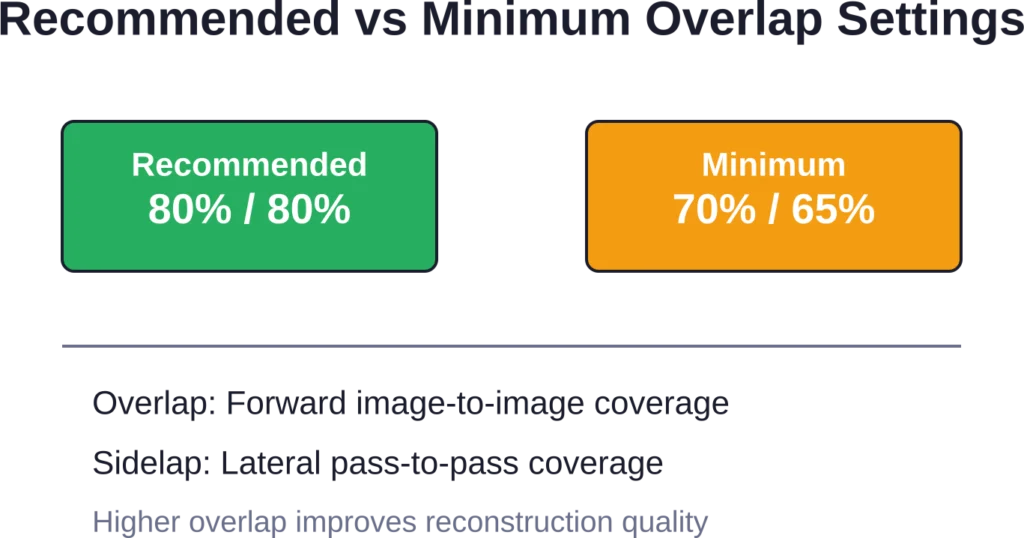
मिशन की योजना बनाते समय Esri 80 प्रतिशत ओवरलैप और 80 प्रतिशत साइडलैप से शुरू करने की सलाह देता है। इससे सटीक पुनर्निर्माण के लिए पर्याप्त कवरेज सुनिश्चित होता है और आउटपुट की सटीकता अधिकतम होती है।.
न्यूनतम स्वीकार्य सीमा 70 प्रतिशत ओवरलैप और 65 प्रतिशत साइडलैप है। इन मूल्यों से नीचे जाने पर कवरेज में कमी या पुनर्निर्माण में विफलता का खतरा रहता है।.
जटिल ज्यामितियों, कृषि क्षेत्रों, घनी वनस्पतियों और शहरी वातावरणों में उच्च ओवरलैप से लाभ होता है। सीमित उड़ान समय होने पर ओवरलैप से पहले साइडलैप को कम करने से आमतौर पर गुणवत्ता बेहतर बनी रहती है।.
प्रकाश और पर्यावरणीय स्थितियाँ
हल्के बादलों से घिरी धूप बेहतरीन तस्वीरें लेने के लिए उपयुक्त होती है। बादल सूर्य की रोशनी को फैला देते हैं, जिससे कठोर छाया या चकाचौंध के बिना एक समान प्रकाश व्यवस्था बनती है।.
सीधी धूप से बनने वाली गहरी छायाएं फोटोग्रामेट्री एल्गोरिदम को भ्रमित कर देती हैं। परावर्तक सतहों (पानी, कांच, धातु) से उत्पन्न होने वाली चकाचौंध भी पुनर्निर्माण की गुणवत्ता को कम कर देती है।.
दिन का समय मायने रखता है। सुबह-सुबह और देर दोपहर की रोशनी से लंबी परछाई बनती है। दोपहर के समय तेज धूप में उड़ान भरने से छोटी परछाई बनती है, लेकिन चकाचौंध का खतरा बढ़ जाता है।.
लाइसेंसिंग और पहुंच
Drone2Map के लिए ArcGIS Online सदस्यता या Portal for ArcGIS खाते की आवश्यकता होती है, जिसमें Drone2Map लाइसेंस या Reality Mapping लाइसेंस उपलब्ध कराया गया हो। यह नामित उपयोगकर्ता लाइसेंसिंग का उपयोग करता है।.
मूल्यांकन के लिए ArcGIS Online के माध्यम से निःशुल्क परीक्षण सुविधा उपलब्ध है। जिन संगठनों के पास पहले से Esri की सदस्यता नहीं है, उन्हें पहले ArcGIS Online का संगठनात्मक खाता बनाना होगा।.
जब खातों में उचित प्रावधान नहीं होता है, तो लाइसेंस न होने से संबंधित त्रुटि संदेश आम बात है। प्रशासकों को स्पष्ट रूप से Drone2Map ऐड-ऑन लाइसेंस आवंटित करने होंगे या ऐसे उपयोगकर्ता प्रकारों का प्रावधान करना होगा जिनमें Drone2Map शामिल हो (जैसे कि GIS प्रोफेशनल)।.
ArcGIS इकोसिस्टम के साथ एकीकरण
Drone2Map की मुख्य विशेषता ArcGIS Pro, ArcGIS Online और Portal for ArcGIS के साथ इसका मजबूत एकीकरण है। संसाधित उत्पाद स्वचालित रूप से संगठनात्मक खातों में सिंक हो जाते हैं।.
यह उन टीमों के लिए महत्वपूर्ण है जो पहले से ही Esri टूल्स का उपयोग कर रही हैं। आउटपुट वेब मैप्स, स्टोरी मैप्स, फील्ड ऐप्स और विश्लेषण वर्कफ़्लो में बिना निर्यात या प्रारूप रूपांतरण के तुरंत उपलब्ध होते हैं।.
Esri के दायरे से बाहर के संगठनों के लिए, यह एकीकरण कम उपयोगी है। यह सॉफ़्टवेयर स्टैंडअलोन फोटोग्रामेट्री टूल की तरह आसानी से तृतीय-पक्ष प्लेटफ़ॉर्म पर डेटा निर्यात नहीं करता है।.
वास्तविक दुनिया के अनुप्रयोग मामले
कई संगठनों ने अपने ड्रोन2मैप कार्यान्वयन का दस्तावेजीकरण किया है, जिससे व्यावहारिक प्रदर्शन के बारे में जानकारी मिलती है।.
लुइसियाना परिवहन विभाग
लुइसियाना परिवहन और विकास विभाग (डीओटीडी) 52,000 वर्ग मील में फैले बुनियादी ढांचे के निर्माण और जल निकासी विश्लेषण के लिए ड्रोन2मैप का उपयोग करता है।.
लुइसियाना में प्रतिवर्ष 57 इंच वर्षा होती है। इंजीनियरिंग परियोजनाओं के लिए जल निकासी संबंधी डेटा का त्वरित संग्रहण अत्यंत महत्वपूर्ण है। ड्रोन2मैप की मदद से लोकेशन एंड सर्वे विभाग स्थलाकृतिक सर्वेक्षण, इमेजरी और जल निकासी सतह क्षेत्र डेटा को पारंपरिक तरीकों की तुलना में अधिक तेजी से एकत्र कर सकता है।.
ओनोंडागा काउंटी जल प्राधिकरण
ओनोंडागा काउंटी जल प्राधिकरण (OCWA) मध्य न्यूयॉर्क के पांच काउंटियों में 350,000 ग्राहकों को जल आपूर्ति प्रदान करता है। यह कंपनी 2,200 मील लंबी मुख्य जल पाइपलाइन और 58 भंडारण सुविधाओं का प्रबंधन करती है।.
OCWA ने टैंक निरीक्षण के लिए Drone2Map के साथ ड्रोन वर्कफ़्लो लागू किया, जिससे पारंपरिक मचान-आधारित विधियों की तुलना में प्रति टैंक निरीक्षण 1,500 टन की बचत हुई। यह समाधान टैंक निरीक्षण और परियोजना नियोजन वर्कफ़्लो का समर्थन करता है, और वेब मैप, ऐप्स और दृश्यों के रूप में साझा करने के लिए OCWA के मैपिंग पोर्टल से कनेक्टिविटी प्रदान करता है।.
एक्सेसिफ्लाई थर्मल निरीक्षण
टोरंटो स्थित बिल्डिंग साइंस फर्म ACCESSiFLY, बिल्डिंग एनवेलप निरीक्षण और स्थिति निगरानी के लिए थर्मल इन्फ्रारेड इमेजरी को प्रोसेस करने के लिए Drone2Map का उपयोग करती है।.
गोरज़िंस्की ने मौजूदा सॉफ़्टवेयर पैकेज के बेंचमार्क की तुलना में प्रोसेसिंग गति में तीन घंटे की तेज़ी दर्ज की। सटीकता में यह सुधार जीआईएस-आधारित निर्देशांक प्रबंधन के कारण संभव हुआ है, जो थर्मल डेटा को भवन की ज्यामिति के साथ सटीक रूप से संरेखित करता है।.
वैकल्पिक समाधानों के साथ तुलना
Drone2Map, GIS आधारित और स्वतंत्र फोटोग्रामेट्री प्लेटफॉर्म दोनों के साथ प्रतिस्पर्धा करता है। यह कहाँ फिट बैठता है, यह समझने के लिए इसकी क्षमताओं और सीमाओं की तुलना करना आवश्यक है।.
| विशेषता | ArcGIS ड्रोन2मैप | विशिष्ट स्वतंत्र उपकरण |
|---|---|---|
| जीआईएस एकीकरण | मूल ArcGIS कनेक्टिविटी | निर्यात/आयात वर्कफ़्लो |
| लाइसेंसिंग मॉडल | नामित उपयोगकर्ता, इसके लिए ArcGIS संगठन की आवश्यकता है। | स्टैंडअलोन सदस्यताएँ |
| प्रोसेसिंग इंजन | ArcGIS रियलिटी इंजन | स्वामित्व वाला या ओपन-सोर्स |
| हार्डवेयर आवश्यकताएँ | उच्च (वर्कस्टेशन-ग्रेड) | भिन्न-भिन्न होता है (अक्सर कम होता है) |
| सीखने की अवस्था | मध्यम स्तर (जीआईएस का ज्ञान सहायक होगा) | निम्न से मध्यम |
ड्रोन2मैप कब उपयोगी साबित होता है
जो संगठन पहले से ही ArcGIS Pro, ArcGIS Online या Enterprise का उपयोग कर रहे हैं, उन्हें तत्काल कार्यप्रवाह दक्षता का लाभ मिलता है। डेटा को व्यवस्थित किए बिना उत्पाद सीधे मौजूदा मानचित्रों, ऐप्स और विश्लेषणों में एकीकृत हो जाते हैं।.
RTK/PPK सटीकता, मल्टीस्पेक्ट्रल विश्लेषण या थर्मल प्रोसेसिंग की आवश्यकता वाली टीमों को Drone2Map के सेंसर समर्थन और सटीक प्रबंधन से लाभ मिलता है। यह सॉफ़्टवेयर कई अन्य विकल्पों की तुलना में जटिल निर्देशांक रूपांतरणों को बेहतर ढंग से संभालता है।.
स्थापित जीआईएस प्रोग्राम वाले बड़े सरकारी विभाग, उपयोगिता संस्थान और परिवहन विभाग मुख्य उपयोगकर्ता वर्ग का प्रतिनिधित्व करते हैं। ये संगठन उपयोग में आसानी की तुलना में डेटा प्रबंधन, सटीकता और उद्यम एकीकरण को प्राथमिकता देते हैं।.
जब विकल्प बेहतर साबित हो सकते हैं
जिन छोटी टीमों के पास पहले से Esri का बुनियादी ढांचा मौजूद नहीं है, उन्हें अधिक चुनौतियों का सामना करना पड़ता है। लाइसेंसिंग मॉडल के लिए संगठनात्मक खातों की आवश्यकता होती है, और हार्डवेयर की मांग कई स्टैंडअलोन टूल्स से कहीं अधिक होती है।.
डिवाइस फ्लेक्सिबिलिटी की आवश्यकता वाले संगठनों को कुछ सीमाओं का सामना करना पड़ता है। Drone2Map केवल विंडोज के लिए है और आधुनिक ड्रोन से प्राप्त इमेजरी के लिए डिज़ाइन किया गया है। वीडियो-आधारित समाधान या मोबाइल प्रोसेसिंग फील्ड-फर्स्ट वर्कफ़्लो के लिए बेहतर विकल्प हो सकते हैं।.
कम बजट वाले प्रोजेक्ट जिनमें जीआईएस एकीकरण की आवश्यकता नहीं होती, वे कम लागत वाले फोटोग्रामेट्री टूल ढूंढ सकते हैं जो समान परिणाम देते हैं। इसका मुख्य उद्देश्य पारिस्थितिकी तंत्र का एकीकरण करना है, न कि स्वतंत्र रूप से काम करना।.
अद्यतन और विकास पथ
Esri एक सक्रिय विकास चक्र बनाए रखता है। 2025.2 और 2026.1 रिलीज़ में प्रोसेसिंग गति, आउटपुट गुणवत्ता और सेंसर समर्थन में उल्लेखनीय सुधार किए गए हैं।.
हाल ही में किए गए सुधारों में ArcGIS रियलिटी इंजन का पूर्ण कार्यान्वयन, बेहतर गॉसियन स्प्लैट प्रोसेसिंग और नया चैलेंजिंग इमेज एडजस्टमेंट मोड शामिल हैं। ये अपडेट उपयोगकर्ताओं द्वारा बताई गई वास्तविक समस्याओं का समाधान करते हैं।.
आधिकारिक दस्तावेज़ और सहायता संसाधन नियमित रूप से अपडेट किए जाते हैं। ArcGIS Learn – Drone2Map ट्यूटोरियल गैलरी प्रशिक्षण और पाठ प्रदान करती है, और Esri की तकनीकी सहायता साइट में सामान्य समस्याएं और उनके समाधान शामिल हैं।.
Drone2Map का उपयोग किन लोगों को करना चाहिए?
ArcGIS Drone2Map एक विशिष्ट क्षेत्र की जरूरतों को पूरा करता है। यह ड्रोन मैपिंग के हर परिदृश्य के लिए उपयुक्त नहीं है, लेकिन कुछ विशेष प्रकार के उपयोगकर्ताओं के लिए यह उत्कृष्ट प्रदर्शन करता है।.
ArcGIS Pro में पहले से ही निपुण GIS पेशेवरों को कार्यप्रवाह परिचित लगेगा। इंटरफ़ेस Esri के डिज़ाइन पैटर्न का अनुसरण करता है, और आउटपुट हैंडलिंग अन्य Reality suite उत्पादों के समान है।.
इंजीनियरिंग, कानूनी या नियामक उद्देश्यों के लिए प्रमाणित सटीकता की आवश्यकता वाले संगठनों को समन्वय प्रणाली की परिशुद्धता और RTK/PPK समर्थन से लाभ होता है। अंतर्निहित GIS सही डेटा हैंडलिंग सुनिश्चित करता है, जो सामान्य फोटोग्रामेट्री उपकरण अक्सर नहीं कर पाते।.
बड़े बुनियादी ढांचागत परिसंपत्तियों (परिवहन, उपयोगिताएँ, ऊर्जा) का प्रबंधन करने वाली टीमें ArcGIS के प्रत्यक्ष एकीकरण से दक्षता प्राप्त करती हैं। सर्वेक्षण डेटा को मैन्युअल रूप से स्थानांतरित किए बिना परिसंपत्ति प्रबंधन प्रणालियों, कार्य आदेश प्लेटफार्मों और सार्वजनिक वेब मानचित्रों में सहजता से शामिल किया जाता है।.
छोटे व्यवसायों, शौकिया उपयोगकर्ताओं या Esri इकोसिस्टम से बाहर की टीमों को सीखने में अधिक समय और अधिक लागत का सामना करना पड़ता है। इन उपयोगकर्ताओं के लिए स्टैंडअलोन टूल या क्लाउड प्लेटफॉर्म तेजी से लाभ प्रदान कर सकते हैं।.
अक्सर पूछे जाने वाले प्रश्नों
कम से कम 6 कोर और 12 थ्रेड वाला वर्कस्टेशन, साथ ही 2,500 छवियों से कम वाले डेटासेट के लिए 32 जीबी रैम आवश्यक है। बड़े प्रोजेक्ट के लिए 64 जीबी या 128 जीबी रैम की आवश्यकता होती है। 4 जीबी वीआरएएम (डीप लर्निंग फीचर्स के लिए 8 जीबी) और CUDA 7.5 सपोर्ट वाला NVIDIA GPU आवश्यक है। Windows 11 या Windows Server 2025 अनिवार्य है।.
जी हां। Drone2Map प्राकृतिक रंग RGB, थर्मल इन्फ्रारेड और मल्टीस्पेक्ट्रल डेटासेट को सपोर्ट करता है। यह 8 से 16 बिट तक के पूर्णांक और फ्लोटिंग-पॉइंट TIFF फ़ाइलों को संभालता है, जिसमें मल्टीबैंड डेटा भी शामिल है। मल्टीस्पेक्ट्रल कृषि और पर्यावरण निगरानी कार्यप्रवाहों के लिए रेडियोमेट्रिक कैलिब्रेशन उपकरण उपलब्ध हैं।.
प्रारंभिक प्राधिकरण के लिए ArcGIS Online या Portal for ArcGIS के माध्यम से नामित उपयोगकर्ता लाइसेंसों को मान्य करने हेतु इंटरनेट कनेक्टिविटी आवश्यक है। प्राधिकरण के बाद, स्थानीय प्रोसेसिंग के लिए निरंतर कनेक्टिविटी की आवश्यकता नहीं होती है। ArcGIS Online पर आउटपुट प्रकाशित करने या उत्पादों को साझा करने के लिए नेटवर्क एक्सेस आवश्यक है।.
Drone2Map, ArcGIS Online संगठनात्मक खातों या Portal for ArcGIS के माध्यम से नामित उपयोगकर्ता लाइसेंसिंग का उपयोग करता है। उपयोगकर्ताओं को Drone2Map ऐड-ऑन लाइसेंस या Drone2Map युक्त उपयोगकर्ता प्रकार (जैसे GIS Professional) की आवश्यकता होती है। ArcGIS Online के माध्यम से निःशुल्क परीक्षण उपलब्ध हैं। कोई स्थायी लाइसेंस विकल्प उपलब्ध नहीं है।.
ऑर्थोमोसैक्स को GeoTIFF फॉर्मेट में एक्सपोर्ट किया जाता है। पॉइंट क्लाउड को LAS/LAZ फॉर्मेट में एक्सपोर्ट किया जाता है। 3D मेश को ArcGIS के उपयोग के लिए OBJ, FBX या SLPK (सीन लेयर पैकेज) फॉर्मेट में एक्सपोर्ट किया जाता है। डिजिटल सरफेस मॉडल को GeoTIFF रास्टर के रूप में एक्सपोर्ट किया जाता है। सभी आउटपुट में उचित कोऑर्डिनेट सिस्टम मेटाडेटा शामिल होता है।.
जी हां। मानक जीपीएस टैग वाली इमेज प्रोसेसिंग ठीक से काम करती है। बेहतर सटीकता के लिए आरटीके और पीपीके सपोर्ट उपलब्ध है, लेकिन यह अनिवार्य नहीं है। ड्रोन से सटीक स्थिति निर्धारण डेटा उपलब्ध न होने पर ग्राउंड कंट्रोल पॉइंट्स (जीसीपी) सटीकता को बेहतर बना सकते हैं। सॉफ्टवेयर मिश्रित सटीकता वाले वर्कफ़्लो को संभालता है।.
ArcGIS Pro से परिचित GIS पेशेवर आमतौर पर एक सप्ताह के भीतर ही काम में निपुण हो जाते हैं। इसका इंटरफ़ेस Esri के मानकों का पालन करता है और प्रोसेसिंग प्रक्रियाएँ अपेक्षाकृत सरल हैं। GIS की पृष्ठभूमि न रखने वाले उपयोगकर्ताओं को कोऑर्डिनेट सिस्टम, डेटम हैंडलिंग और आउटपुट प्रोडक्ट टाइप समझने में 2-4 सप्ताह का समय लग सकता है। Esri ArcGIS Learn के माध्यम से निःशुल्क प्रशिक्षण प्रदान करता है।.
अंतिम आकलन
ArcGIS Drone2Map, Esri इकोसिस्टम में एकीकृत संगठनों के लिए उत्कृष्ट प्रदर्शन प्रदान करता है। हाल के संस्करणों में प्रोसेसिंग गति में सुधार के कारण यह स्टैंडअलोन फोटोग्रामेट्री टूल्स के साथ प्रतिस्पर्धा करने में सक्षम है, विशेष रूप से थर्मल और मल्टीस्पेक्ट्रल डेटासेट के लिए।.
अंतर्निहित जीआईएस इंजीनियरिंग और नियामक अनुप्रयोगों के लिए सटीकता के मामले में कई फायदे प्रदान करता है। समन्वय प्रणाली प्रबंधन, डेटा रूपांतरण और भू-स्थानिक परिशुद्धता सामान्य फोटोग्रामेट्री के लिए डिज़ाइन किए गए अधिकांश विकल्पों से कहीं बेहतर हैं।.
हार्डवेयर की आवश्यकताएँ महत्वपूर्ण हैं। वर्कस्टेशन-ग्रेड मशीनों के लिए बजट बनाएं, विशेष रूप से 2,500 से अधिक छवियों वाले प्रोजेक्ट्स के लिए। यह निवेश प्रोसेसिंग समय में कमी और बेहतर आउटपुट गुणवत्ता के रूप में लाभप्रद साबित होता है।.
एकीकरण ही इसका मुख्य लाभ है। जो टीमें पहले से ही ArcGIS में बुनियादी ढांचे, उपयोगिताओं या पर्यावरणीय संपत्तियों का प्रबंधन कर रही हैं, उन्हें तत्काल कार्यप्रवाह दक्षता का लाभ मिलता है। डेटा बिना किसी निर्यात की परेशानी के सीधे मौजूदा सिस्टम में प्रवाहित होता है।.
Esri के दायरे से बाहर की संस्थाओं के लिए प्रवेश की बाधा अधिक है। लाइसेंसिंग के लिए संगठनात्मक खातों की आवश्यकता होती है, और सीखने की प्रक्रिया में बुनियादी फोटोग्रामेट्री से परे जीआईएस अवधारणाएं शामिल हैं। इन उपयोगकर्ताओं के लिए स्वतंत्र उपकरण तेजी से लाभ प्रदान कर सकते हैं।.
यदि आपका संगठन पहले से ही ArcGIS Pro का उपयोग करता है या ArcGIS Online में भू-स्थानिक संपत्तियों का प्रबंधन करता है, तो Drone2Map का मूल्यांकन करना उचित होगा। 2026.1 रिलीज़ एक परिपक्व, उत्पादन-तैयार सॉफ़्टवेयर है जो वास्तविक दुनिया की मानचित्रण आवश्यकताओं को प्रभावी ढंग से पूरा करता है।.