

त्वरित सारांश: ArcGIS, Esri का एक व्यापक भू-स्थानिक प्लेटफॉर्म है जो मानचित्रण, स्थानिक विश्लेषण और डेटा प्रबंधन के लिए शक्तिशाली डेस्कटॉप, वेब और सर्वर टूल प्रदान करता है। इस प्लेटफॉर्म में ArcGIS Pro (विंडोज डेस्कटॉप सॉफ्टवेयर), ArcGIS Online (क्लाउड-आधारित मानचित्रण) और 3D विश्लेषण, डेटा सत्यापन और उन्नत रूटिंग के लिए विशेष एक्सटेंशन शामिल हैं। हालांकि यह उद्योग का मानक है और इसमें मजबूत क्षमताएं हैं, लेकिन इसे सीखने में थोड़ा समय लगता है और इसके लिए केवल विंडोज डेस्कटॉप की आवश्यकता होती है।.
भौगोलिक सूचना प्रणाली (जीआईएस) विश्वभर में सैकड़ों संगठनों के लिए अनिवार्य हो गई है, चाहे वे बुनियादी ढांचे का प्रबंधन करने वाली सरकारी एजेंसियां हों या रसद को अनुकूलित करने वाली निजी कंपनियां। आर्कजीआईएस इस पारिस्थितिकी तंत्र के केंद्र में स्थित है और यह सबसे व्यापक रूप से अपनाया जाने वाला वाणिज्यिक जीआईएस प्लेटफॉर्म है।.
लेकिन क्या यह उम्मीदों पर खरा उतरता है? आइए विस्तार से जानते हैं कि ArcGIS वास्तव में क्या प्रदान करता है, इसकी खूबियाँ क्या हैं और इसमें क्या कमियाँ हैं।.
ArcGIS क्या है?
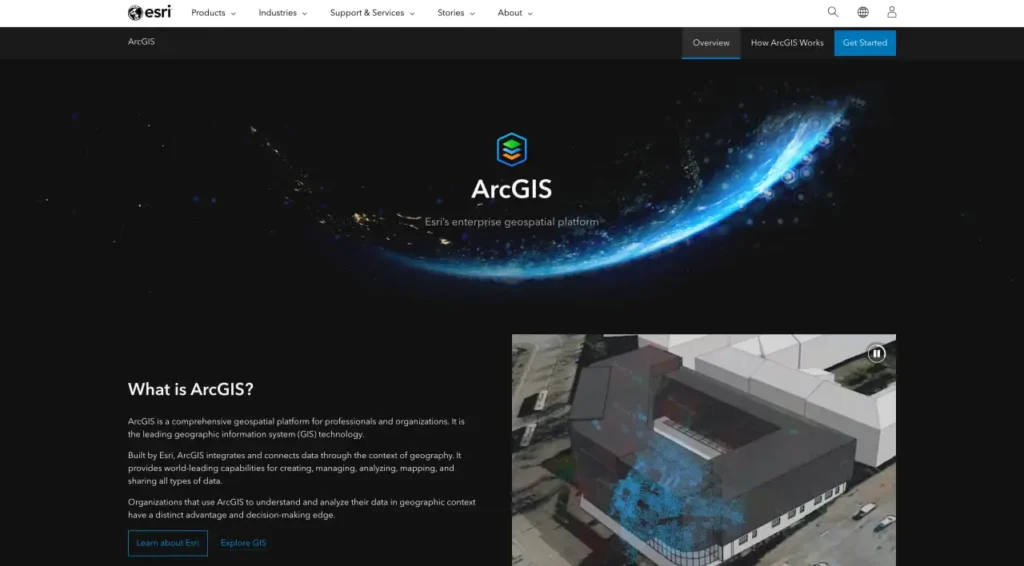
ArcGIS कोई एक उपकरण नहीं है—यह एक एकीकृत प्लेटफॉर्म है जिसमें डेस्कटॉप एप्लिकेशन, क्लाउड सेवाएं, मोबाइल ऐप और एंटरप्राइज सर्वर शामिल हैं। मूल रूप से, यह प्लेटफॉर्म सभी प्रकार के भू-स्थानिक डेटा को बनाने, प्रबंधित करने, विश्लेषण करने, मैप करने और साझा करने की क्षमता प्रदान करता है।.
यह इकोसिस्टम कई प्रमुख उत्पादों पर आधारित है। ArcGIS Pro विंडोज के लिए पूर्ण विशेषताओं वाला डेस्कटॉप एप्लिकेशन है। ArcGIS Online वेब-आधारित मैपिंग और डेटा होस्टिंग प्रदान करता है। ArcGIS Enterprise उन संगठनों के लिए ऑन-प्रिमाइसेस सर्वर इंफ्रास्ट्रक्चर प्रदान करता है जिन्हें अपने डेटा पर पूर्ण नियंत्रण की आवश्यकता होती है।.
आधिकारिक वेबसाइट के अनुसार, यह प्लेटफ़ॉर्म वर्कफ़्लो के पाँच प्राथमिक चरणों का समर्थन करता है: भौगोलिक डेटा प्राप्त करना, इसे परतों के रूप में प्रकाशित करना या संदर्भित करना, उन परतों वाले मानचित्र और दृश्य बनाना, परतों का विश्लेषण करना और परिणामों से ऐप्स बनाना।.
FlyPix AI के साथ भू-स्थानिक छवियों का तेजी से विश्लेषण करें
भू-स्थानिक परियोजनाओं में अक्सर बड़ी मात्रा में उपग्रह, हवाई और ड्रोन इमेजरी शामिल होती है, जिसे मैन्युअल रूप से संसाधित करना मुश्किल हो सकता है। FlyPix AI इमेज विश्लेषण को स्वचालित करने में मदद करता है, जिससे टीमें वस्तुओं की पहचान करने, क्षेत्रों को वर्गीकृत करने और परिवर्तनों की निगरानी करने में अधिक कुशल हो जाती हैं।.
क्या आप तेज़ भू-स्थानिक विश्लेषण की तलाश में हैं?
FlyPix AI निम्नलिखित में मदद कर सकता है:
- उपग्रह और ड्रोन छवि विश्लेषण
- वस्तु का पता लगाना और वर्गीकरण
- स्वचालित छवि एनोटेशन
- कस्टम एआई मॉडल प्रशिक्षण
👉 FlyPix AI को आजमाएं भौगोलिक विश्लेषण कार्यप्रवाहों का पता लगाने के लिए।.
ArcGIS Pro: डेस्कटॉप का शक्तिशाली उपकरण
ArcGIS Pro, Esri का आधुनिक डेस्कटॉप GIS सॉफ़्टवेयर है, जो पुराने ArcMap एप्लिकेशन की जगह लेता है। यह केवल Windows पर चलने वाला एप्लिकेशन है, जिसे इंस्टॉल करना आवश्यक है और यह कंप्यूटर पर स्थानीय रूप से चलता है।.
यह सॉफ्टवेयर उन्नत मानचित्रण उपकरण, 2डी और 3डी विज़ुअलाइज़ेशन, स्थानिक विश्लेषण क्षमताएं और व्यापक डेटा प्रबंधन प्रदान करता है। परियोजनाएं कई स्रोतों से डेटा को एकीकृत कर सकती हैं, जटिल भू-प्रसंस्करण कार्य कर सकती हैं और प्रकाशन-गुणवत्ता वाले मानचित्रण परिणाम तैयार कर सकती हैं।.
सच कहूँ तो, इस इंटरफ़ेस को सीखने में काफी समय लगता है। समुदाय में होने वाली चर्चाओं में अक्सर यह बात सामने आती है कि यह सॉफ़्टवेयर सरकारी कामकाज के लिए डिज़ाइन किया गया लगता है—यह बेहद सक्षम तो है, लेकिन नए उपयोगकर्ताओं के लिए हमेशा सहज नहीं होता।.
ArcGIS Pro में प्रमुख क्षमताएं
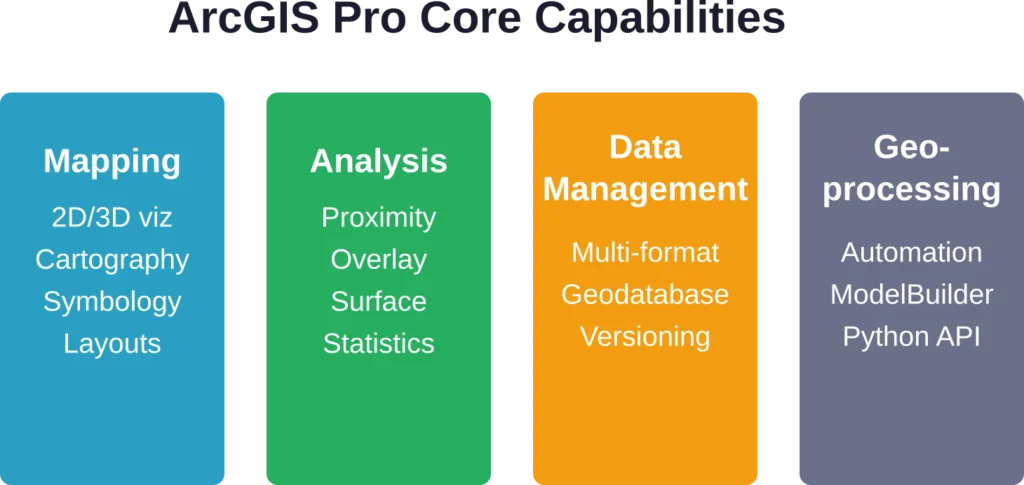
डेस्कटॉप एप्लिकेशन कई प्रमुख कार्यों में उत्कृष्ट प्रदर्शन करता है। मैपिंग टूल सरल संदर्भ मानचित्रों से लेकर कस्टम सिम्बोलॉजी के साथ उन्नत कार्टोग्राफिक डिज़ाइनों तक सभी प्रकार के मानचित्रों का समर्थन करते हैं। 3डी विज़ुअलाइज़ेशन इंजन भू-भाग मॉडल, भवन के आधार और अन्य वॉल्यूमेट्रिक डेटा को प्रभावशाली विस्तार के साथ प्रदर्शित करता है।.
स्थानिक विश्लेषण उपकरण निकटता विश्लेषण, ओवरले संचालन, सतह विश्लेषण और सांख्यिकीय मॉडलिंग को कवर करते हैं। भू-प्रसंस्करण ढांचा व्यापक भू-प्रसंस्करण उपकरण प्रदान करता है और उपयोगकर्ताओं को स्वचालित वर्कफ़्लो में संचालन को एक साथ जोड़ने की अनुमति देता है।.
डेटा प्रबंधन क्षमताओं में दर्जनों फ़ाइल स्वरूपों के लिए समर्थन, जियोडेटाबेस निर्माण और रखरखाव, मेटाडेटा निर्माण और बहु-उपयोगकर्ता संपादन वातावरण के लिए संस्करण नियंत्रण शामिल हैं।.
लाइसेंस स्तर और विस्तार
ArcGIS Pro कई लाइसेंस श्रेणियों में उपलब्ध है: बेसिक, स्टैंडर्ड और एडवांस्ड। प्रत्येक श्रेणी अतिरिक्त टूल और क्षमताओं को अनलॉक करती है, जबकि एडवांस्ड श्रेणी विश्लेषण कार्यों का पूरा सेट प्रदान करती है।.
बुनियादी लाइसेंस के अलावा, Esri कई एक्सटेंशन भी प्रदान करता है जो विशेष कार्यक्षमता जोड़ते हैं। 3D एनालिस्ट एक्सटेंशन सतहों और अन्य 3D डेटा को बनाने और उनका विश्लेषण करने के लिए उपकरण प्रदान करता है, जिसमें लिडार प्रबंधन भी शामिल है। स्पेशल एनालिस्ट रास्टर-आधारित मॉडलिंग और उन्नत सांख्यिकीय उपकरण जोड़ता है। नेटवर्क एनालिस्ट जटिल रूटिंग और नेटवर्क विश्लेषण को सक्षम बनाता है।.
आधिकारिक दस्तावेज़ों के अनुसार, कुछ एक्सटेंशन विशिष्ट सर्वर क्षमताओं के साथ एकीकृत होते हैं। उदाहरण के लिए, ArcGIS नेटवर्क एनालिस्ट एक्सटेंशन ArcGIS GIS सर्वर एडवांस्ड के साथ शामिल है, लेकिन स्टैंडर्ड संस्करण के साथ इसे अलग से खरीदा जा सकता है। स्पेशल एनालिस्ट और नेटवर्क एनालिस्ट एक्सटेंशन के लिए कोई लाइसेंस स्तर निर्धारित नहीं है—ये किसी भी ArcGIS Pro लाइसेंस स्तर (बेसिक, स्टैंडर्ड या एडवांस्ड) के साथ काम करते हैं और इनमें से किसी के लिए भी इन्हें अलग से खरीदा जा सकता है।.
ArcGIS ऑनलाइन: क्लाउड-आधारित मैपिंग
ArcGIS Online पूरी तरह से ब्राउज़र में चलता है। इसे इंटरैक्टिव मैप बनाने, वेब एप्लिकेशन विकसित करने, डेटा होस्ट करने और टीम के सदस्यों के साथ सहयोग करने के लिए डिज़ाइन किया गया है—और यह सब डेस्कटॉप सॉफ़्टवेयर इंस्टॉल किए बिना किया जा सकता है।.
यह प्लेटफ़ॉर्म Esri और उपयोगकर्ता समुदाय द्वारा योगदान किए गए बेस मैप, जनसांख्यिकीय डेटा और जीवंत एटलस के व्यापक संग्रह तक पहुंच प्रदान करता है। टीमें अपने स्वयं के डेटासेट अपलोड कर सकती हैं, उन्हें प्रतीकों में ढाल सकती हैं और उन्हें सार्वजनिक रूप से या अपने संगठन के भीतर साझा कर सकती हैं।.
वेब मैप निर्माण उपकरण लेयर स्टाइलिंग, पॉप-अप कॉन्फ़िगरेशन और बुनियादी विश्लेषण की सुविधा प्रदान करते हैं। एक बार मैप कॉन्फ़िगर हो जाने के बाद, इसे वेबसाइटों में एम्बेड किया जा सकता है, लिंक के माध्यम से साझा किया जा सकता है, या ArcGIS API का उपयोग करके बनाए गए कस्टम एप्लिकेशन के आधार के रूप में उपयोग किया जा सकता है।.
ऑनलाइन बनाम डेस्कटॉप का चुनाव कब करें
लेकिन असल बात यह है कि ये प्रतिस्पर्धी उत्पाद नहीं हैं। ये एक ही पारिस्थितिकी तंत्र के भीतर पूरक उपकरण हैं।.
ArcGIS Online उन टीमों के लिए बेहतरीन विकल्प है जिन्हें सहयोगी मानचित्रण, फील्ड डेटा संग्रह और सार्वजनिक मानचित्र अनुप्रयोगों की आवश्यकता होती है। इसका ब्राउज़र-आधारित इंटरफ़ेस इसे गैर-विशेषज्ञों के लिए भी सुलभ बनाता है, और होस्टिंग इंफ्रास्ट्रक्चर स्वचालित रूप से स्केल हो जाता है।.
ArcGIS Pro जटिल स्थानिक विश्लेषण, बड़े पैमाने पर डेटा प्रोसेसिंग, उन्नत मानचित्रण और विशाल डेटासेट के साथ काम करने जैसे कठिन कार्यों को संभालता है। डेस्कटॉप वर्कफ़्लो में आमतौर पर Pro में डेटा तैयार करना और विश्लेषण करना शामिल होता है, फिर व्यापक वितरण के लिए परिणामों को ArcGIS Online पर प्रकाशित किया जाता है।.
विशेष सेवाएँ: डेटा वितरण परत
फ़ीचर सेवाएँ ArcGIS आर्किटेक्चर में एक मूलभूत अवधारणा का प्रतिनिधित्व करती हैं। आधिकारिक दस्तावेज़ों के अनुसार, ये इंटरनेट या इंट्रानेट पर फ़ीचर डेटा और गैर-स्थानिक तालिकाओं को उपलब्ध कराती हैं, जिससे वेब क्लाइंट, डेस्कटॉप ऐप्स और फ़ील्ड ऐप्स में डेटा का उपयोग संभव हो पाता है।.
प्रकाशक किसी फ़ीचर सेवा के माध्यम से उपलब्ध कार्यक्षमता निर्धारित करते हैं: कौन से एट्रिब्यूट दिखाई देंगे, संपादन की अनुमति है या नहीं, कौन सी सिम्बोलॉजी लागू की जाएगी, और कौन से टेम्प्लेट डेटा प्रविष्टि में मार्गदर्शन करेंगे। फ़ीचर सेवा का उपयोग करने वाले उपयोगकर्ता इन कॉन्फ़िगर किए गए सेटिंग्स के माध्यम से डेटा देखते हैं।.
पहले उल्लेखित पांच-चरणीय कार्यप्रवाह यहां भी लागू होता है: भौगोलिक डेटा प्राप्त करें, फीचर सेवाओं के माध्यम से इसे परतों के रूप में प्रकाशित या संदर्भित करें, मानचित्र और दृश्य बनाएं, परतों का विश्लेषण करें और उन सेवाओं का उपयोग करने वाले ऐप्स बनाएं।.
ArcGIS डेटा समीक्षक: गुणवत्ता नियंत्रण ढांचा
डेटा की गुणवत्ता महत्वपूर्ण है, खासकर सरकारी और बुनियादी ढांचागत क्षेत्रों में जहां खराब डेटा से महंगी गलतियां हो सकती हैं। ArcGIS डेटा रिव्यूअर प्लेटफॉर्म में एक समर्पित गुणवत्ता नियंत्रण ढांचा जोड़ता है।.
आधिकारिक दस्तावेज़ के अनुसार, डेटा रिव्यूअर स्थानिक संबंधों और अखंडता की जाँच करने वाले विभिन्न परीक्षणों का उपयोग करके डेटा को मान्य करता है। टूलबॉक्स में बैच जॉब बनाने, सत्यापन सत्रों को प्रबंधित करने और सत्यापन के दौरान पाई गई त्रुटियों को ठीक करने के लिए उपकरण शामिल हैं।.
ArcGIS डेटा रिव्यूअर में कई प्रकार की जाँचों का दस्तावेजीकरण किया गया है, जिनमें डुप्लिकेट फ़ीचर, इंटरसेक्शन काउंट का मूल्यांकन और फ़ीचर-ऑन-फ़ीचर जाँच शामिल हैं।.
डेटा रिव्यूअर कैसे काम करता है
गुणवत्ता नियंत्रण कार्यप्रवाह आवश्यकताओं को परिभाषित करने से शुरू होता है। उदाहरण के लिए, एक सड़क डेटासेट के लिए यह आवश्यक हो सकता है कि विशेषताओं में कोई दोहराव न हो, शीर्ष बिंदु एक दूसरे से एक फुट की दूरी के भीतर न हों, और पूर्ण सड़क नाम विशेषता मान एक मास्टर स्ट्रीट इंडेक्स से मेल खाते हों।.
ये आवश्यकताएँ डेटा समीक्षक जाँचों में परिवर्तित हो जाती हैं—ये स्वचालित परीक्षण हैं जो डेटा पर चलाए जाते हैं। ये जाँचें व्यक्तिगत विशेषताओं का मूल्यांकन कर सकती हैं, विशेषताओं की आपस में तुलना कर सकती हैं, या बाहरी संदर्भ डेटासेट के विरुद्ध विशेषताओं को मान्य कर सकती हैं।.
परिणाम एरर इंस्पेक्टर में दिखाई देते हैं, जहाँ विश्लेषक चिह्नित समस्याओं की समीक्षा करते हैं और यह तय करते हैं कि उन्हें ठीक किया जाए, अपवाद के रूप में चिह्नित किया जाए या सत्यापन नियमों को समायोजित किया जाए। त्वरित शुरुआत ट्यूटोरियल को पूरा होने में लगभग 20 मिनट का समय लगेगा।.
REST API और डेवलपर टूल्स
यह प्लेटफ़ॉर्म कस्टम एप्लिकेशन बनाने वाले डेवलपर्स के लिए व्यापक REST API उपलब्ध कराता है। आधिकारिक दस्तावेज़ के अनुसार, उपलब्ध सेवाओं में वेक्टर टाइल्स तक पहुँचने के लिए बेस मैप स्टाइल, व्यवसायों और रुचि के स्थानों को खोजने के लिए प्लेस सर्विस, पता खोजने और बैच जियोकोडिंग के लिए जियोकोडिंग, और बारी-बारी से दिशा-निर्देशों के लिए रूटिंग शामिल हैं।.
अतिरिक्त एपीआई में जनसांख्यिकीय डेटा के लिए जियोएनरिचमेंट, एलिवेशन सेवाएं, सामग्री प्रबंधन के लिए पोर्टल सेवाएं और डेटा को क्वेरी करने और संपादित करने के लिए फीचर सेवाएं शामिल हैं।.
ये एपीआई डेवलपर्स को उपयोगकर्ताओं को सीधे आर्कजीआईएस इंटरफेस के साथ इंटरैक्ट करने की आवश्यकता के बिना, कस्टम वेब ऐप्स, मोबाइल एप्लिकेशन या एंटरप्राइज सिस्टम में आर्कजीआईएस क्षमताओं को एकीकृत करने की अनुमति देते हैं।.
प्रदर्शन और सिस्टम आवश्यकताएँ
ArcGIS Pro केवल Windows पर चलता है। इसका macOS या Linux संस्करण उपलब्ध नहीं है, जो उन टीमों के लिए एक बड़ी समस्या हो सकती है जो Windows के अलावा अन्य हार्डवेयर का उपयोग करती हैं।.
इस सॉफ़्टवेयर को पर्याप्त सिस्टम संसाधनों की आवश्यकता होती है, विशेष रूप से 3डी विज़ुअलाइज़ेशन और बड़े डेटासेट को संसाधित करने के लिए। Esri पेशेवर उपयोग के लिए न्यूनतम 16GB RAM और जटिल विश्लेषण कार्यों के लिए 32GB या उससे अधिक RAM की अनुशंसा करता है।.
ArcGIS Online का प्रदर्शन इंटरनेट कनेक्शन की गुणवत्ता और प्रदर्शित किए जा रहे वेब मानचित्रों की जटिलता पर निर्भर करता है। कुछ हज़ार विशेषताओं वाले सरल मानचित्र तेज़ी से लोड होते हैं, लेकिन लाखों विशेषताओं वाले या जटिल प्रतीकों वाले मानचित्र धीमे हो सकते हैं।.
मूल्य निर्धारण और लाइसेंसिंग
Esri की मूल्य निर्धारण संरचना सरल नहीं है। लाइसेंस आमतौर पर समवर्ती लाइसेंस के बजाय उपयोगकर्ता प्रकारों और नामित उपयोगकर्ताओं के आधार पर वार्षिक सदस्यता के माध्यम से बेचे जाते हैं।.
कंपनी अपनी सार्वजनिक वेबसाइट पर मानकीकृत मूल्य प्रकाशित नहीं करती है—लागत संगठन के आकार, लाइसेंस स्तर, उपयोगकर्ताओं की संख्या और अतिरिक्त एक्सटेंशन की आवश्यकता के आधार पर भिन्न होती है। संभावित खरीदारों को कीमतों के लिए बिक्री विभाग से संपर्क करना होगा।.
शैक्षणिक सूत्रों के अनुसार, कई विश्वविद्यालयों में छात्र संस्थागत लाइसेंस के माध्यम से ArcGIS Online और ArcGIS Pro का उपयोग कर सकते हैं। कुछ शैक्षणिक संस्थान साइट लाइसेंस के माध्यम से निःशुल्क पहुँच प्रदान करते हैं।.
ArcGIS बनाम विकल्प
ArcGIS अन्य प्रतिस्पर्धी प्लेटफॉर्मों के मुकाबले कैसा प्रदर्शन करता है? यह तुलना विशिष्ट आवश्यकताओं और कार्यप्रवाहों पर निर्भर करती है।.
| प्लैटफ़ॉर्म | ताकत | सीमाएँ | के लिए सर्वश्रेष्ठ |
|---|---|---|---|
| आर्कजीआईएस प्रो | उद्योग मानक, व्यापक उपकरण, सशक्त उद्यम समर्थन | केवल विंडोज़ के लिए, महंगा, सीखने में कठिन | सरकार, उपयोगिता कंपनियां, बड़े संगठन |
| आर्कजीआईएस ऑनलाइन | क्लाउड-आधारित, सहयोगात्मक, सुलभ, अच्छे टेम्पलेट्स | विश्लेषण के सीमित उपकरण, इंटरनेट की आवश्यकता | सार्वजनिक मानचित्र, क्षेत्र संग्रह, वेब ऐप्स |
| क्यूजीआईएस | नि:शुल्क, ओपन-सोर्स, क्रॉस-प्लेटफ़ॉर्म, सक्रिय समुदाय | कम परिष्कृत इंटरफ़ेस, असंगत प्लगइन्स | बजट के प्रति सजग संगठन, मैक/लिनक्स उपयोगकर्ता |
| अनुभव किया | आधुनिक यूजर इंटरफेस, तेज़, सहयोग-केंद्रित, ब्राउज़र-आधारित | सीमित उन्नत विश्लेषण, नया प्लेटफ़ॉर्म | वे टीमें जो गहराई के बजाय उपयोग में आसानी को प्राथमिकता देती हैं |
QGIS कई समान क्षमताओं के साथ एक आकर्षक निःशुल्क विकल्प प्रदान करता है, हालांकि इसमें ArcGIS की एकीकृत एंटरप्राइज़ सुविधाओं और परिष्कृत इंटरफ़ेस का अभाव है। Felt एक नया दृष्टिकोण प्रस्तुत करता है जो व्यापक विश्लेषणात्मक उपकरणों के बजाय सरलता और सहयोग पर केंद्रित है।.
ArcGIS का उपयोग किसे करना चाहिए?
विभिन्न उद्योगों के संगठन महत्वपूर्ण कार्यप्रवाहों के लिए ArcGIS पर निर्भर हैं। सरकारी एजेंसियां इसका उपयोग शहरी नियोजन, अवसंरचना प्रबंधन और सार्वजनिक सुरक्षा के लिए करती हैं। उपयोगिता कंपनियां सेवा क्षेत्रों का मानचित्रण और परिसंपत्ति सूची का प्रबंधन करती हैं। पर्यावरण संगठन पर्यावास परिवर्तनों पर नज़र रखते हैं और संरक्षण परिदृश्यों का मॉडल तैयार करते हैं।.
यह प्लेटफ़ॉर्म उन टीमों के लिए उपयुक्त है जिन्हें सशक्त विश्लेषणात्मक क्षमताओं, एंटरप्राइज़-स्तरीय डेटा प्रबंधन, स्थापित विक्रेता समर्थन और मौजूदा Esri-आधारित वर्कफ़्लो के साथ एकीकरण की आवश्यकता होती है। यह तब विशेष रूप से उपयोगी होता है जब कई विभागों को केंद्रीकृत बुनियादी ढांचे के माध्यम से भौगोलिक डेटा साझा करने की आवश्यकता होती है।.
सरल आवश्यकताओं, सीमित बजट या गैर-विंडोज वातावरण वाली छोटी टीमों को शायद कहीं और बेहतर विकल्प मिल सकते हैं। जीआईएस के साथ शुरुआत करने वाले संगठनों के लिए सीखने की प्रक्रिया और लाइसेंसिंग लागतें वास्तविक बाधाएँ पैदा करती हैं।.
शक्तियां और कमजोरियां
आइए सीधे तौर पर बात करें कि क्या काम करता है और क्या नहीं।.
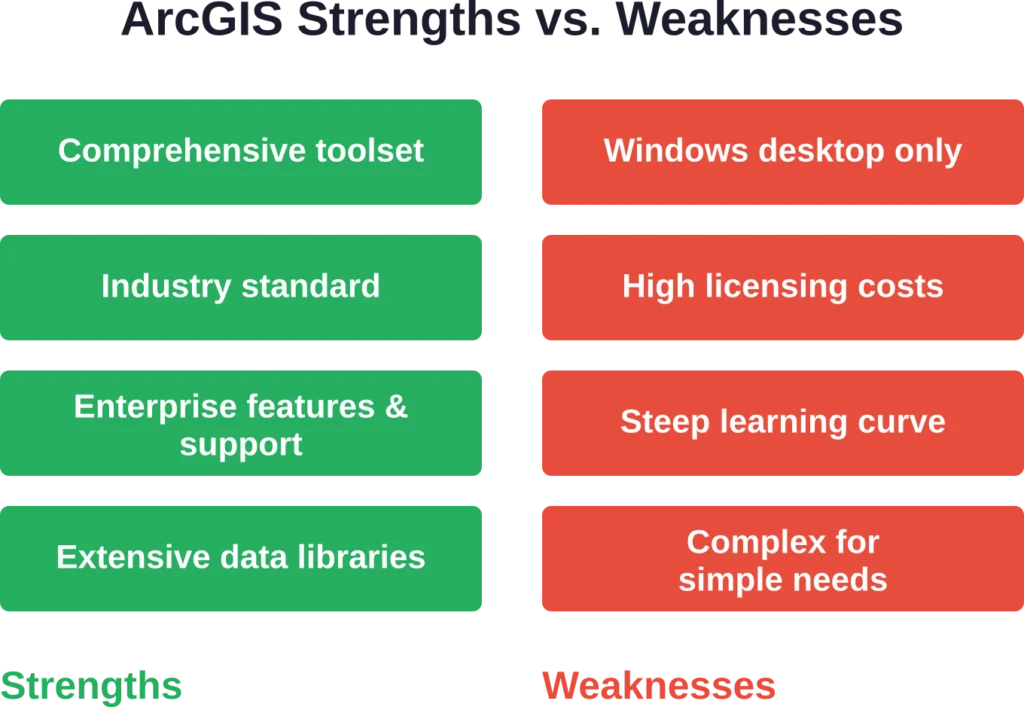
इसकी खूबियों में व्यावसायिक रूप से उपलब्ध सबसे व्यापक जीआईएस टूलसेट, डेस्कटॉप और क्लाउड घटकों में गहरा एकीकरण, व्यापक प्रशिक्षण संसाधन और दस्तावेज़ीकरण, संस्करणित संपादन और भूमिका-आधारित पहुंच नियंत्रण जैसी मजबूत उद्यम सुविधाएं और नियमित अपडेट के साथ स्थापित विक्रेता समर्थन शामिल हैं।.
इसकी कमियां मुख्य रूप से प्लेटफॉर्म की सीमाओं (केवल विंडोज डेस्कटॉप), छोटे संगठनों के लिए लागत संबंधी बाधाओं, नए उपयोगकर्ताओं को डराने वाली इंटरफ़ेस की जटिलता और आर्कजीआईएस ऑनलाइन में बहुत बड़े डेटासेट के साथ कभी-कभी होने वाली प्रदर्शन संबंधी समस्याओं पर केंद्रित हैं।.
ArcGIS के साथ शुरुआत करना
नए उपयोगकर्ता आमतौर पर निःशुल्क परीक्षण या संगठनात्मक खाते के माध्यम से ArcGIS Online का उपयोग शुरू करते हैं। वेब इंटरफ़ेस डेस्कटॉप सॉफ़्टवेयर इंस्टॉलेशन की झंझट के बिना बुनियादी मानचित्रण कार्यों के लिए एक सुलभ प्रवेश बिंदु प्रदान करता है।.
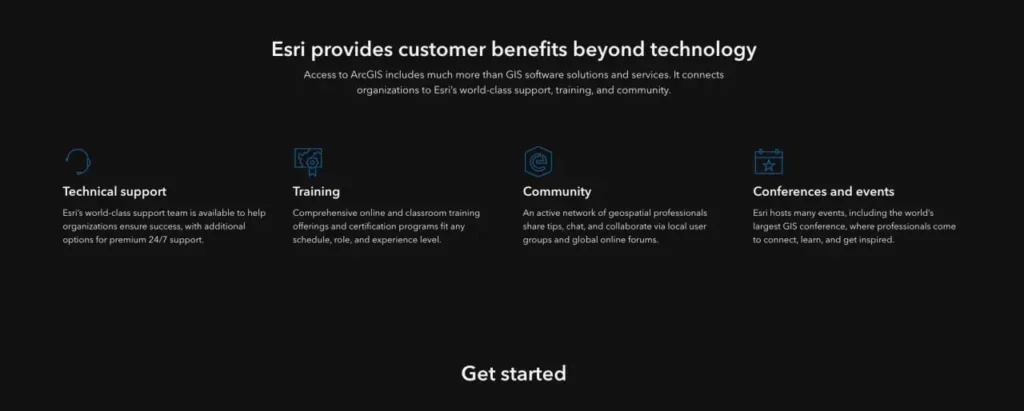
वहां से, आवश्यकताओं के आधार पर रास्ते अलग-अलग हो जाते हैं। उन्नत विश्लेषण की आवश्यकता वाले उपयोगकर्ता ArcGIS Pro डाउनलोड करते हैं और Esri के व्यापक शिक्षण संसाधनों का उपयोग करते हैं। कंपनी संरचित प्रशिक्षण पाठ्यक्रम, प्रमाणन कार्यक्रम और ट्यूटोरियल की एक विशाल लाइब्रेरी प्रदान करती है।.
Esri फ़ोरम, उपयोगकर्ता सम्मेलनों और स्थानीय उपयोगकर्ता समूहों के माध्यम से एक सक्रिय उपयोगकर्ता समुदाय भी बनाए रखता है। यह इकोसिस्टम उपयोगकर्ताओं को तेजी से जटिल परियोजनाओं से निपटने में बहुमूल्य सहायता प्रदान करता है।.
अक्सर पूछे जाने वाले प्रश्नों
ArcGIS अधिकांश व्यावसायिक उपयोग के लिए निःशुल्क नहीं है। Esri सीमित सुविधाओं वाले निःशुल्क परीक्षण और सार्वजनिक खाते प्रदान करता है। शैक्षणिक संस्थान अक्सर छात्रों और शिक्षकों को निःशुल्क पहुँच प्रदान करते हैं। QGIS जैसे ओपन-सोर्स विकल्प समान कार्यक्षमता निःशुल्क प्रदान करते हैं।.
नहीं, ArcGIS Pro केवल Windows के लिए है। Mac और Linux उपयोगकर्ताओं को Parallels या VMware जैसे वर्चुअलाइजेशन सॉफ़्टवेयर के माध्यम से Windows चलाना होगा, ब्राउज़र में ArcGIS Online का उपयोग करना होगा, या QGIS जैसे क्रॉस-प्लेटफ़ॉर्म विकल्पों पर स्विच करना होगा।.
ArcGIS Pro उन्नत विश्लेषण, जटिल मानचित्रण और भारी डेटा प्रोसेसिंग के लिए डेस्कटॉप सॉफ़्टवेयर है। ArcGIS Online वेब मैप बनाने, डेटा होस्ट करने, सरल ऐप्स विकसित करने और सहयोग करने के लिए एक क्लाउड प्लेटफ़ॉर्म है। इन्हें प्रतिस्पर्धा करने के बजाय एक साथ काम करने के लिए डिज़ाइन किया गया है।.
संगठन के आकार, लाइसेंस के प्रकार, उपयोगकर्ताओं की संख्या और आवश्यक एक्सटेंशन के आधार पर मूल्य निर्धारण में काफी भिन्नता होती है। Esri सार्वजनिक रूप से मानक मूल्य प्रकाशित नहीं करता है। आवश्यकताओं के आधार पर विशिष्ट कोटेशन के लिए उनकी बिक्री टीम या किसी अधिकृत पुनर्विक्रेता से संपर्क करें।.
एक्सटेंशन कोर सॉफ़्टवेयर से परे विशेष क्षमताएं प्रदान करते हैं। 3D एनालिस्ट भूभाग और सतह मॉडलिंग का काम करता है। स्पेशल एनालिस्ट उन्नत रास्टर विश्लेषण प्रदान करता है। नेटवर्क एनालिस्ट रूटिंग समस्याओं का समाधान करता है। इनकी आवश्यकता पूरी तरह से विशिष्ट कार्यप्रवाह आवश्यकताओं पर निर्भर करती है।.
ArcGIS डेटा रिव्यूअर एक्सटेंशन स्वचालित सत्यापन जांच, त्रुटि ट्रैकिंग और सुधार कार्यप्रवाह प्रदान करता है। यह कॉन्फ़िगर करने योग्य नियमों के आधार पर स्थानिक संबंधों, विशेषता मानों और डेटा अखंडता को मान्य करता है। सख्त गुणवत्ता आवश्यकताओं वाले संगठन इस टूलसेट पर अत्यधिक निर्भर रहते हैं।.
जी हां, व्यापक REST API और डेवलपर SDK के माध्यम से। एप्लिकेशन मैपिंग सेवाओं का उपयोग कर सकते हैं, जियोकोडिंग और रूटिंग कर सकते हैं, जनसांख्यिकीय डेटा तक पहुंच सकते हैं और फीचर लेयर्स को संपादित कर सकते हैं, इसके लिए अंतिम उपयोगकर्ताओं को ArcGIS इंटरफेस के साथ सीधे इंटरैक्ट करने की आवश्यकता नहीं होती है।.
अंतिम निर्णय
ArcGIS आज भी उपलब्ध सबसे शक्तिशाली और व्यापक व्यावसायिक GIS प्लेटफॉर्म है। जिन संगठनों को एंटरप्राइज़-स्तरीय क्षमताओं, व्यापक विश्लेषणात्मक उपकरणों और स्थापित विक्रेता समर्थन की आवश्यकता होती है, वे इसे अपनी आवश्यकताओं को पूरा करने में सक्षम पाएंगे।.
लेकिन इस शक्ति के साथ कुछ कमियां भी जुड़ी हैं। इस प्लेटफॉर्म के लिए काफी निवेश की आवश्यकता होती है—लाइसेंसिंग लागत के माध्यम से वित्तीय रूप से और प्रशिक्षण समय के माध्यम से परिचालन रूप से। केवल विंडोज डेस्कटॉप की आवश्यकता कुछ टीमों के लिए वास्तविक बाधाएं पैदा करती है।.
बड़ी सरकारी एजेंसियों, उपयोगिता कंपनियों और उद्यमों के लिए, जो पहले से ही Esri इकोसिस्टम में निवेश कर चुके हैं, ArcGIS एक तर्कसंगत विकल्प है। इसकी व्यापक क्षमताएं, उत्पादों के बीच एकीकरण और संस्थागत समर्थन इसकी लागत को उचित ठहराते हैं।.
छोटे संगठनों, सरल मानचित्रण आवश्यकताओं वाली टीमों, या उन संगठनों को जो विश्लेषणात्मक गहराई के बजाय उपयोग में आसानी को प्राथमिकता देते हैं, उन्हें विकल्पों पर गंभीरता से विचार करना चाहिए। QGIS बिना किसी अतिरिक्त लागत के प्रभावशाली क्षमताएं प्रदान करता है। Felt सहयोगी मानचित्रण के लिए उल्लेखनीय सरलता प्रदान करता है। Mapbox और अन्य प्लेटफ़ॉर्म कस्टम कार्टोग्राफी और डेवलपर-अनुकूल वर्कफ़्लो में उत्कृष्ट हैं।.
सही चुनाव पूरी तरह से विशिष्ट आवश्यकताओं, मौजूदा बुनियादी ढांचे, बजट की सीमाओं और टीम की क्षमताओं पर निर्भर करता है। किसी भी प्लेटफॉर्म को चुनने से पहले वास्तविक कार्यप्रवाहों के साथ कई प्लेटफॉर्म का परीक्षण करें ताकि यह सुनिश्चित हो सके कि यह दीर्घकालिक रूप से उपयुक्त है।.