
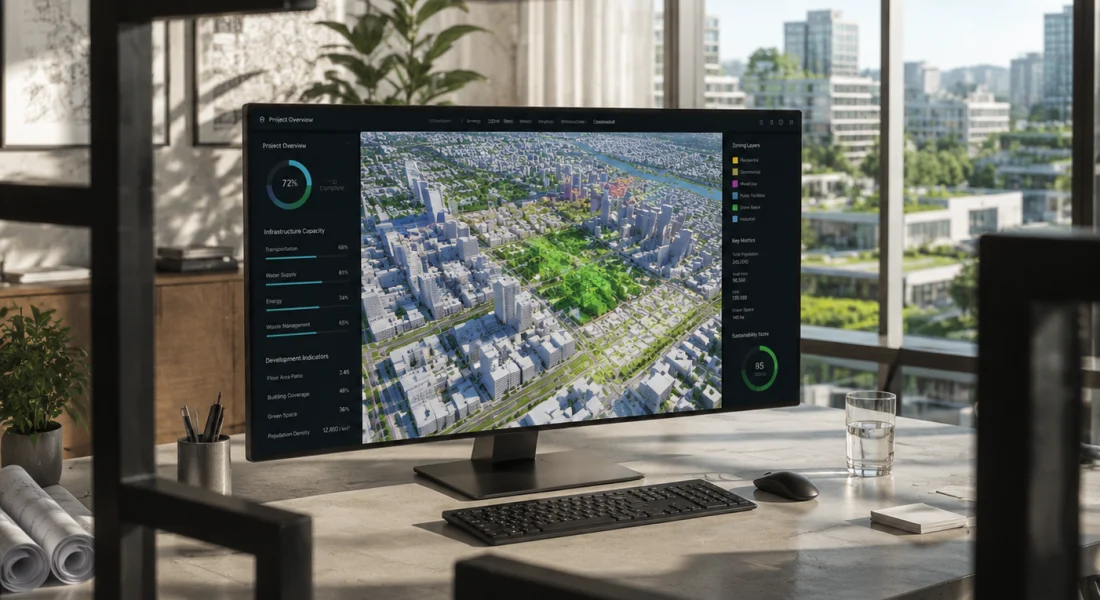
त्वरित सारांश: ArcGIS Urban एक सहयोगी 3D शहरी नियोजन प्लेटफॉर्म है जो योजनाकारों को विकास परिदृश्यों की कल्पना करने, ज़ोनिंग प्रभावों का विश्लेषण करने और सहज डेटा-संचालित उपकरणों के माध्यम से परियोजनाओं को ट्रैक करने में सक्षम बनाता है। जून 2025 से, यह विशेष रूप से ArcGIS Online Professional Plus उपयोगकर्ता प्रकार के साथ उपलब्ध है और इसमें परिदृश्य मॉडलिंग, उपयुक्तता विश्लेषण, शैडो कास्टिंग और रीयल-टाइम मेट्रिक्स जैसी क्षमताएं शामिल हैं - जो इसे विकास और हितधारक जुड़ाव का प्रबंधन करने वाली नगरपालिकाओं के लिए एक शक्तिशाली विकल्प बनाती हैं।.
शहरी नियोजन स्थिर ब्लूप्रिंट से गतिशील डिजिटल मॉडल की ओर अग्रसर है। ArcGIS Urban इसी संगम पर स्थित है—यह भौगोलिक जानकारी, 3D विज़ुअलाइज़ेशन और हितधारकों के सहयोग को एक ही मंच पर लाता है, जिसे विशेष रूप से आवास की कमी, जलवायु परिवर्तन से निपटने की क्षमता और आर्थिक अनिश्चितता से जूझ रहे योजनाकारों के लिए डिज़ाइन किया गया है।.
लेकिन क्या यह अपने वादे पर खरा उतरता है? आइए, ArcGIS Urban की खूबियों, इसके प्रदर्शन और हाल ही में किए गए मूल्य परिवर्तन से आपके संगठन को लाभ होगा या नहीं, इस पर एक निष्पक्ष नज़र डालें।.
ArcGIS Urban क्या है?
ArcGIS Urban, Esri का वेब-आधारित शहरी नियोजन और डिज़ाइन सॉफ़्टवेयर है। यह टीमों को 3D में विकास परिदृश्यों को बनाने, देखने और विश्लेषण करने की सुविधा देकर पारंपरिक नियोजन कार्यप्रवाहों को बदल देता है। इसे एक डिजिटल सैंडबॉक्स की तरह समझें जहाँ योजनाकार ज़ोनिंग परिवर्तनों का परीक्षण कर सकते हैं, भवन परियोजनाओं का मॉडल बना सकते हैं और ज़मीन खोदने से पहले प्रभावों का आकलन कर सकते हैं।.
यह मंच सहयोग पर आधारित है। हितधारक—चाहे वे नगर परिषद के सदस्य हों, सामुदायिक समूह हों या विकासकर्ता हों—एक ही साझा शहरी मॉडल तक पहुंच सकते हैं, प्रतिक्रिया दे सकते हैं और देख सकते हैं कि प्रस्तावित परिवर्तन वास्तविक समय में निर्मित पर्यावरण को कैसे प्रभावित करते हैं।.
मुख्य विशेषताएं और क्षमताएं
ArcGIS Urban में कई अलग-अलग मॉड्यूल शामिल हैं जो नियोजन प्रक्रिया के विभिन्न चरणों को संबोधित करते हैं।.
3डी परिदृश्य मॉडलिंग
प्लेटफ़ॉर्म का मुख्य हिस्सा। योजनाकार सीधे भूखंडों पर इमारतों का खाका खींच सकते हैं, ऊँचाई और क्षेत्रफल को समायोजित कर सकते हैं, और कई संभावित परिदृश्यों की तुलना साथ-साथ कर सकते हैं। मार्च 2025 के अपडेट में एक बिल्कुल नया प्रोजेक्ट इंटरफ़ेस पेश किया गया, जिसमें बेहतर 3D मॉडल अपलोड और विभिन्न अनुमोदन चरणों में विकास गतिविधियों का बेहतर स्थानिक प्रतिनिधित्व शामिल है।.
सच कहें तो, यह फ़ीचर तब सबसे ज़्यादा कारगर साबित होता है जब आपको गैर-तकनीकी दर्शकों को जटिल प्रस्ताव समझाने हों। एक घूमने वाला 3D मॉडल ज़ोनिंग वेरिएशन दस्तावेज़ से कहीं बेहतर होता है।.
डेटा-आधारित विश्लेषण उपकरण
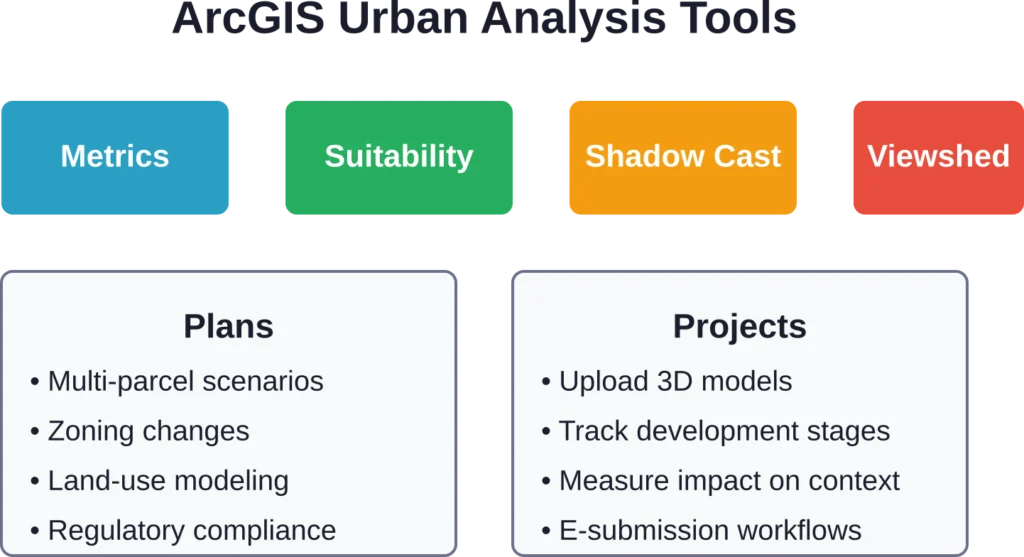
ArcGIS Urban में कई विश्लेषण मॉड्यूल शामिल हैं जो योजनाकारों को स्थानिक और नियामक प्रभावों को मात्रात्मक रूप से निर्धारित करके सूचित, डेटा-आधारित निर्णय लेने की अनुमति देते हैं।.
सहयोगात्मक योजना की विशेषताएं
ArcGIS Urban एक साझा 3D रिकॉर्ड सिस्टम के रूप में काम करता है। कई टीम सदस्य एक ही शहरी मॉडल पर काम कर सकते हैं, विभिन्न परिदृश्यों के बीच भूखंडों की प्रतिलिपि बना सकते हैं और संस्करण नियंत्रण की जटिलताओं के बिना डिज़ाइनों में सुधार कर सकते हैं। एरिज़ोना के मेसा शहर ने आंतरिक संचालन और सामुदायिक संपर्क को आधुनिक बनाने के लिए इन सहयोगात्मक सुविधाओं का उपयोग किया - विकास ट्रैकिंग और पारगमन-उन्मुख नियोजन पहलों में भूगोल को एकीकृत किया।.
FlyPix AI के साथ शहरी नियोजन और अवसंरचना परियोजनाओं को सहयोग प्रदान करें
शहरी विकास परियोजनाएं भूमि उपयोग, बुनियादी ढांचे और पर्यावरणीय स्थितियों को समझने के लिए सटीक भू-स्थानिक जानकारी पर निर्भर करती हैं। FlyPix AI हवाई, उपग्रह और ड्रोन छवियों का विश्लेषण करके योजना बनाने, निगरानी करने और निर्णय लेने में सहायता प्रदान करता है।.
क्या आप शहरी या बुनियादी ढांचा संबंधी डेटा के साथ काम कर रहे हैं?
FlyPix AI निम्नलिखित में मदद कर सकता है:
- भूमि और संपत्ति विश्लेषण
- बुनियादी ढांचे की निगरानी
- हवाई और उपग्रह छवि प्रसंस्करण
- स्वचालित वस्तु पहचान
👉 FlyPix AI को आजमाएं एआई-संचालित भू-स्थानिक जानकारियों का पता लगाने के लिए।.
मूल्य निर्धारण और लाइसेंसिंग में परिवर्तन
अब यहाँ से बात दिलचस्प हो जाती है। Esri के आधिकारिक दस्तावेज़ के अनुसार, ArcGIS Online के जून 2025 अपडेट के साथ, ArcGIS Urban अब केवल Professional Plus उपयोगकर्ता वर्ग में ही उपलब्ध है। यह अब Creator या Professional स्तरों के लिए ऐड-ऑन के रूप में उपलब्ध नहीं है, और ArcGIS Urban Suite बंडल को बंद कर दिया गया है।.
इसका क्या मतलब है? जिन संगठनों ने अर्बन ऐड-ऑन के साथ क्रिएटर यूजर टाइप का इस्तेमाल किया था, उन्हें एक्सेस बनाए रखने के लिए प्रोफेशनल प्लस लाइसेंस में अपग्रेड करना होगा। प्रोफेशनल प्लस लाइसेंस में 500 ArcGIS ऑनलाइन क्रेडिट शामिल हैं।.
इस एकीकरण से लाइसेंसिंग प्रक्रिया सरल हो जाती है, लेकिन उन छोटी टीमों के लिए शुरुआती लागत बढ़ जाती है जो पहले Urban को अलग से खरीदती थीं। खरीदने से पहले वर्तमान Professional Plus दरों के लिए Esri के आधिकारिक मूल्य निर्धारण पृष्ठ को अवश्य देखें।.
ArcGIS Urban का उपयोग किसे करना चाहिए?
ArcGIS Urban शहरी नियोजन और डिजाइन में शामिल पेशेवरों के लिए बनाया गया है। इसके आदर्श उपयोगकर्ता निम्नलिखित हैं:
- नगरपालिका योजना विभाग: शहर की योजना और ज़ोनिंग के लिए जिम्मेदार स्थानीय सरकारी टीमें।.
- क्षेत्रीय एजेंसियां: व्यापक शहरी और क्षेत्रीय विकास पहलों का प्रबंधन करने वाले संगठन।.
- शहरी डिजाइन परामर्श सेवाएं: निजी कंपनियाँ जो शहरों और विकासकर्ताओं को योजना, डिजाइन और सलाहकार सेवाएं प्रदान करती हैं।.
- जो टीमें पहले से ही ArcGIS का उपयोग कर रही हैं: Esri इकोसिस्टम में पहले से मौजूद उपयोगकर्ता तेजी से जुड़ सकेंगे और एकीकरणों का पूरा लाभ उठा सकेंगे।.
- ArcGIS का उपयोग करने वाले नए संगठन: इस प्लेटफॉर्म को सीखने में समय लग सकता है, इसलिए इसके लिए औपचारिक प्रशिक्षण या Esri की पेशेवर सेवाओं के समर्थन की आवश्यकता हो सकती है।.
वास्तविक दुनिया का प्रदर्शन
सामुदायिक चर्चाओं में इसकी खूबियों और कमियों दोनों पर प्रकाश डाला गया है। 3डी विज़ुअलाइज़ेशन और परिदृश्य तुलना सुविधाओं की लगातार प्रशंसा की जाती है। योजनाकार जल्दी से बदलाव करने और मॉडल को शुरू से दोबारा बनाए बिना कई विकल्प प्रस्तुत करने की क्षमता की सराहना करते हैं।.
दूसरी ओर, कुछ उपयोगकर्ताओं का कहना है कि ArcGIS Urban समय के साथ भूमि उपयोग के पूर्वानुमान की तुलना में दृश्यीकरण और प्रभाव आकलन पर अधिक ध्यान केंद्रित करता है। समय-श्रृंखला मॉडलिंग या जटिल अर्थमितीय अनुमानों के लिए, टीमों को Urban को ArcGIS Pro या बाहरी पूर्वानुमान उपकरणों के साथ उपयोग करने की आवश्यकता हो सकती है।.
एंटरप्राइज़ परिनियोजन विकल्प
ArcGIS Urban, ArcGIS Enterprise 11.3 (मई 2024 में जारी) के साथ ऑन-प्रिमाइसेस परिनियोजन के लिए उपलब्ध है, जो Windows और Linux दोनों सर्वरों का समर्थन करता है। यह विकल्प उन संगठनों के लिए डेटा संप्रभुता और अनुपालन आवश्यकताओं को पूरा करता है जो क्लाउड-होस्टेड समाधानों का उपयोग नहीं कर सकते। एंटरप्राइज़ परिनियोजन ArcGIS Online के समान सुविधाएँ प्रदान करता है, लेकिन इसके लिए आपको अपने स्वयं के बुनियादी ढांचे का प्रबंधन करना होगा।.
प्रमुख बिंदु
- परिसर में तैनाती: यह विंडोज और लिनक्स सर्वर वातावरण को सपोर्ट करता है।.
- अनुपालन-अनुकूल: यह डेटा संप्रभुता और नियामक आवश्यकताओं को पूरा करता है।.
- सभी विशेषताओं का पूरा सेट: यह ArcGIS Online के समान ही उपकरण और क्षमताएं प्रदान करता है।.
- अवसंरचना प्रबंधन: इसके लिए संगठनों को सर्वर संसाधनों का रखरखाव और प्रबंधन करना आवश्यक है।.
वैकल्पिक उपकरणों के साथ तुलना
दायरा और स्थिति
शहरी नियोजन सॉफ्टवेयर ओपन-सोर्स QGIS प्लगइन्स से लेकर सिटीइंजन जैसे एंटरप्राइज प्लेटफॉर्म तक फैला हुआ है। ArcGIS Urban एक वेब-आधारित, परिदृश्य-केंद्रित प्लेटफॉर्म के रूप में अपनी विशिष्ट पहचान रखता है, जो Esri के इकोसिस्टम के साथ मजबूती से एकीकृत है।.
पैरामीट्रिक और प्रक्रियात्मक मॉडलिंग
पैरामीट्रिक प्रोसीजरल मॉडलिंग की आवश्यकता वाली टीमें सिटीइंजन को प्राथमिकता दे सकती हैं, जो विस्तृत 3डी मॉडलिंग और प्रोसीजरल वर्कफ़्लो में विशेषज्ञता रखती है।.
ओपन-सोर्स लचीलापन
ओपन-सोर्स लचीलेपन की तलाश करने वाले संगठन 3डी प्लगइन्स के साथ क्यूजीआईएस का पता लगा सकते हैं, जो अनुकूलन और कम लागत वाली तैनाती की अनुमति देता है, लेकिन इसके सेटअप में अधिक समय लगता है।.
सहयोग और पहुंच
हितधारकों के सहयोग, क्लाउड की सुलभता और तैयार विश्लेषण उपकरणों को प्राथमिकता देने वाली टीमों के लिए, ArcGIS Urban एक आकर्षक पैकेज प्रदान करता है जो योजना बनाने के वर्कफ़्लो और निर्णय लेने की प्रक्रिया को सुव्यवस्थित करता है।.
अक्सर पूछे जाने वाले प्रश्नों
ArcGIS Urban तुलनात्मक परिदृश्य मॉडलिंग में उत्कृष्ट है, लेकिन इसमें अंतर्निर्मित समय-श्रृंखला पूर्वानुमान शामिल नहीं है। भूमि उपयोग परिवर्तन के पूर्वानुमानित मॉडलिंग के लिए, टीमें आमतौर पर Urban को ArcGIS Pro के स्थानिक विश्लेषण एक्सटेंशन या बाहरी अर्थमितीय उपकरणों के साथ एकीकृत करती हैं।.
नहीं। जून 2025 से, ArcGIS Urban केवल Professional Plus उपयोगकर्ता प्रकार के साथ ही उपलब्ध है। यह अब Creator या Professional स्तरों के लिए ऐड-ऑन के रूप में उपलब्ध नहीं है।.
ArcGIS Urban एक वेब-आधारित प्लेटफ़ॉर्म है जिसके लिए इंटरनेट कनेक्टिविटी आवश्यक है। एंटरप्राइज़ परिनियोजन विकल्प ऑन-प्रिमाइसेस होस्टिंग की अनुमति देता है, लेकिन फिर भी यह वेब ब्राउज़र के माध्यम से ही संचालित होता है।.
यह प्लेटफ़ॉर्म भूखंडों और ज़ोनिंग परतों के लिए मानक जीआईएस प्रारूपों (शेपफाइल, जियोडेटाबेस) के साथ-साथ भवन परियोजनाओं के लिए OBJ और glTF जैसे 3D मॉडल प्रारूपों का समर्थन करता है। मार्च 2025 के अपडेट ने 3D मॉडल अपलोड वर्कफ़्लो में सुधार किया।.
शहरी मॉडल को कॉन्फ़िगर करने योग्य अनुमतियों के साथ वेब लिंक के माध्यम से साझा किया जा सकता है। हितधारक ArcGIS लाइसेंस की आवश्यकता के बिना ब्राउज़र के माध्यम से परिदृश्यों तक पहुंच सकते हैं, जिससे सार्वजनिक टिप्पणी अवधि के दौरान प्रतिक्रिया एकत्र करना आसान हो जाता है।.
जी हां। इस प्लेटफॉर्म के विश्लेषण उपकरण—विशेष रूप से शैडो कास्ट, व्यूशेड और कस्टम मेट्रिक्स—ग्रीन स्पेस रेशियो ट्रैकिंग, अर्बन हीट आइलैंड विश्लेषण और ट्रांजिट-ओरिएंटेड डेवलपमेंट प्लानिंग जैसी जलवायु-केंद्रित पहलों का समर्थन करते हैं।.
Esri आधिकारिक दस्तावेज़, वीडियो ट्यूटोरियल और Learn ArcGIS पोर्टल के माध्यम से निर्देशित पाठ उपलब्ध कराता है। जटिल अनुप्रयोगों के लिए संगठन अक्सर प्रशिक्षक-नेतृत्व वाले प्रशिक्षण या पेशेवर सेवाओं का सहारा लेते हैं।.
अंतिम निर्णय
ArcGIS Urban उन क्षेत्रों में बेहतरीन प्रदर्शन करता है जहाँ इसकी सबसे अधिक आवश्यकता होती है: अमूर्त ज़ोनिंग प्रस्तावों को मूर्त 3D विज़ुअलाइज़ेशन में परिवर्तित करना जिन्हें हितधारक समझ सकें और उनसे जुड़ सकें। विश्लेषण उपकरण विश्वसनीय मेट्रिक्स प्रदान करते हैं, परिदृश्य मॉडलिंग पुनरावृति को गति प्रदान करती है, और सहयोगात्मक कार्यप्रवाह बहु-विभागीय परियोजनाओं में आमतौर पर आने वाली बाधाओं को कम करते हैं।.
जून 2025 में लाइसेंसिंग में हुए बदलाव से प्रवेश की बाधाएं बढ़ गई हैं—छोटे संगठनों को इसका खामियाजा भुगतना पड़ेगा। लेकिन महत्वपूर्ण विकास परियोजनाओं का प्रबंधन करने वाली नगरपालिकाओं या विकास रणनीतियों का समन्वय करने वाली क्षेत्रीय एजेंसियों के लिए, यह निवेश त्वरित अनुमोदन, बेहतर सामुदायिक समर्थन और अधिक जानकारीपूर्ण निर्णयों के रूप में लाभप्रद साबित होगा।.
यदि आपका संगठन पहले से ही ArcGIS का उपयोग करता है और नियमित रूप से कई विकास परिदृश्यों को संभालता है, तो Urban पर गंभीरता से विचार करना चाहिए। एक डेमो का अनुरोध करें, अपने वास्तविक डेटा के साथ परिदृश्य मॉडलिंग का परीक्षण करें और देखें कि क्या 3D विज़ुअलाइज़ेशन आपके हितधारकों को पसंद आता है। यहीं पर प्लेटफ़ॉर्म का महत्व स्पष्ट हो जाता है।.