

Quick Summary: Agrio is a plant diagnosis app designed for farmers, crop advisors, and gardeners to identify and manage plant diseases, pests, and nutrient deficiencies. Available on both iOS and Android, the app leverages image recognition technology to provide diagnostic support and treatment recommendations, though user reviews reveal mixed experiences with accuracy and ad intrusion.
Plant health problems can derail even the most carefully planned growing season. Crop advisors and farmers need fast, accurate diagnosis—before a small issue becomes a field-wide disaster.
That’s where Agrio positions itself. This precision agriculture app promises to identify plant diseases and pests through photo analysis, offering treatment suggestions right on your mobile device. But does it actually deliver?
What Is Agrio?
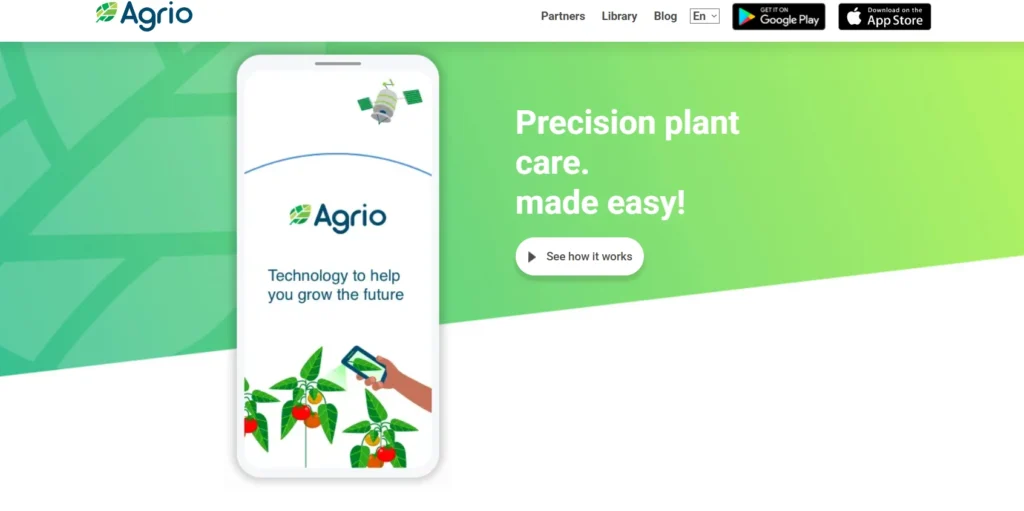
Agrio is a mobile plant diagnosis solution developed by Saillog Ltd. The app serves three main user groups: commercial farmers, crop advisors, and home gardeners. It’s available on both Google Play and the Apple App Store.
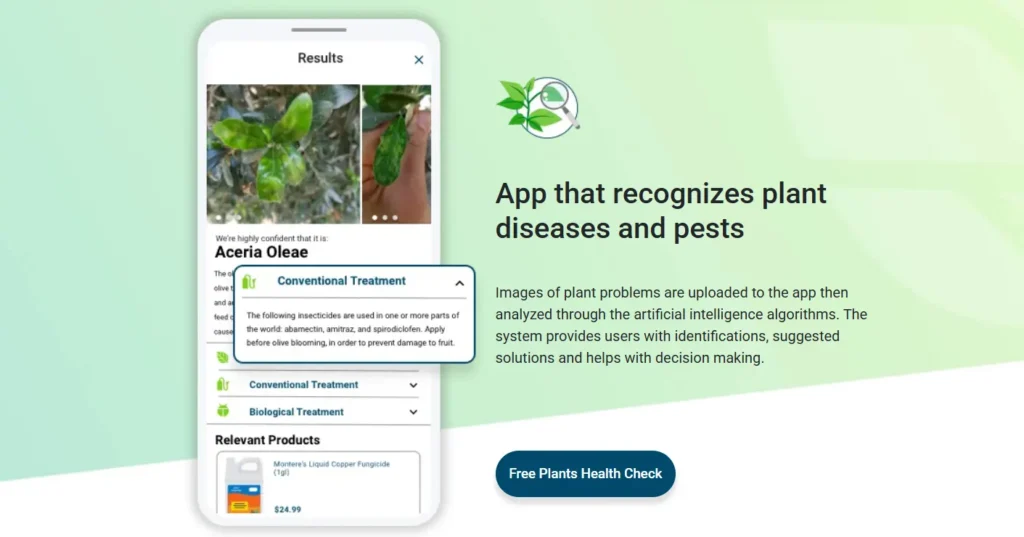
The core premise is straightforward. Users photograph affected plants, and Agrio’s image recognition algorithms analyze the images to identify potential diseases, pests, or nutrient deficiencies. The system then suggests treatment options based on the diagnosis.
According to the official app descriptions, Agrio helps users remotely monitor fields and gardens, forecast potential threats, and treat problems before they escalate. The app positions itself as a “precision plant protection solution” rather than just a simple identification tool.
Key Features and Functionality
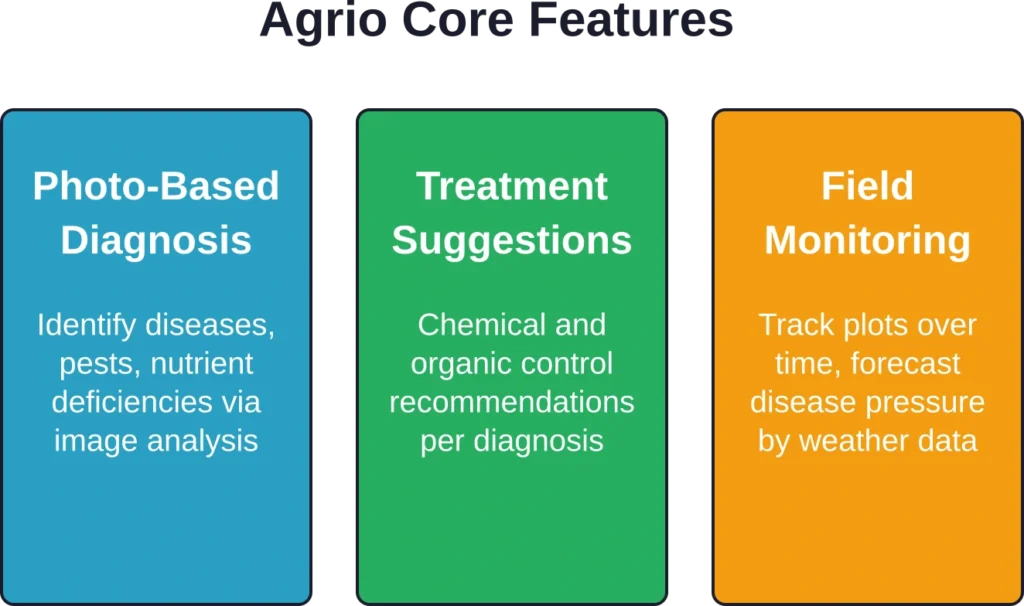
Agrio bundles several tools into its platform. The plant diagnosis feature acts as the centerpiece, but the app offers additional management capabilities.
Disease and Pest Identification
The primary function centers on photo-based diagnosis. Farmers snap pictures of symptomatic leaves, stems, or fruits. The algorithm processes these images and returns possible matches from its database of plant diseases and pests.
The app supports multiple crop types, though accuracy varies significantly depending on the plant species and image quality. Clear, well-lit photos from multiple angles produce better results than single blurry snapshots.
Treatment Recommendations
Once Agrio identifies a potential problem, it provides treatment suggestions. These recommendations typically include both chemical and organic control options, though the depth of advice differs across crop types.
For commercial operations, this feature can speed up decision-making when scouting reveals suspicious symptoms. That said, many experienced growers use it as a preliminary screen rather than a definitive diagnostic tool.
Monitoring and Forecasting
Beyond reactive diagnosis, Agrio includes field monitoring capabilities. Crop advisors can track specific plots over time, logging observations and building a health history for each location.
The forecasting component attempts to predict disease pressure based on weather conditions and local outbreak data. This preventative angle distinguishes Agrio from simpler identification apps.

Detect Field Changes with FlyPix AI
Agrio is focused on crop health and plant-related insights. FlyPix AI can support the visual side of this work by helping teams analyze satellite, drone, and aerial imagery to review vegetation patterns, visible field changes, and land conditions across larger areas.
FlyPix AI can support visual crop and field review tasks such as:
- Reviewing vegetation patterns and visible field conditions
- Detecting gaps, objects, land changes, or surface-level issues
- Comparing imagery from different dates or growing stages
- Creating custom AI models for specific crop or field features
Reach out to FlyPix AI to see how geospatial image analysis can support visual agricultural monitoring.
Platform Availability and Technical Details
Agrio runs on both major mobile operating systems. The Android version appears on Google Play with a 4.5-star rating from 4.53K reviews and more than 500,000 downloads. The iOS version on the App Store carries a 4.2 rating based on available app store data.
The iOS app weighs in at 87.6 MB and requires devices running iOS 16 or later. Both versions offer in-app purchases, suggesting a freemium model with paid upgrades for advanced features.
Installation is straightforward on either platform. The app requests camera permissions (naturally) and location access for weather-based forecasting and regional pest alerts.
User Experience: What Growers Actually Report
Here’s where things get interesting. The gap between promised functionality and real-world performance shows up clearly in user feedback.
The Good
When Agrio works well, users appreciate the speed and convenience. Crop advisors report that it helps them triage field scouting findings, particularly when they encounter unfamiliar symptoms outside their specialty crops.
Home gardeners find value in the basic plant care advice. For casual users without agronomic training, even imperfect diagnoses can point them in the right direction.
The Problems
But wait. Several recurring complaints surface across user reviews.
User reviews on Google Play report concerns about ad quality, including exposure to inappropriate content and aggressive notifications pushing unrelated app installations. Technical issues have been reported, including timestamp errors that displayed “57 years ago” for photos taken less than an hour prior.
These aren’t minor UX hiccups. Intrusive advertising undermines the app’s professional positioning, particularly for commercial users who expect enterprise-grade tools.
Accuracy remains another sticking point. Image recognition algorithms depend heavily on training data quality and diversity. Less common diseases or regional pest variations often produce misidentifications or vague results.
| Aspect | Strengths | Weaknesses |
|---|---|---|
| Diagnosis Accuracy | Reliable for common diseases on major crops | Struggles with rare conditions, regional variants |
| User Interface | Simple photo upload process | Intrusive ads, aggressive notifications |
| Treatment Advice | Multiple control options provided | Generic recommendations, lacks regional specificity |
| Value for Money | Free tier available | In-app purchases required for full functionality |
Who Should Use Agrio?
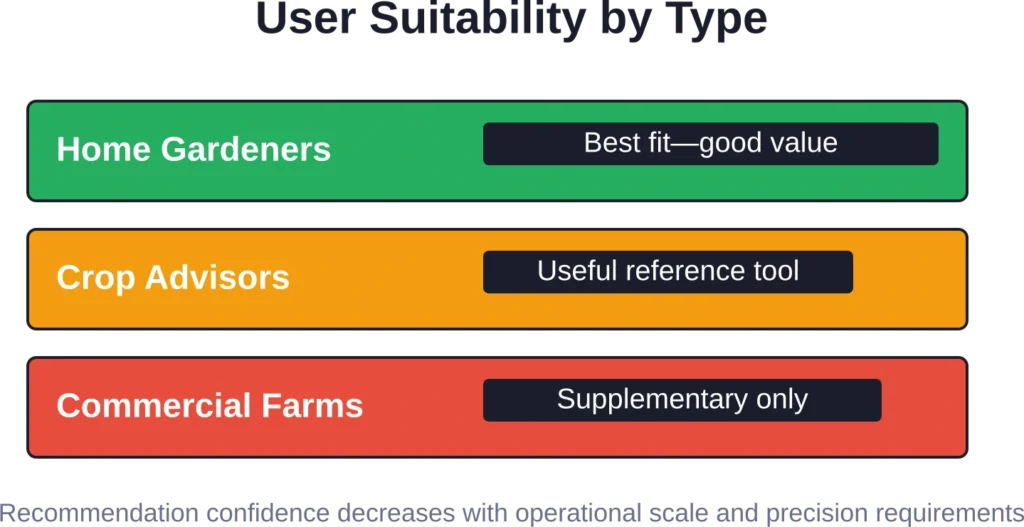
The app’s usefulness varies significantly by user type and expectations.
Commercial growers managing diverse crop portfolios might find Agrio useful as a supplementary diagnostic aid—but shouldn’t rely on it as the sole decision-making tool for treatment applications. The forecasting and monitoring features add value for operations that lack dedicated agronomic support.
Crop advisors could use Agrio for quick field references, particularly when encountering symptoms outside their primary expertise. That said, most professionals will want to confirm diagnoses through traditional scouting methods or lab analysis before recommending interventions to clients.
Home gardeners probably represent the sweet spot for Agrio’s current capabilities. Hobbyist growers dealing with tomato blight or cucumber beetles don’t need laboratory precision—they need directionally correct guidance that helps them take action before losing their harvest.
Pricing and Accessibility
Both the Google Play and App Store listings indicate Agrio operates on a freemium model with in-app purchases. Specific pricing tiers aren’t disclosed in the publicly available store descriptions.
For current subscription costs and feature breakdowns, check Agrio’s official website or the in-app purchase screen. Pricing structures in precision agriculture apps frequently shift as developers adjust their monetization strategies.
The free tier appears to offer basic diagnosis functionality, though advanced features like detailed monitoring and premium support likely sit behind the paywall.
Alternatives Worth Considering
Agrio isn’t the only plant diagnosis app competing for grower attention. Several alternatives offer similar image-based identification with different feature sets and pricing models.
Some platforms focus exclusively on ornamentals and houseplants, while others target commercial agriculture with integrated pest management workflows. Accuracy and regional database coverage vary widely across competitors.
Before committing to any platform, test multiple options with known plant problems. Take photos of symptomatic plants where the diagnosis is already confirmed, then compare how different apps perform on identical images.
The Verdict: Does Agrio Deliver?
Agrio occupies a complicated middle ground. The technology shows promise, and the core concept addresses a genuine need in crop management. Photo-based diagnosis can accelerate problem identification when traditional resources aren’t immediately available.
But execution issues hold it back. Intrusive advertising damages credibility, particularly for professional users. Accuracy limitations mean it can’t replace experienced agronomic judgment or laboratory confirmation for high-stakes decisions.
Real talk: Agrio works best as a screening tool rather than a definitive diagnostic system. Home gardeners will likely find it more valuable than commercial operations with access to extension services and crop consultants.
The app’s success in any specific situation depends on crop type, regional pest pressure, and user expectations. It’s a useful addition to the diagnostic toolkit—not a replacement for the entire toolkit itself.
Frequently Asked Questions
Agrio offers a free tier with basic plant diagnosis functionality. Advanced features require in-app purchases, though specific pricing varies. Check the official app store listings for current subscription options and costs.
Accuracy depends heavily on image quality, crop type, and disease prevalence. Agrio performs better with common diseases on major crops but struggles with rare conditions or regional pest variations. Use it as a preliminary screening tool rather than definitive confirmation.
Commercial operations should treat Agrio as a supplementary diagnostic aid, not a replacement for professional agronomic advice or laboratory analysis. The app can help triage field scouting findings, but high-stakes treatment decisions warrant additional verification.
The app requires internet connectivity for image analysis, as processing happens on remote servers rather than locally on the device. Field use in areas with poor cellular coverage may prove challenging without offline functionality.
Agrio’s database covers multiple crop categories including vegetables, fruits, field crops, and ornamentals. Coverage depth varies by plant type—major commercial crops typically receive more comprehensive diagnostic support than specialty or niche species.
Take multiple photos from different angles in good natural lighting. Include close-ups of affected tissue and wider shots showing overall plant condition. Avoid blurry images or extreme shadows, which confuse image recognition algorithms.
Multiple competing apps offer similar photo-based plant diagnosis, each with different strengths in crop coverage, regional accuracy, and feature sets. Testing several options with known problems helps identify which platform works best for specific growing situations.
Final Thoughts
Agrio represents the current state of mobile plant diagnostics—promising technology with room for improvement. The app delivers real value when users understand its limitations and apply it appropriately within a broader crop management strategy.
For gardeners seeking quick guidance on common problems, Agrio offers accessible help. For professionals, it serves as a convenient reference tool that complements—but doesn’t replace—traditional diagnostic methods.
Download the app and test it with a few known issues in the garden or field. That hands-on evaluation will reveal whether Agrio fits specific needs better than theoretical reviews ever could. The tool works for some growing situations and falls short in others—real-world testing provides the clearest answer.