

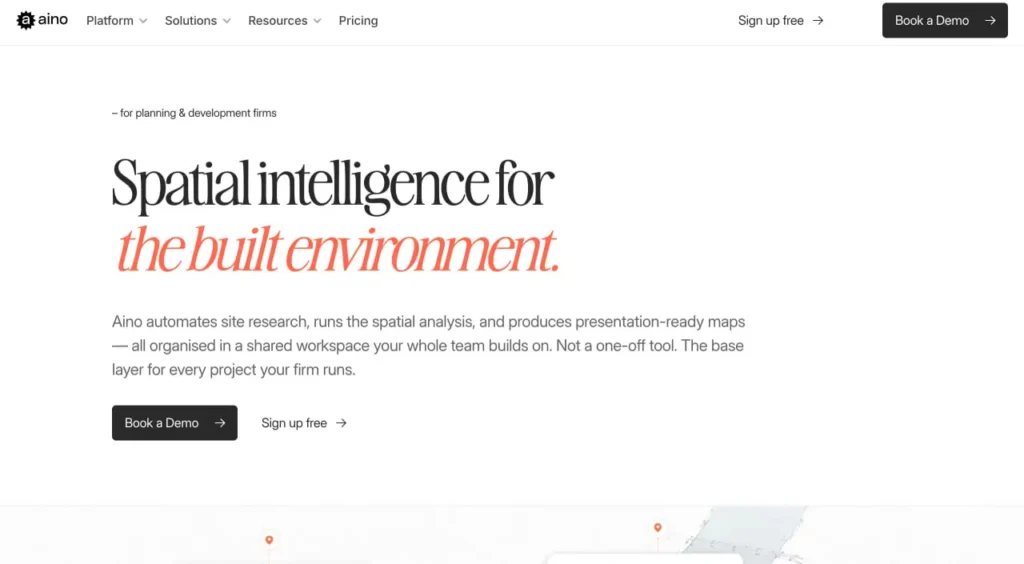
Quick Summary: Aino is an AI-powered spatial data analysis platform that transforms natural language questions into interactive maps, charts, and spatial analysis for urban planning and site selection without requiring GIS or coding skills. The tool offers two main products: Aino Agents for location due diligence reports and Aino GIS for data visualization, serving real estate professionals, urban planners, and architects.
Spatial data analysis traditionally requires specialized GIS training and technical expertise. Aino.world changes that equation by letting professionals ask questions in plain English and receive interactive maps and analysis in return.
The platform addresses a clear pain point: real estate professionals, urban planners, and architects need quick access to spatial insights without wrestling with complex software. Aino delivers on that promise through two distinct product lines.
What Aino Actually Does
Aino operates as an AI platform that bridges the gap between natural language queries and spatial data visualization. Instead of learning GIS software, professionals type questions like “Visualize schools in Boston by main category” and receive mapped results.
The platform pulls data from 20+ sources including U.S. Census data, business directories, transport networks, terrain information, and OpenStreetMap. It’s designed for early-stage design analysis and site selection workflows.
Aino’s Two Core Products
Aino GIS: Data Visualization Tool
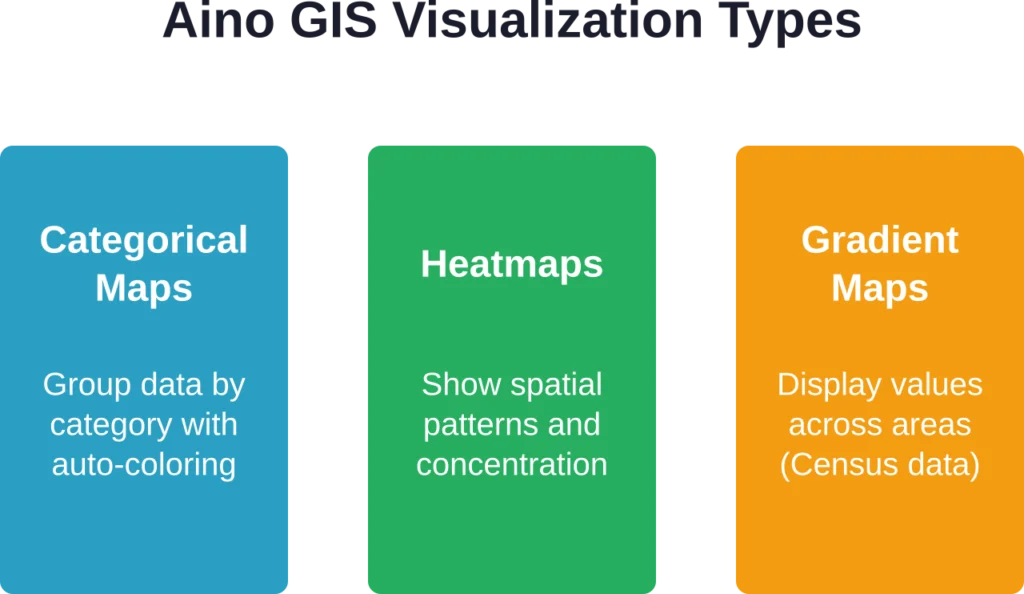
Aino GIS operates in multiple modes. Basic Mode allows quick visual adjustments — such as colors, opacity, strokes, and labels for existing datasets. Advanced Mode supports AI-powered analysis and mapping. For optimal results with complex analyses and visualizations (including heatmaps, categorical maps, and gradient maps), Expert Mode (Geo Reasoning agent) is recommended.
Aino Agents: Location Due Diligence Reports
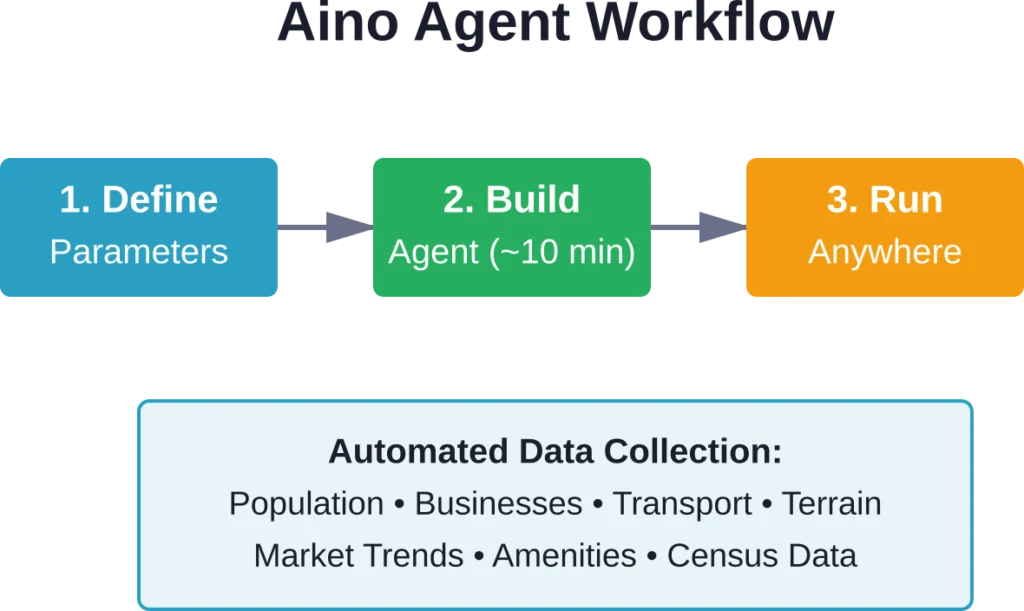
Aino Agents represents the platform’s automation capability. Real estate professionals build an Agent in approximately 10 minutes by defining parameters and data requirements. The Agent then generates complete location portraits for new developments, investments, or research projects.
Agents pull data using a generative web search engine to create dashboards with key metrics: population data, businesses and amenities, transport networks, terrain data, and market trends. The same Agent can run for any location globally or across an entire portfolio.
Need adjustments? Modify the prompt to add more data sources or include additional analysis. The flexibility allows professionals to refine reports without rebuilding from scratch.
Add Location-Based Image Analysis with FlyPix AI
Aino is connected with AI-supported workflows and digital tools. FlyPix AI can support teams that need a more specific geospatial layer, using satellite, drone, and aerial imagery to detect objects, review land conditions, and monitor visible changes across real-world locations.
FlyPix AI can help when image work depends on mapped areas and site context:
- Reviewing visible land features, roads, vegetation, water, or built areas
- Detecting objects, boundaries, debris, or surface-level changes
- Segmenting areas from satellite, drone, or aerial imagery
- Training custom AI models for specific geospatial analysis tasks
Reach out to FlyPix AI to explore how geospatial image analysis can support your location-based review process.
Who Benefits from Aino
The platform targets three primary user groups. Urban planners use Aino for early-stage site analysis and design storytelling through maps. Commercial real estate brokers and investors leverage Agents for location due diligence and portfolio analysis.
Architecture students and professionals apply the tool during conceptual design phases when understanding site context matters most. The common thread: all need spatial insights without GIS expertise.
| User Type | Primary Use Case | Key Feature |
|---|---|---|
| Urban Planners | Site analysis and mapping | GIS visualization modes |
| Real Estate Pros | Location due diligence | Aino Agents automation |
| Architects | Early design analysis | Natural language queries |
How Aino Stands Apart
Traditional GIS tools require significant training investment and technical overhead. Aino removes that barrier entirely. The natural language interface means professionals can ask questions the way they think about them.
The platform’s speed matters too. Generating a location portrait that once took days now happens in minutes. For portfolio analysis across multiple sites, Agents run the same analysis framework consistently.
Data integration represents another differentiator. Rather than manually compiling data from Census sources, business directories, and transport databases, Aino pulls everything through its search engine automatically.
Practical Limitations to Consider
No tool fits every scenario perfectly. Aino excels at early-stage analysis and quick insights but isn’t designed to replace full GIS platforms for complex spatial modeling or precision engineering work.
Data quality depends on source availability. While U.S. Census data offers robust coverage, international data varies by region. Professionals working globally should verify data completeness for specific locations.
The platform works best for professionals who need answers quickly rather than those requiring deep customization of analytical methods. Advanced GIS specialists might find the simplified interface limiting for specialized workflows.
Getting Started with Aino
Access to Aino requires creating an account at aino.world. The platform offers free access to basic features, though specific pricing tiers aren’t publicly detailed on standard sources—check the official website for current subscription options.
For those testing the waters, starting with Aino GIS in Basic Mode provides immediate value without steep learning curves. Once comfortable with the interface, Advanced and Expert Modes unlock more sophisticated capabilities.
The platform includes an Expert Mode (Geo Reasoning agent) for detailed analyses when standard modes don’t provide sufficient depth. Switching between modes happens seamlessly within the interface.
Real-World Applications
Commercial site feasibility analysis represents a prime use case. Running an Agent across potential retail locations generates comparable metrics for population density, competition, and accessibility.
Urban planners use Aino to visualize demographic patterns when proposing zoning changes or infrastructure projects. The ability to quickly map Census data against existing amenities supports data-driven advocacy.
Architecture firms incorporate Aino during proposal development to demonstrate site understanding to clients. Clean visualizations communicate research depth without requiring clients to interpret technical GIS outputs.
Bottom Line
Aino delivers on its core promise: making spatial data analysis accessible to professionals without GIS backgrounds. The natural language interface removes technical barriers, while Agents automate repetitive location research.
For urban planners, real estate professionals, and architects who need quick spatial insights during early project phases, Aino offers clear time savings. The platform won’t replace specialized GIS software for complex modeling but fills a distinct gap in the market.
Ready to test spatial analysis without the GIS learning curve? Visit aino.world to explore current features and see if the platform fits your workflow needs.
Frequently Asked Questions
No. Aino is specifically designed for professionals without GIS or coding backgrounds. The platform uses natural language queries, so users ask questions in plain English and receive visual results.
Aino integrates 20+ data sources including U.S. Census data for demographic information, business directories, transport network data, terrain information, OpenStreetMap, and market trends through its generative web search engine.
Yes. Aino Agents can generate location portraits for any location globally or across entire portfolios. However, data completeness varies by region depending on source availability.
Basic Mode handles quick visual adjustments to existing datasets—colors, opacity, strokes, and labels. Advanced Mode uses AI to create categorical maps, heatmaps, and gradient maps based on natural language requests.
Building an Aino Agent typically takes approximately 10 minutes. Once built, the same Agent can run for any location or across multiple sites in a portfolio.
No. Aino is designed for early-stage analysis and quick insights rather than complex spatial modeling or precision engineering work. It complements but doesn’t replace full GIS platforms for specialized workflows.
Yes. Agents can be adjusted by modifying the prompt to add more data sources, include additional analysis, or change parameters without rebuilding from scratch.