
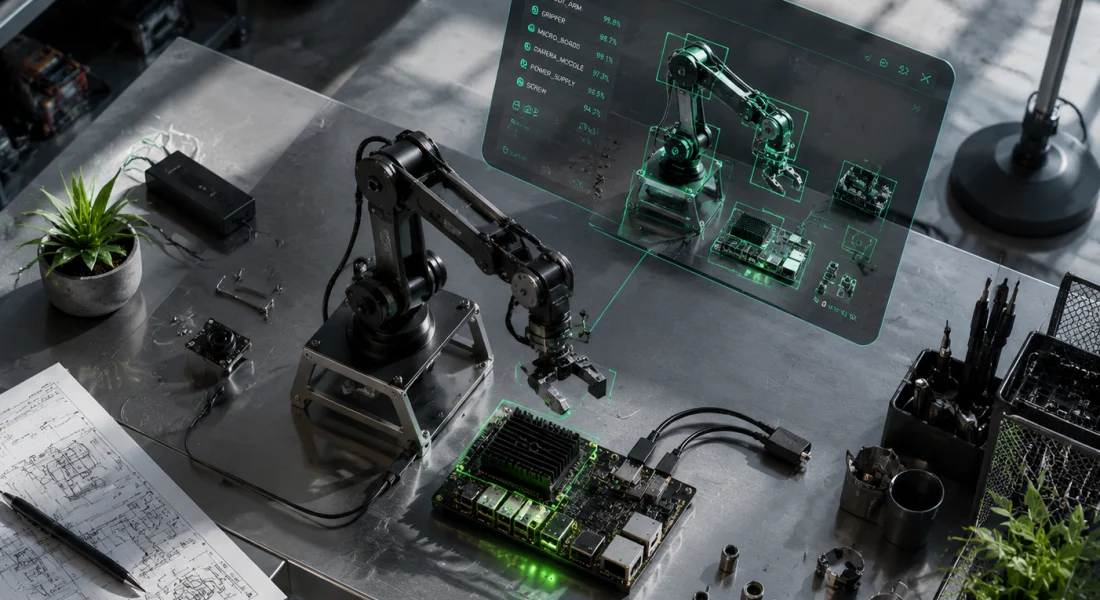
Quick Summary: alwaysAI is a computer vision platform that lets developers build, train, and deploy vision AI applications using Python, with a drag-and-drop interface, pre-trained models, and edge device support. The edgeIQ API simplifies object detection, pose estimation, and semantic segmentation, while the Model Training Toolkit lets teams create custom models. It’s designed for fast prototyping and production deployment on edge hardware like NVIDIA Jetson and Raspberry Pi.
Computer vision used to mean weeks of configuration, hardware headaches, and a learning curve that made most developers bail before the first model ran. alwaysAI entered the market to flatten that curve—giving developers a platform that handles the plumbing so teams can focus on the application logic.
This review breaks down what alwaysAI actually does, who it’s built for, and where it excels or falls short. We’ll walk through the edgeIQ API, model training capabilities, edge deployment options, performance characteristics, and real-world use cases pulled from official documentation and community examples.
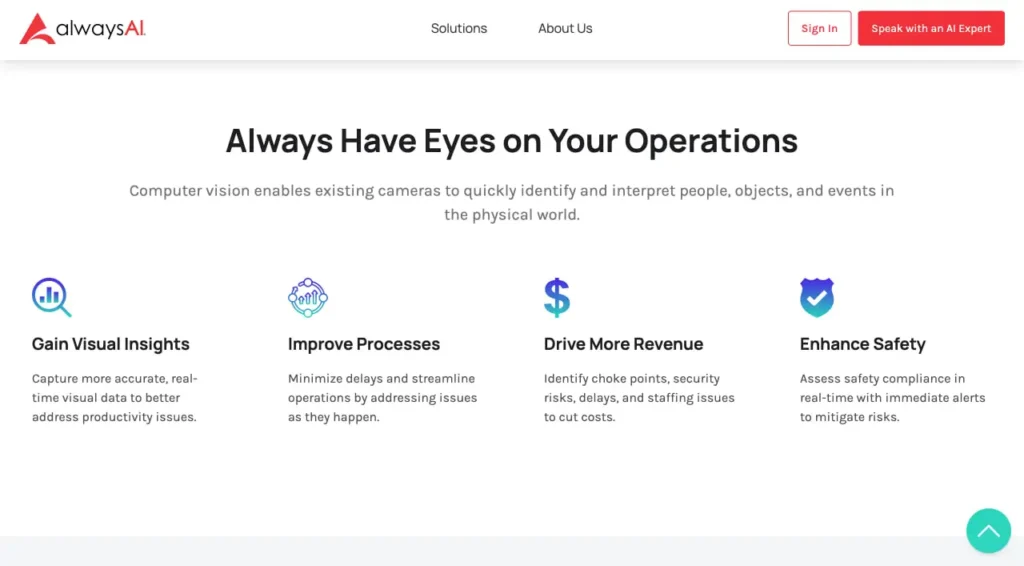
The computer vision market is projected to reach $58.29 billion by 2030 at a 19.8% CAGR, according to industry analyses. That growth is driven by demand for real-time analytics in retail, manufacturing, healthcare, and security—exactly the domains alwaysAI targets.
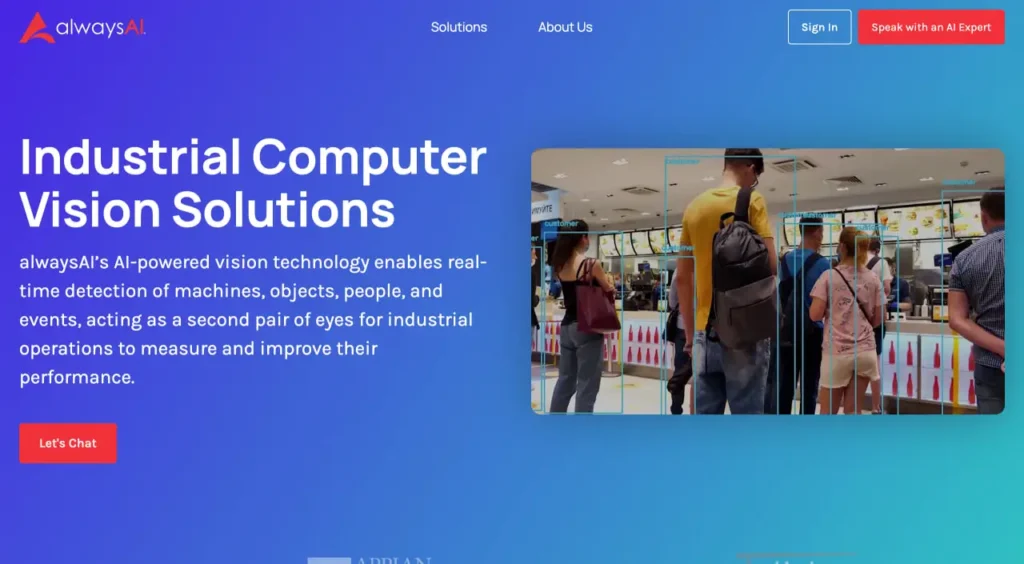
What Is alwaysAI and Who Built It?
alwaysAI is a developer platform for building and deploying computer vision applications on edge devices. It wraps machine learning models—object detection, pose estimation, semantic segmentation, instance segmentation, and re-identification—in a Python API called edgeIQ.
The platform includes a desktop application for Windows and macOS, a command-line interface for Linux, a model catalog with pre-trained neural networks, a cloud-based Model Training Toolkit, and real-time streaming tools for debugging on devices without displays.
According to the official documentation, alwaysAI supports deployment on local machines, NVIDIA Jetson boards (Nano, Xavier, Orin), Raspberry Pi, x86 edge servers, and custom ARM devices. The CLI manages code execution: you write on a laptop, deploy to an edge device via SSH or USB, and stream output back to your development machine.
The company positions itself as a bridge for developers who know Python but don’t want to manage TensorFlow, PyTorch, ONNX runtime, and hardware acceleration layers manually.
Core Features and Capabilities
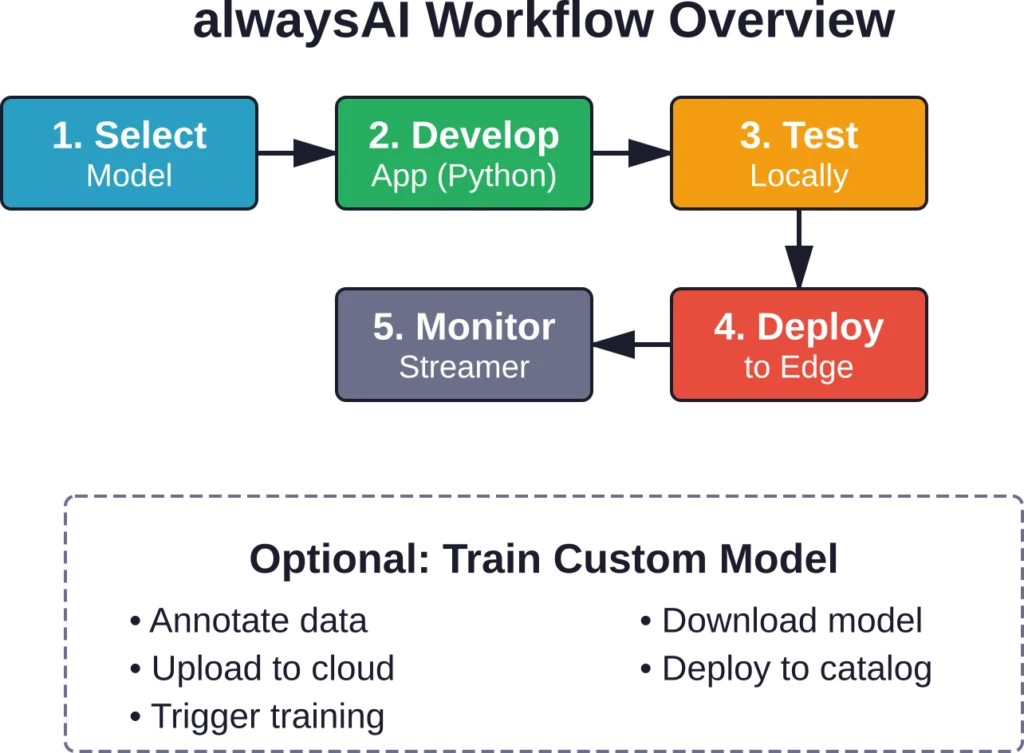
alwaysAI’s feature set revolves around simplifying the full lifecycle: model selection, application development, training, deployment, and monitoring.
edgeIQ API
The edgeIQ library is the heart of the platform. It abstracts model inference into Python classes that handle configuration, preprocessing, and post-processing. The official API documentation lists these core services:
- Classification: Single-label and multi-label image classification
- ObjectDetection: Bounding box detection with confidence scores
- SemanticSegmentation: Pixel-level class masks
- InstanceSegmentation: Per-object masks and bounding boxes
- PoseEstimation: Human keypoint detection (17-point COCO skeleton)
- ObjectTracking: Multi-object tracking with unique IDs across frames
- ReIdentification: Feature extraction for matching objects across camera feeds
Each service is backed by pre-trained models from the alwaysAI catalog. Developers can swap models with a single config change. According to a tutorial on the official site (published October 10, 2019), changing a model requires modifying the app configuration file—no code rewrite.
Accelerator and Engine Support
The platform supports multiple inference engines and hardware accelerators. Based on the edgeIQ Release Notes (Release 2.9.0, published July 17, 2025), supported options include:
- edgeiq.engine.DNN: OpenCV DNN module (CPU)
- edgeiq.engine.DNN_CUDA: CUDA acceleration on NVIDIA GPUs
- edgeiq.accelerator.NVIDIA: TensorRT on Jetson devices
- edgeiq.accelerator.CORAL: Google Coral Edge TPU
- Blaize accelerator cards: Added in release 2.9.0
Python 3.11 and 3.12 support was added in the same release, and Python 3.7 was dropped. That’s a signal the platform is staying current with language evolution.
Video Streaming and Data Display
The Streamer class solves a common edge problem: how do you debug vision code on a headless device?
According to the official Application Analysis documentation, developers initialize the Streamer with edgeiq.Streamer(), then call streamer.send_data(frame, text) to push annotated video frames and metadata to a web interface. The Streamer runs on the edge device and serves video over HTTP, so you can view output in a browser on your laptop.
The interface displays real-time FPS, frame annotations, and custom text overlays. The FPS class tracks frame rate with a num_frames attribute for performance profiling.
For video input, alwaysAI provides VideoStream classes that unify webcam, RTSP stream, video file, and GStreamer pipelines under a single interface. Release 2.9.0 split GStreamerVideoStream from WebcamVideoStream for more flexibility.
Model Training Toolkit
The Model Training Toolkit lets teams train custom object detection models in the cloud. According to the official Model Training documentation, the workflow is:
- Generate or collect image data
- Annotate objects with bounding boxes (COCO or MOT format supported)
- Upload the dataset to alwaysAI’s cloud
- Select a base model (SSD MobileNet, YOLO variants, etc.)
- Trigger training via the dashboard or CLI
- Download the trained model or deploy it directly to the alwaysAI model catalog
The toolkit handles dataset versioning and hyperparameter tuning. After training completes, you can test the model locally or on an edge device using the same edgeIQ API calls.
Release 2.9.0 added parse_coco_annotations() and parse_mot_annotations() helper functions with start_frame and end_frame parameters to simplify loading annotated datasets.
Zone Editor
The Zone Editor is a visual tool for defining regions of interest in camera frames. According to a recent tutorial on the official site, it lets developers draw polygons over a reference frame, label each zone, and export the coordinates as JSON.
Zones are used to trigger alerts (“detect person in zone A”), filter detections, or segment analytics by area (“count cars entering zone B vs. zone C”). The editor runs in the desktop application and integrates with the edgeIQ Zones class for runtime checking.
Analytics and Event Logging
The Analytics module tracks events over time: object counts, dwell time, entry/exit events, and trajectory data. Release 2.9.0 added timestamp utilities: generate_timestamp(), validate_timestamp(), convert_timestamp_to_datetime(), and convert_timestamp_to_system_seconds().
The load_analytics_results() function gained a num_logs parameter to limit the number of records loaded, reducing memory overhead when processing large analytics files.
Developers can export analytics to CSV or JSON for downstream analysis in BI tools.
Setting Up and Getting Started
Installation varies by platform. For Windows and macOS, the official Development Computer Setup documentation directs users to download the all-in-one installer, which bundles the CLI and desktop app.
Linux users install the CLI via a shell script or package manager. After installation, running aai -v in a terminal should print the version string (e.g., 0.5.30).
Note: WSL and WSL 2 are not currently supported, as they lack direct access to hardware devices like cameras and USB accelerators.
Once installed, the CLI walks developers through creating a new project, configuring the target device (local or remote), selecting a starter app, and deploying. The official tutorial “How to Run a Real-Time Object Detector Starter App in Minutes” (published October 10, 2019) outlines the process:
- Run aai app configure to set up the project
- Choose a starter template (object detection, pose estimation, etc.)
- Run aai app install to download model files
- Run aai app start to launch the app
The starter app runs locally by default. To deploy to an edge device, configure SSH credentials via aai app configure –target, then run the same start command—the CLI handles file transfer and remote execution.
Real-World Use Cases
alwaysAI publishes case studies and community stories on its blog. One standout example: a high school student used alwaysAI to give a robot visual object recognition capabilities. According to the case study, the student had no prior computer vision experience but was able to integrate object detection into a robotics project in a weekend using the starter apps and model catalog.
That level of accessibility is the platform’s core value proposition. It removes the need to debug OpenCV installation, TensorFlow dependencies, or CUDA driver mismatches—issues that routinely derail early-stage projects.
Other documented use cases include:
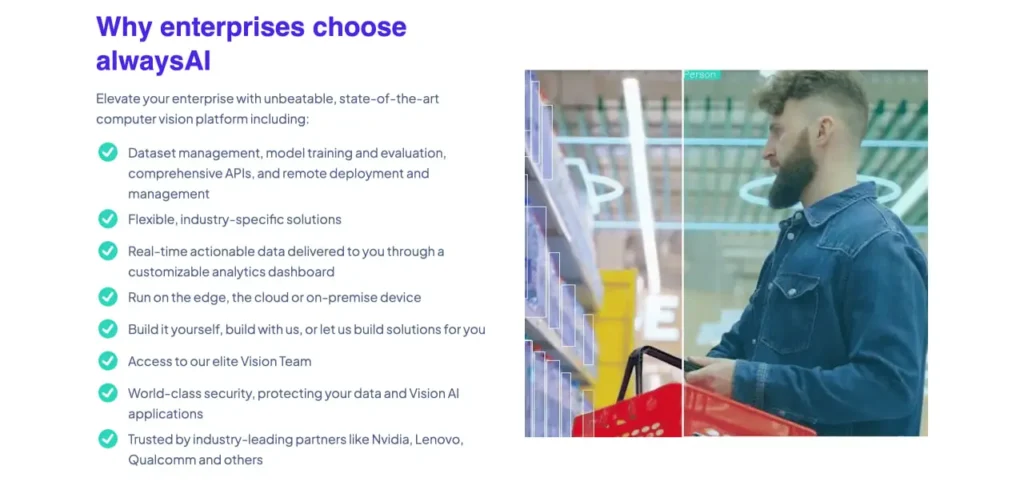
- Retail analytics: Counting foot traffic, detecting queue length, tracking customer dwell time in store zones
- Manufacturing QA: Automated visual inspection of parts on assembly lines
- Security and surveillance: Perimeter monitoring, PPE detection (hard hats, vests), unauthorized zone entry alerts
- Healthcare: Patient fall detection, hand hygiene compliance monitoring
The platform’s edge-first design makes it viable for scenarios where sending video to the cloud is impractical due to bandwidth, latency, or privacy constraints.
Performance Benchmarks and Hardware Considerations
Performance varies significantly based on model choice and hardware configuration. The official documentation notes that the GPU on Jetson Nano can be leveraged by starting the Dockerfile with FROM alwaysai/edgeiq:nano-0.11.0 and configuring edgeiq.engine.DNN_CUDA with edgeiq.accelerator.NVIDIA.
For latency-critical applications (e.g., real-time robotics, safety systems), choosing the right model-hardware pairing is essential. Heavier models like YOLOv8 or Mask R-CNN deliver better accuracy but require more powerful hardware to maintain acceptable frame rates.
Pros and Cons
| Pros | Cons |
|---|---|
| Fast onboarding for Python developers | Smaller model catalog compared to Hugging Face or TensorFlow Hub |
| Edge-first architecture reduces cloud dependency | Windows/Mac desktop app required for full feature set (Linux CLI is more limited) |
| Active release cadence (Python 3.11/3.12 support, Blaize accelerator added 2025) | Community size smaller than PyTorch/TensorFlow ecosystems |
Pricing and Licensing
alwaysAI’s official website does not publish a detailed pricing page as of June 2026. For current pricing, plan tiers, and licensing options, check the official alwaysAI website or contact their sales team at [email protected].
The platform historically offered a free tier for hobbyists and students, with paid plans for commercial deployment, model training credits, and enterprise support. Exact feature limits and costs vary—verify directly with alwaysAI before committing to a project roadmap.
How alwaysAI Compares to Alternatives
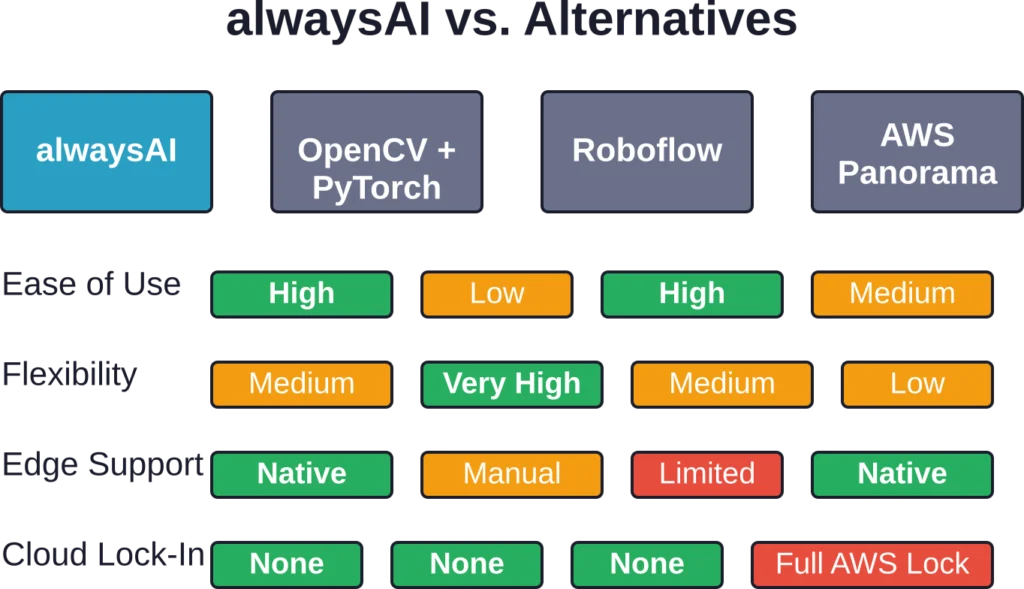
alwaysAI isn’t the only player in the vision AI space. Here’s how it stacks up against common alternatives:
alwaysAI vs. OpenCV + PyTorch/TensorFlow
Building a vision pipeline from scratch with OpenCV and a deep learning framework gives maximum flexibility but requires handling model export, runtime optimization, hardware acceleration setup, and video I/O plumbing manually.
alwaysAI abstracts those layers. The trade-off: less control over low-level inference details, but drastically faster time-to-prototype. For teams without dedicated ML engineers, alwaysAI’s higher-level API is a productivity win.
alwaysAI vs. Roboflow
Roboflow focuses on dataset management, annotation, augmentation, and model training (with a no-code interface). It integrates with multiple training backends and exports models in ONNX, TensorFlow Lite, and other formats.
alwaysAI’s Model Training Toolkit overlaps with Roboflow’s core features but adds the deployment and edge inference layers. If you need end-to-end edge deployment, alwaysAI is more integrated. If you want best-in-class annotation and augmentation tools, Roboflow has the edge.
alwaysAI vs. AWS Panorama / Azure Percept
AWS Panorama and Azure Percept are cloud vendors’ edge vision offerings. Both require using the vendor’s hardware or certified appliances and lock you into that cloud ecosystem.
alwaysAI is hardware-agnostic (any Linux box, Jetson, Pi) and doesn’t force cloud integration. That makes it more flexible for on-prem or air-gapped deployments.
alwaysAI vs. NVIDIA DeepStream
NVIDIA’s DeepStream SDK is a high-performance framework for building vision pipelines on Jetson and dGPU platforms. It’s built on GStreamer and optimized for maximum throughput (hundreds of streams on a single device).
DeepStream has a steeper learning curve and requires C/C++ or Python bindings. alwaysAI is simpler and more Python-native, but DeepStream wins on raw performance for large-scale deployments.
Detect Objects in Real-World Images with FlyPix AI
AlwaysAI is connected with computer vision and object detection workflows. FlyPix AI focuses this kind of visual analysis on geospatial imagery, helping teams detect objects, segment mapped areas, and review visible changes in satellite, drone, and aerial images.
FlyPix AI can support geospatial detection tasks such as:
- Detecting vehicles, buildings, roads, equipment, vegetation, or other visible features
- Segmenting land, water, infrastructure, agriculture, or built areas
- Comparing imagery from different dates to monitor visible changes
- Training custom AI models for project-specific geospatial detection
Reach out to FlyPix AI to explore how geospatial object detection can support your image analysis workflow.
Common Challenges and How to Troubleshoot
Even with a streamlined platform, developers hit snags. The official FAQ and community discussions surface a few recurring issues:
SSH Connection Failures
When deploying to a remote device, SSH key authentication sometimes fails. The fix: ensure the public key is added to ~/.ssh/authorized_keys on the target device, and verify firewall rules allow port 22.
Model Download Errors
If aai app install hangs or fails, check network connectivity and confirm the model catalog is accessible. Some corporate networks block external downloads—whitelisting alwaysAI’s CDN domains resolves this.
Low Frame Rate on Edge Devices
If inference is slower than expected, verify the correct accelerator is configured. Running CUDA inference without the NVIDIA accelerator flag falls back to CPU, tanking performance. Check engine and accelerator settings in the app config.
Streamer Not Displaying Video
The Streamer serves video over HTTP, typically on port 5000. If the feed doesn’t load, confirm the device’s IP is reachable and no firewall blocks the port. Running curl http://<device-ip>:5000 from the development machine should return a response.
Python Version Conflicts
As of release 2.9.0, Python 3.7 is no longer supported. Projects using older Python versions must upgrade to 3.8 or later. Virtual environments (venv or conda) help isolate dependencies and avoid conflicts.
Getting Support and Community Resources
According to the official FAQ, alwaysAI offers multiple support channels:
- Discord server: Real-time chat with other developers and alwaysAI staff
- Support email: [email protected] for technical issues and billing questions
- Blog tutorials: Step-by-step guides for common tasks (object detection, pose estimation, zone management)
- Troubleshooting page: Searchable knowledge base for frequent problems
The Discord community is active, with developers sharing code snippets, performance tips, and hardware recommendations. It’s the fastest way to get unstuck when documentation doesn’t cover a specific scenario.
Who Should Use alwaysAI?
alwaysAI is a strong fit for:
- Python developers who need to add vision capabilities to existing applications without mastering TensorFlow internals
- Product teams building edge AI products where time-to-market matters more than squeezing out every millisecond of latency
- Students and educators teaching computer vision—the platform lowers the setup barrier and lets learners focus on application logic
- Embedded systems engineers who want a higher-level API for prototyping before optimizing a production pipeline
- Small teams without dedicated ML engineers who need a turnkey solution for object detection, tracking, or pose estimation
It’s less ideal for:
- Teams needing cutting-edge research models (transformers, diffusion models, etc.) that aren’t in the catalog
- Projects requiring ultra-low latency (sub-10ms inference) where every optimization matters
- Organizations with strict air-gap requirements that prohibit cloud-based model training
Future Roadmap and Platform Evolution
Based on the release notes and official blog, alwaysAI is actively evolving. Recent additions include Python 3.11/3.12 support, Blaize accelerator integration, and improved timestamp utilities for analytics.
The platform’s focus on edge deployment aligns with broader industry trends. As models become more efficient (quantization, pruning, distillation), edge devices gain compute capacity (next-gen Jetson, new ARM SoCs), and privacy regulations tighten, on-device inference is becoming the default for many applications.
alwaysAI is positioning itself as the developer-friendly layer that abstracts hardware complexity while staying current with model advancements. If the platform adds support for transformer-based vision models (ViT, DINO, SAM) and expands training capabilities beyond object detection, it could close the gap with more flexible frameworks while keeping the ease-of-use advantage.
Frequently Asked Questions
alwaysAI’s edgeIQ API is Python-only. All application code, model configuration, and deployment scripts use Python 3.8 or later (3.11 and 3.12 supported as of release 2.9.0).
Yes, but with limitations. The Model Training Toolkit supports custom object detection models. For other model types (classification, segmentation, pose), you’ll need to export your model in a compatible format (ONNX, TensorFlow, etc.) and test if the edgeIQ API can load it. Check the official documentation for conversion guidelines.
Once models are downloaded and the app is deployed, alwaysAI applications run fully offline on the edge device. Internet is only needed during initial setup (downloading models, CLI updates) and if using cloud-based model training.
Official support includes NVIDIA Jetson boards (Nano, Xavier, Orin), Raspberry Pi (3B+, 4, 5), x86 Linux machines, and ARM-based edge servers. Google Coral Edge TPU and Blaize accelerator cards are supported as of release 2.9.0. Check the official hardware compatibility page for the latest list.
The VideoStream class supports multiple camera inputs. Developers instantiate separate VideoStream objects for each camera feed and process them in parallel or sequentially. The MultiStreamFramework (mentioned in the API docs) provides utilities for synchronized multi-camera processing.
Yes, alwaysAI provides official Docker base images (e.g., alwaysai/edgeiq:nano-0.11.0 for Jetson Nano). The CLI can build and deploy containerized applications. Dockerfiles are generated automatically for new projects.
The Analytics module tracks events like object counts, dwell time, zone entries/exits, and trajectory data. Results are stored locally and can be exported to CSV or JSON. Release 2.9.0 added timestamp utilities and a num_logs parameter to control memory usage when loading large analytics files.
Final Verdict: Should You Use alwaysAI?
alwaysAI delivers on its promise: a fast, Python-friendly path from idea to deployed vision AI application on edge hardware. The edgeIQ API abstracts the complexity of model inference, hardware acceleration, and video streaming without hiding control entirely.
For teams that value speed over flexibility, alwaysAI is a productivity multiplier. The starter apps, model catalog, and built-in debugging tools (Streamer, Zone Editor, FPS tracking) remove friction that would otherwise consume days or weeks.
But it’s not a universal solution. Teams building custom architectures, researchers experimenting with novel models, or projects requiring sub-10ms latency will eventually outgrow the platform’s abstraction layer. In those cases, dropping down to TensorFlow, PyTorch, or DeepStream is inevitable.
The ideal alwaysAI user is a developer who knows Python, needs to ship a vision feature in weeks (not months), and is deploying on edge hardware where cloud inference is impractical. For that profile, it’s one of the best options available in 2026.
Pricing transparency remains a weak point—check the official site or contact sales before locking in your roadmap. And keep an eye on the release notes; the platform is evolving fast, with meaningful updates every few months.
Want to test alwaysAI risk-free? Download the CLI, run through the real-time object detector tutorial, and deploy it to a Raspberry Pi or spare laptop. That 30-minute exercise will tell you whether the platform fits your workflow better than a week of reading documentation.
Ready to build your vision AI project? Head to the official alwaysAI website, grab the installer, and start with a starter app. The Discord community is active if you hit roadblocks. And if alwaysAI turns out to be the right fit, you’ll ship your first edge vision application faster than you thought possible.