
OpenClaw is an open-source tool that lets you turn a powerful language model into a personal assistant that actually does things. You chat with it on WhatsApp, Telegram, Discord, Slack or similar apps, and it can read and send emails, manage your calendar, browse the web, work with files, run simple scripts – basically act like a helpful coworker that never sleeps.
The most important part is which AI model you connect to it. OpenClaw itself is just the messenger and the executor. The real thinking, remembering, and deciding happens inside the model you choose. Pick the wrong one and things break, cost too much, or become unsafe. Pick a good match and it feels smooth and reliable.
Why the Model Choice Changes Everything
Every time you give OpenClaw a command, it sends the whole conversation history so far to the model – sometimes hundreds of thousands of words if the chat has been going on for days. The model has to understand all of it, remember what was said earlier, figure out what to do next, and write very exact instructions (called tool calls) so OpenClaw knows which button to press or which email to send.
If the model starts forgetting details from earlier messages (even just ten turns back), it quickly begins making mistakes and dropping the thread. If it messes up the formatting or logic of tool calls, the actions either fail completely or end up hitting the wrong target – wrong email sent, wrong calendar event changed, wrong file touched. And if the model is too easily fooled by sneaky wording hidden in an incoming email or a webpage it browses, a malicious prompt can trick your assistant into running harmful commands or leaking sensitive information.
So the model is not just “smart or not smart”. It needs to be good at three big things for OpenClaw:
- keeping a long memory without getting confused
- following instructions very precisely
- calling tools (functions) correctly every time
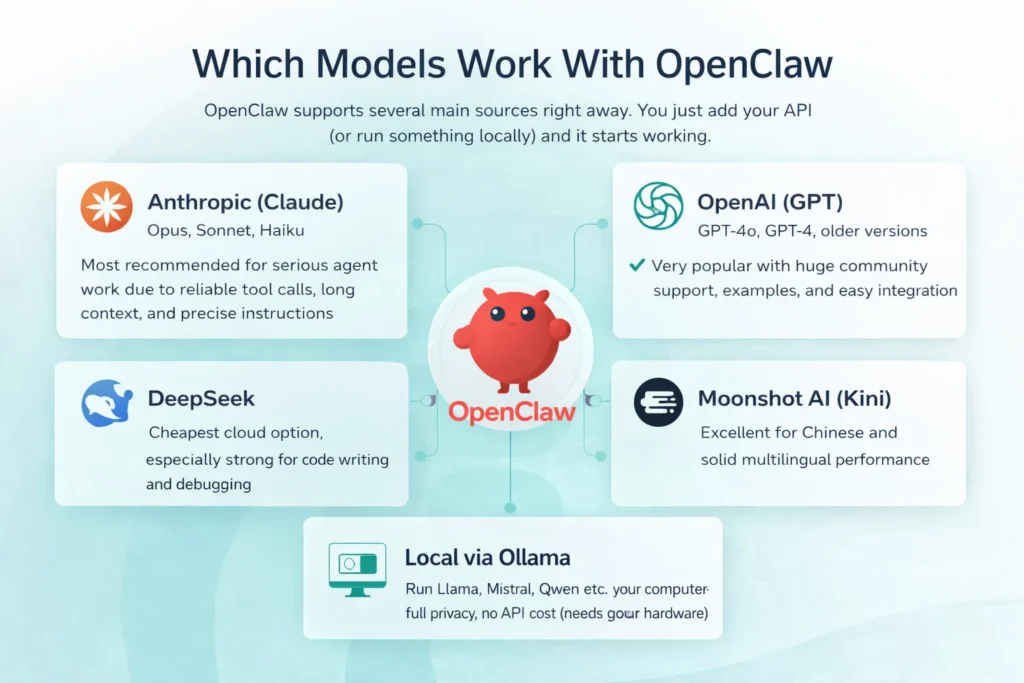
Which Models Work With Openclaw
OpenClaw supports several main sources right away. You just add your API key (or run something locally) and it starts working.
- Anthropic (Claude): Opus, Sonnet, Haiku – most recommended for serious agent work due to reliable tool calls, long context, and precise instructions.
- OpenAI (GPT): GPT-4o, GPT-4, older versions – very popular with huge community support, examples, and easy integration.
- DeepSeek: cheapest cloud option, especially strong for code writing and debugging.
- Moonshot AI (Kimi): excellent for Chinese and solid multilingual performance.
- Local via Ollama: run Llama, Mistral, Qwen etc. on your computer – full privacy, no API cost (needs good hardware).
FlyPix AI + OpenClaw: More Time for Decisions, Less Manual Work

At FlyPix AI we specialize in automating geospatial analysis from satellite, drone, and aerial imagery. We detect objects, count them, measure areas, track changes over time, and deliver clear reports or maps. This helps our clients in construction monitoring, agriculture, environmental assessments, infrastructure inspection, and urban planning.
Our platform saves up to 99.7% of the time previously spent on manual GIS tasks. No expensive software or specialized analysts are needed anymore – our no-code interface lets any team build custom models for their specific objects.
We know that even after the analysis is complete, a significant amount of administrative work remains: writing reports, organizing image files and results, scheduling follow-up reviews or field visits, sorting emails with new data, and preparing stakeholder updates.
That’s exactly why we see OpenClaw as a natural and powerful complement.
Our clients can run a free, local AI assistant (for example with Ollama) that maintains the highest level of data privacy and works offline – critical when dealing with sensitive imagery. OpenClaw takes care of all the follow-up tasks automatically: drafting reports from our analysis outputs, organizing files by project or date, managing calendars, researching relevant regulations or studies, and sending quick summaries.
GPT Models: Flexible and Familiar
OpenAI’s GPT models continue to be a very strong and widely used choice for OpenClaw, particularly among people who are already comfortable working within the OpenAI ecosystem.
These models perform especially well when you need fast responses to simple or straightforward questions, when you are frequently generating code or scripts and require clean structured output such as lists, tables, or JSON, or when you want to take advantage of the enormous collection of existing examples, libraries, tutorials, and community-built tools that surround the OpenAI APIs.
Compared with the latest Claude models, GPT variants can sometimes show slightly less consistency during very long conversations or when extremely strict multi-step tool calling is required. However, the practical difference remains small for most everyday workflows. If you already hold an OpenAI subscription, have access to free credits, or simply value their speed and overall familiarity, GPT-4o (or a similar variant) tends to be the easiest and most practical starting point. Many OpenClaw users begin with GPT for its accessibility and only move to Claude later when they encounter tasks that demand tighter reasoning or stronger built-in security guardrails.
Claude: The Most Common Serious Choice
Claude models from Anthropic are the most popular pick among serious OpenClaw users because they are built to be careful, logical, and excellent at following long, detailed instructions.
- Top tier (Opus level): ideal when handling sensitive data (finance, health, legal, private info), multi-step complex workflows, or when security is critical (very strong resistance to prompt injection and tricks).
- Middle tier (Sonnet level): what most people use daily: handles email, calendar, web searches, and standard automations reliably, with great quality-to-cost balance and fast enough responses.
- Light tier (Haiku level): cheap and very quick, but only suitable for simple, one-step commands where occasional errors don’t matter much.
That’s why Claude often becomes the default or main recommendation – it matches OpenClaw’s needs for reliability, long context, and safe tool use better than most alternatives.
Deepseek: When You Want to Spend Almost Nothing
DeepSeek models are popular with OpenClaw users who prioritize the lowest possible costs. They cost a fraction of Claude or GPT and still handle basic to moderate tasks effectively.
They Work Well For:
- Sorting and replying to simple emails
- Basic calendar changes (add, check, move events)
- Quick code help, small scripts, routine debugging
- Straightforward automations without deep planning
For light to medium daily use (20–50 interactions), they often cost 5–20× less than premium models while remaining usable for non-critical work.
Trade-Offs Are Real:
- Weaker on long conversations (forgets details faster)
- Struggles with complex multi-step workflows
- Less precise on high-stakes tasks (finance, legal, client comms)
- Lower prompt injection resistance than Claude
Best fit: tight budget, mostly simple/medium tasks, and you accept slightly lower reliability on harder stuff.
Many users run DeepSeek for 80–90% of routine work and switch to stronger models only for sensitive or complex cases – this keeps bills very low while covering what matters.
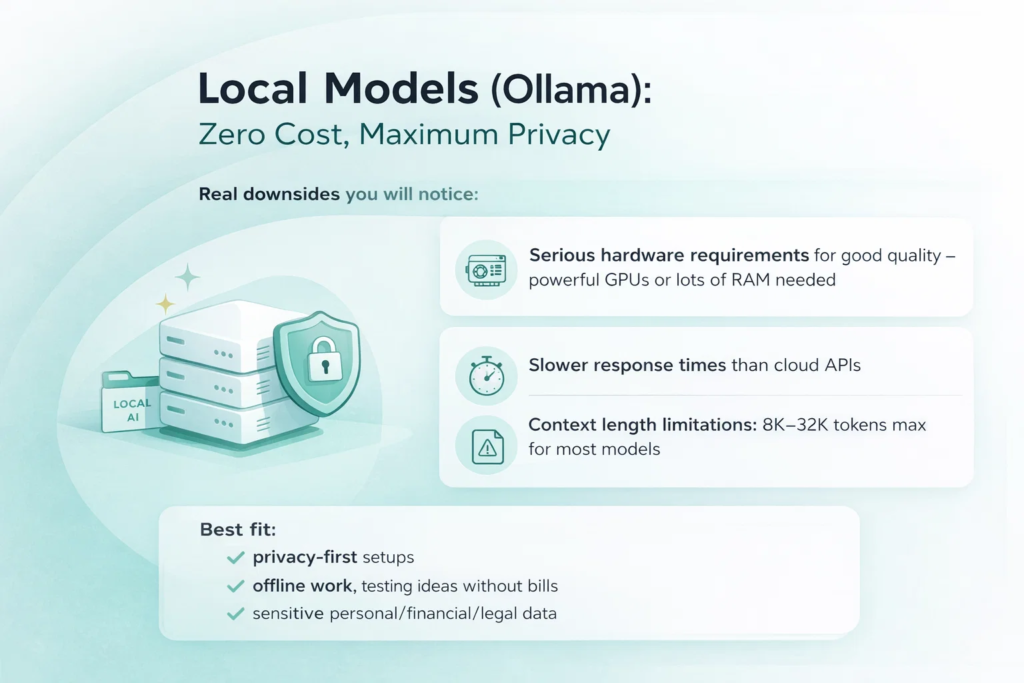
Local Models (Ollama): Zero Cost, Maximum Privacy
If you want zero chance of your data ever leaving your machine, local models via Ollama are the only real way. You download an open-weight model, run it on your own hardware, and OpenClaw talks to it directly through a local server – no API keys, no cloud provider, no logs anywhere else.
Larger models (around 70B parameters, like Llama 3.1 70B, Qwen 2.5 72B, or Mistral variants) can deliver performance surprisingly close to mid-tier cloud models on many OpenClaw tasks – email handling, calendar management, basic web research, simple code help. On a machine with strong hardware (48+ GB RAM, good GPU or unified memory on Apple Silicon), they feel usable for real daily work.
Smaller models (7B–13B, like Llama 3.1 8B, Phi-3 Mini, Mistral 7B) run fine even on ordinary laptops with 16–32 GB RAM. They are fast and cheap to run but clearly weaker: they struggle with multi-step reasoning, forget context quickly, and make more mistakes on anything complicated.
Real downsides you will notice:
- Hardware requirements are serious for good quality – big models need powerful GPUs or lots of RAM; without that, everything slows down dramatically
- Response times are usually slower than cloud APIs (seconds longer per reply, sometimes much longer on weaker machines)
- Context length is limited – most local models cap at 8K–32K tokens (some newer ones go higher with tricks), while OpenClaw sessions often grow well beyond that, so the agent starts losing earlier details
Best fit: privacy-first setups, offline work, testing ideas without bills, or when you are processing sensitive personal/financial/legal data you do not trust to any cloud service.
How Much Does Each Model Cost per Month With OpenClaw?
Monthly costs depend on the model and usage level. OpenClaw sends full conversation history each time, so longer chats and frequent tasks increase token usage fast. Light use is about 10–15 tasks/day, moderate 30–50, heavy 100+ (always-on agent).
Approximate monthly costs based on real user patterns:
- Top-tier Claude (Opus level): light $80–150, moderate $200–400, heavy $500–750+
- Middle-tier Claude (Sonnet level): light $15–30, moderate $40–80, heavy $100–200
- GPT-4o (OpenAI): light $12–25, moderate $30–60, heavy $80–150
- DeepSeek or light Claude (Haiku level): light to moderate $5–15 or less, heavy usually under $30
- Local models via Ollama: $0 API cost (only electricity and hardware)
Actual numbers vary with session length, tool calls, and prompt efficiency. Track usage in the OpenClaw dashboard or provider console for a week to see your real spend. Choosing the right tier for your workload saves the most money.
Quick Guide: Which Model for Which Job in OpenClaw
| Job / Use Case | Recommended Model(s) | Why this model fits best |
| Everyday assistant (email, calendar, messages, quick research) | Middle Claude (Sonnet level) or GPT-4o | Reliable for daily tasks, good speed + cost balance, handles context and tools well |
| Heavy coding, writing/fixing scripts, automations that must work first time | Strong Claude (Opus level) or strong GPT | Superior reasoning, precise code output, fewer mistakes in complex logic and debugging |
| Reading long documents, summarizing big reports, deep analysis | Claude (any tier, preferably middle/top) or Gemini (if available) | Excellent long-context handling and structured extraction/summarization |
| Super private work – zero data leaves your device | Big local model via Ollama (e.g. Llama 70B, Qwen, Mistral) | All processing stays on your hardware, full privacy, no API calls |
| Very tight budget, only basic / simple tasks | DeepSeek or small local model | Extremely low cost (or free), still decent for one-step commands and light automations |
| Lots of Chinese or heavy non-English multilingual work | Kimi (Moonshot AI) or GPT-4o | Strong multilingual performance, especially fluent and accurate in Chinese |
What Really Matters When You Compare Models for Openclaw
Here are the main things people actually check in practice when picking a model for OpenClaw:
- How accurately and reliably it makes tool calls without wrong format or logic errors
- How well it keeps long conversation history without forgetting or mixing up earlier details
- How strictly it follows your exact instructions without adding, skipping, or changing things
- How effectively it breaks complex tasks into small, safe, correct steps
- How quickly it responds (makes the chat feel natural instead of laggy)
- How much it costs per month for your normal daily usage
Wrapping Up
There is no single “best” model for OpenClaw. It depends on what you do most, how much you can spend, and whether privacy or speed matters more to you.
Claude models (especially the middle one) are still the safest bet for most people who want reliable agent behavior without constant fixes.
GPT models are great if you already live in the OpenAI world or need fast creative answers.
DeepSeek saves serious money when quality does not have to be perfect.
Local models give you full control and zero ongoing cost – if you have the hardware.
Start with whatever is easiest to set up (usually Claude Sonnet or GPT-4o), use it for a week, see what annoys you, then try something else. OpenClaw makes switching painless, so you are not locked in.
FAQ
Start with Claude Sonnet (middle version). It is reliable, handles most daily tasks well, and many guides are written for it.
Yes. You can switch models any time or set different ones for different tasks/agents in the config.
For simple or private tasks – yes, especially big ones on strong hardware. For complex, long conversations or high security – cloud models are usually better.
It is very good at following instructions exactly, remembering long chats, and calling tools correctly. That reduces broken automations and security risks.
Yes, if your tasks are basic to medium and you do not mind slightly lower reliability on hard stuff. It is one of the cheapest ways to get decent results.
Yes. Models that are harder to trick and follow rules strictly make the whole system safer, especially when reading random emails or websites.
Look at your daily message count. Light use – almost any model is cheap. Heavy use – cheaper models (DeepSeek, Haiku, local) save the most money. Check token usage in the dashboard after a week.