
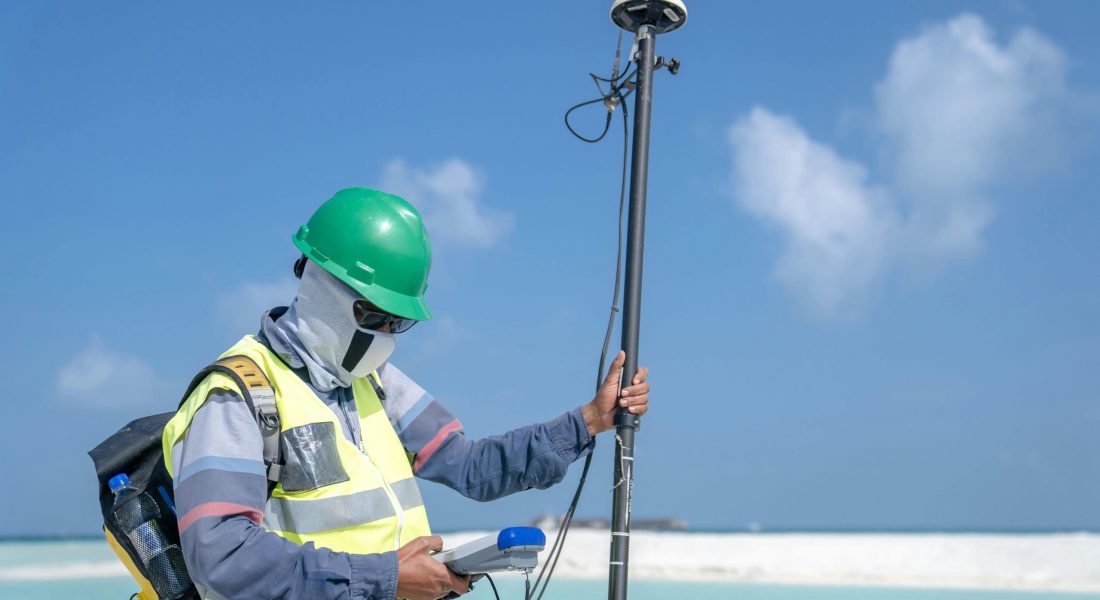
LiDAR isn’t just for satellites and self-driving cars anymore. These days, you can carry one in your hand and scan everything from forests to buildings with surprising accuracy. Handheld LiDAR scanners have quietly become one of the most practical tools for anyone who works with physical spaces – construction teams, archaeologists, city planners, you name it.
What used to take hours with tape measures or bulky tripods now takes minutes. And the result? Detailed, 3D point clouds you can actually use. But how do these devices work? What’s the catch? And are they really as efficient as they sound? Let’s break it down without the fluff.
What Is a Handheld LiDAR Scanner?
A handheld LiDAR scanner is a compact, portable device that captures 3D data of real-world objects and spaces. It works by firing rapid laser pulses at a surface and measuring how long it takes for the light to bounce back. This time-of-flight measurement is used to calculate distances, and when repeated across a space, the result is a highly detailed 3D point cloud.
Unlike larger LiDAR setups that are mounted on tripods, drones, or vehicles, handheld units are designed for flexibility. You carry them, walk around with them, and scan as you go. That makes them ideal for situations where mobility and tight access matter.
How It Actually Works
Here’s the simplified version. A scanner emits millions of laser pulses per second. Each pulse hits a surface, like a wall, tree, or vehicle, and returns to the sensor. The scanner calculates the exact position of each point in space using angles and timing. That becomes a single point in a much larger cloud. Add all those points together, and you get a complete 3D model of the scanned environment.
Some handheld models also include:
- Inertial Measurement Units (IMUs) to track movement and orientation during scanning.
- Cameras to add visual context and assist with alignment.
- Live previews that let you monitor scan coverage on a tablet or laptop, with full processing typically handled afterward.
All of this helps create clean, usable models, even if you’re walking through a bumpy forest trail or weaving between stacks of construction materials.

Where These Scanners Are Being Used
The portability and accuracy of handheld LiDAR scanners open the door to a surprisingly broad set of applications. These aren’t limited to niche engineering firms or research labs. They’re being used in the field – literally.
Construction and Architecture
Handheld LiDAR scanners are a solid tool for capturing as-built conditions, verifying how close the actual structure sticks to the original design, and documenting interiors without relying on tape measures or outdated blueprints. It’s fast, accurate, and easy to move from room to room.
Forensics
In crime scenes or accident investigations, every detail matters. These scanners let teams document everything in 3D without physically disturbing the scene. That means faster, cleaner reconstructions, and better evidence handling.
Archaeology
When you’re working around delicate ruins or excavation sites, handheld LiDAR makes it possible to scan structures without touching anything. It’s especially handy in tight or remote digs where traditional surveying gear just doesn’t work.
Forestry and Ecology
Whether it’s estimating tree height, canopy density, or monitoring how vegetation changes over time, LiDAR helps researchers collect detailed data by scanning from above or through gaps in foliage. It reduces the need for full ground surveys and supports large-scale environmental analysis.
Industrial Inspection
Tight crawlspaces, cluttered plants, underground tunnels – these are places where drones often face limitations and bulky scanners don’t fit. A handheld LiDAR unit can step in and get the job done without shutting anything down.
Mining and Underground Mapping
Handheld scanners are built for places where GPS can’t help. In mines, caves, or underground utilities, they create precise 3D maps while allowing crews to move freely in complex, dark environments. Handheld units simplify logistics by replacing larger scanning setups with a compact device, a power source, and a display unit.
Real Benefits You’ll Notice
What makes these scanners worth the investment? Here’s where the practical value shows up. Key advantages:
- Mobility: Go anywhere – stairs, tunnels, dense woods, crawlspaces.
- Speed: Scan large areas in minutes, not hours.
- Precision: Some handheld LiDAR models can achieve very high accuracy in controlled conditions.
- Real-time feedback: Spot gaps or issues as you scan, not after.
- Lower barrier to entry: Compared to full LiDAR rigs, handheld models are easier to use and set up.
- Cost-effective: Especially when you factor in saved time and reduced rework.
They’ve become a go-to option for professionals who need high-quality data without the logistics overhead of traditional scanning systems.
Not Without Its Trade-Offs
Like any tool, handheld LiDAR isn’t perfect. Understanding the limitations helps you make smarter use of the tech. Common challenges include:
- Limited range: Handheld devices generally have a shorter range than drone or tripod-mounted units.
- User-dependent accuracy: Scan quality can vary depending on the steadiness and scanning habits of the operator.
- Training required: While easier than some alternatives, you still need to understand scanning paths, data overlap, and post-processing.
- Cost: Some units are still pricey, and not all small businesses can justify the spend – though prices are gradually dropping.
That said, many of these issues are shrinking as technology evolves.

What Makes a Handheld LiDAR “Handheld”?
There’s more than one way to build a portable scanner. Here’s a breakdown of common types in this category.
Handheld Units
These are the classic portable scanners. You hold them like a camera, often with a connected tablet or screen that shows the scan in real time. They’re ideal for walking around tight spaces or focusing on specific features.
Backpack Systems
Built for large-scale mapping, backpack LiDAR systems are worn by the operator and used while walking through big environments like warehouses, factories, or tunnels. They’re heavier but great for covering ground efficiently.
Built-In Sensors on Phones and Tablets
Some modern phones and tablets, like the newer iPhones and iPads, come with built-in LiDAR sensors. While they can’t match the accuracy of dedicated gear, they’re good enough for basic room scans or rough measurements when you just need a quick visual.
The lines between these categories blur a bit as devices shrink and computing power grows, but the core idea remains: move through space, collect data as you go.
What You Get From the Scan: The Point Cloud
All LiDAR scanning results in what’s called a point cloud. Think of it as a 3D scatterplot of your environment. Each dot is a laser return. Put them together, and you get a digital twin of the space.
Why point clouds matter:
- They provide precise dimensions of scanned areas.
- You can overlay models (like CAD or BIM files) to check for errors.
- They’re exportable to other tools for rendering, editing, or analysis.
- You can scan the same place repeatedly and compare changes over time.
More advanced scanners let you tweak scan resolution or data density depending on the level of detail you need.

Where We Come In: FlyPix AI and the Next Step After Scanning
Once the handheld LiDAR scanner has done its job, the next challenge is making sense of all that point cloud data. That’s where we step in. At FlyPix AI, we help teams turn raw geospatial scans into real, usable insights – fast. Our platform uses AI agents trained to detect, monitor, and analyze imagery from satellites, drones, and LiDAR scanners. No need to sift through thousands of data points manually. We automate the heavy lifting so you can focus on what actually matters.
Let’s say you’ve captured a forest survey or a detailed site scan. We help you run custom object detection, classify land use, flag anomalies, and produce clean visuals in a fraction of the time it used to take. In some cases, we’ve helped clients cut down image analysis time by over 99%. Whether you’re mapping out construction zones, inspecting infrastructure, or working with environmental data, we make it easier to scale your projects without scaling your team.
If you’re already using handheld LiDAR scanners or thinking about adding them to your workflow, consider what comes next. Data capture is just the first step. We’re here to help you go from scan to insight, without friction.
What’s Coming Next
LiDAR is far from static. The future is smaller, smarter, and faster. Here are several trends to watch:
- AI integration: Automatic object recognition and data cleanup on-device.
- Miniaturization: Smaller sensors and lighter gear, opening up more handheld options.
- SLAM improvements: Better mapping without GPS, especially indoors.
- Battery and processing gains: Longer run times, faster scan-to-model workflows.
- Wider accessibility: As phones and tablets adopt basic LiDAR, more users will get familiar with 3D scanning, even if they’re not professionals.
In short: expect more performance with less weight and less hassle.
Final Thoughts
Handheld LiDAR scanners aren’t just a more convenient version of something older. They’re part of a shift in how we gather and use spatial data – real-world, physical data, not just simulations.
For the right user, they offer speed, mobility, and accuracy without the steep learning curve of older systems. And for many industries, they unlock projects that would have been too time-consuming or expensive to tackle before.
If you’re still measuring spaces by hand or waiting days for a full scan team to process results, this might be the upgrade worth exploring.
FAQ
Not in every case, but for many situations, yes. If you’re scanning tight interiors, cluttered spaces, or places with limited access, handheld scanners are often faster and more practical. They don’t replace drones or terrestrial laser scanners entirely, but they definitely fill the gaps those tools can’t handle well.
It’s not rocket science, but it’s also not a point-and-shoot camera. Most handheld units are designed to be user-friendly, but there’s still a learning curve, especially when it comes to scanning technique and post-processing the data. Give yourself a bit of time and expect a few lopsided scans at first.
That depends on the model and how well you use it. Some devices can get down to millimeter accuracy, especially in controlled environments. But movement, range, and operator skill all play a role. If you’re careful and deliberate, you can get results that hold up to professional standards.
Sort of. You’ll usually get a point cloud or raw scan that looks great, but to make it actually usable (for BIM, CAD, reports, etc.), you’ll still need to clean it up and align things in post. That’s where software or platforms like FlyPix can really speed things up and make the data actionable.
Expect a few hours per charge, depending on the model and how hard you’re pushing it. It’s enough for most short to mid-sized jobs, but you’ll want spare batteries or a backup plan if you’re out in the field all day.