
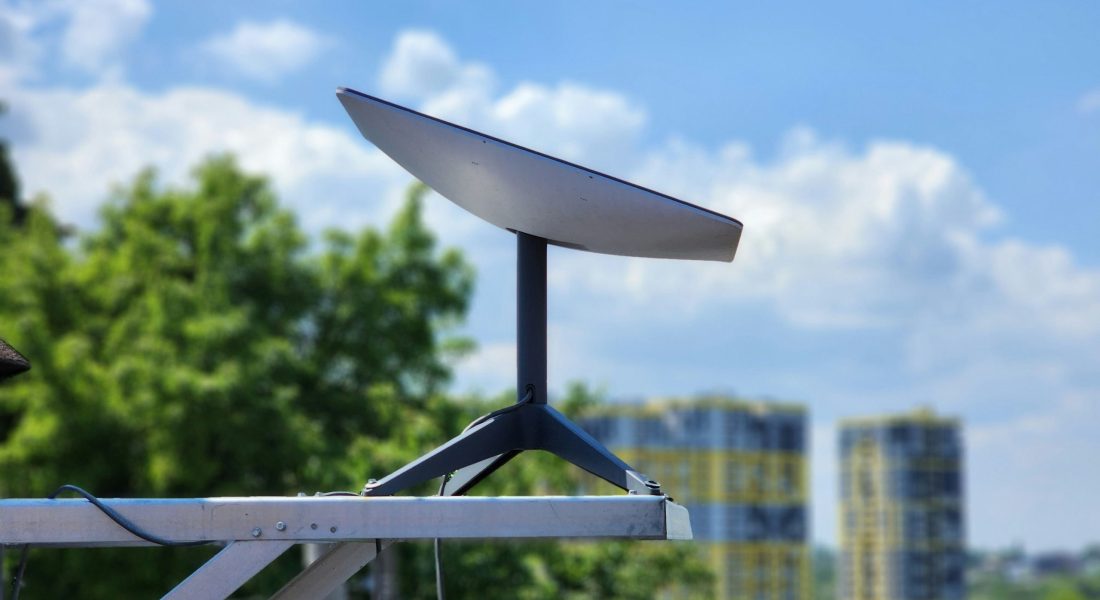
Starlink isn’t your average internet provider, and its pricing model reflects that. Unlike traditional cable or DSL services, Starlink delivers internet from low-orbit satellites. That makes it a game-changer for remote areas, but also raises questions about cost. Is it expensive? What are you actually paying for each month? And how much is that dish? In this guide, we’ll walk through the current prices for Starlink plans, what comes in the kit, and how discounts or location can affect what you see at checkout.
What You’re Really Paying For
Unlike most internet providers that just ship you a modem, Starlink sells a full hardware kit and offers different monthly plans depending on where and how you’ll use it. So the total cost isn’t just one number – it’s a mix of:
- One-time equipment fee (for the Starlink Kit or Mini).
- Monthly service charge (varies by plan).
- Optional extras (mounts, adapters, upgraded routers).
- Potential discounts (only in certain regions or for a limited time).
The Starlink Kit: Hardware Costs
Every new user needs to buy a Starlink Kit, which includes:
- The Starlink dish (sometimes called “Dishy”)
- Kickstand
- Gen 3 router
- Cables
- Power supply
Optional mounts, router upgrades, and accessories like the Pipe Adapter or Pivot Mount are sold separately in the Starlink Shop once you’ve signed up.
Standard Kit Pricing
In most regions, the Starlink Kit is priced around $400-$600 and more as a one-time purchase. However, exact pricing may vary by location. To see the current cost for your area, you’ll need to enter your address on the official Starlink website. Once you’ve purchased the kit, it’s yours to keep – no ongoing rental fees.
Starlink Mini: A Cheaper, Smaller Option
New for now is the Starlink Mini, a more compact version of the kit. It:
- Has a built-in Wi-Fi router.
- Uses less power (DC power input included).
- Supports download speeds over 100 Mbps.
Starlink Mini’s hardware cost varies and starts at nearly $200 without a discount, but it isn’t a universal global price and it will depend on where you check availability and buy the equipment. To see the exact price in your area, you must enter your service address on the official Starlink website.
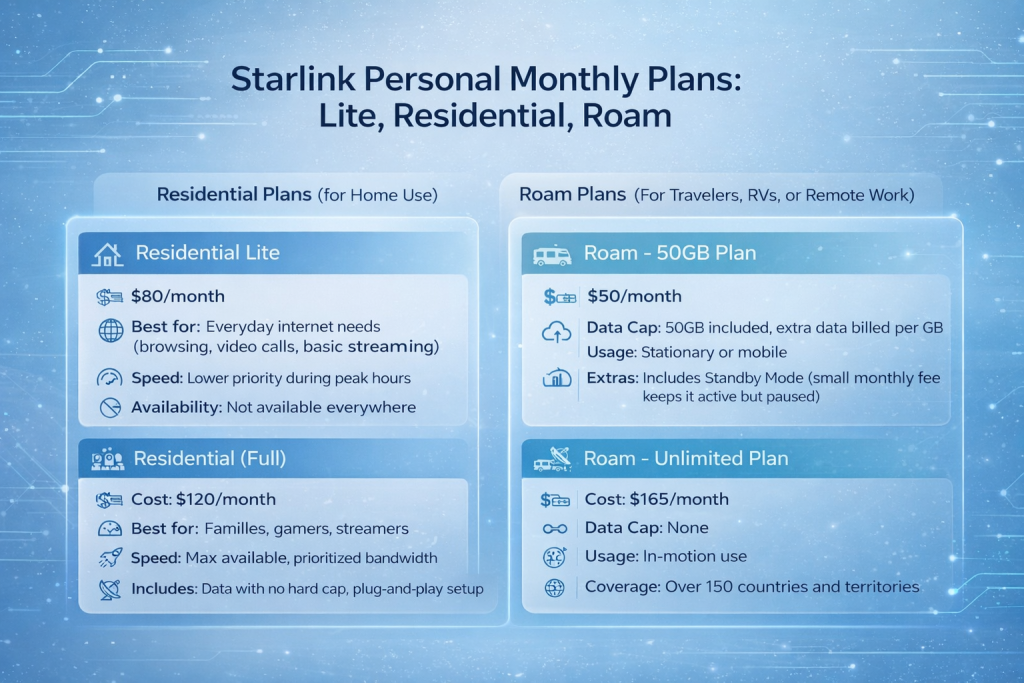
Starlink Personal Monthly Plans: Lite, Residential, Roam
Starlink isn’t a one-size-fits-all service. Depending on how you plan to use it, there are multiple tiers. Here’s how the main plans compare (consider they may vary by the region):
Residential Plans (for Home Use)
Residential Lite
- Cost: $80/month
- Best for: Everyday internet needs (browsing, video calls, basic streaming)
- Speed: Lower priority during peak hours
- Availability: Not offered everywhere
Residential (Full)
- Cost: $120/month
- Best for: Families, gamers, streamers
- Speed: Max available, prioritized bandwidth
- Includes: Data with no hard cap, plug-and-play setup
Roam Plans (For Travelers, RVs, or Remote Work)
Roam – 50GB Plan
- Cost: $50/month
- Data Cap: 50GB included, extra data billed per GB
- Usage: Stationary or mobile
- Extras: Includes Standby Mode (small monthly fee keeps it active but paused)
Roam – Unlimited Plan
- Cost: $165/month
- Data Cap: None
- Usage: In-motion use
- Coverage: Over 150 countries and territories
Starlink Priority Plans for Business and Mobility
Beyond home users and travelers, Starlink also offers premium plans designed for businesses and operations that depend on reliable, high-capacity connectivity – both on land and at sea. Keep in mind, they also may vary depending on your location.
Local Priority Plans
These plans are built for fixed or mobile businesses operating within a specific country or region. Whether you’re running operations on land or moving between locations, Local Priority plans provide reliable internet with higher priority on the network and in-motion compatibility.
- Local Priority 50GB: $65/month
- Local Priority 500GB: $165/month
- Local Priority 1TB: $290/month
- Local Priority 2TB: $540/month
Each plan includes unlimited data at reduced speeds (up to 1 Mbps down / 0.5 Mbps up) after you reach your cap. You can add more data anytime – $25 for each extra 50GB or $125 for 500GB, directly from your user account.
Global Priority Plans
If your operations span international borders or involve maritime use, Global Priority plans offer coverage and performance that work across oceans and continents. This is ideal for shipping, offshore infrastructure, and global logistics.
- Global Priority 50GB: $250/month
- Global Priority 500GB: $650/month
- Global Priority 1TB: $1,150/month
- Global Priority 2TB: $2,150/month
Like the Local plans, Global options come with unlimited reduced-speed data after your primary cap. Extra blocks can be added for $100 per 50GB or $500 for 500GB.
All Priority plans also include a public IP address, network priority, and access to a usage dashboard. While these plans are significantly more expensive, they’re built for mission-critical environments where downtime isn’t an option.
Trial Period and Refunds
Starlink offers a 30-day trial for new users. If you’re not happy, you can return the equipment for a full refund – no hassles, no small print traps.
This trial applies to hardware, but you’ll need to send everything back in good condition. The service fee is non-refundable.
Setup Costs: DIY vs Installation
The whole system is designed to be self-installed. Setup takes two steps:
- Plug it in.
- Point the dish at the sky.
No technician needed. If you can handle plugging in a coffee maker, you can get Starlink running. The mobile app walks you through finding the best spot with a clear view.
Is Starlink Really “Unlimited”?
Yes, but here’s the fine print.
While there’s no hard data cap, users may experience slower speeds if they exceed soft usage thresholds or during network congestion. However, with the Lite and Roam 50GB plans, you may see reduced speeds during peak times if you go over your soft cap or if the network is busy.
This isn’t unusual – it’s how most modern internet providers handle bandwidth prioritization.
Are There Any Discounts?
Yes, but they’re regional and temporary.
Starlink sometimes runs limited-time hardware discounts, especially in areas where service is new or underused. To see if you qualify:
- Go to starlink.com.
- Enter your address.
- Click “Order Now” to preview pricing.
If the hardware price is lower than the usual $599, you’re in a discounted zone. If not, you’re seeing the standard price.

Starlink vs Traditional Internet Pricing
Let’s be real – at least $500 for a dish sounds steep until you look at what rural users are used to paying. In areas without fiber or cable, options like DSL, mobile hotspots, or even satellite internet (like HughesNet or Viasat) can meet their specific challenges.
The Same Cost or More
These services aren’t always the budget-friendly alternatives they seem. Once you add in things like equipment rental, activation fees, and data overage charges, your monthly bill can end up matching or even surpassing what Starlink costs.
Strict Data Caps
Many providers limit how much data you can use each month. Hit that cap, and you’re either stuck with crawling speeds or hit with extra fees. For anyone who streams, works remotely, or shares a connection, those caps disappear fast.
Slower, Less Reliable Speeds
DSL often struggles to keep up with basic modern internet use, and older satellite options are known for high latency and sluggish downloads. Video calls can lag, streaming might buffer constantly, and even loading websites can be a hassle during busy hours.
Complicated Installs and Long Contracts
Getting set up usually isn’t quick or easy. You might need a technician visit, outdoor equipment, or a long wait just to get started. And once you’re in, contracts often lock you down for years with early cancellation fees if you change your mind.
Poor Fit for Mobile or Seasonal Use
If you’re someone who moves often or needs a connection in changing locations, traditional providers usually can’t keep up. Hotspots can be patchy, and most satellite systems aren’t designed to travel with you.
Starlink skips contracts, delivers broadband-level speeds, and works where nothing else does. For many, that’s worth the price.

Using Starlink with AI-Powered Geospatial Tools
As a company built on geospatial intelligence, we at FlyPix AI work closely with satellite and drone imagery every day. Reliable internet in remote areas is a big deal for us and our customers. That’s one reason why Starlink is more than just an internet solution – it’s a foundational piece of infrastructure for real-time, large-scale visual data processing.
With Starlink, teams in the field can upload drone captures, stream real-time camera feeds, and sync cloud-based projects without being tied to cable lines or local cell towers. That flexibility is what allows us to deliver geospatial insights in minutes, not days – whether someone’s scanning forest growth, inspecting remote infrastructure, or mapping out agricultural zones.
We’ve built our platform to make image analysis fast, scalable, and accurate. Starlink helps bridge the final mile between our users and the cloud. When you pair a satellite internet connection with our AI-powered annotation and detection tools, you’re unlocking the full potential of what’s visible from the sky. No more waiting for someone to drive data back to the office. You just upload, analyze, and act.
Final Thoughts
If you’re in a rural spot or constantly on the move, Starlink fills a gap that most providers still ignore. It’s not aiming to be the cheapest option out there, and honestly, it doesn’t need to be. What you’re really paying for is reach – reliable internet where cable doesn’t go, fast enough speeds to handle Zoom calls and streaming without buffering, and hardware that works right out of the box without any drama.
It’s especially helpful for remote workers in the countryside, full-time travelers, people living in areas with no fiber or cable, and anyone who’s just fed up with sluggish, unreliable DSL. The upfront cost might give you pause, but for many, it’s the only realistic path to a stable connection.
FAQ
It’s a one-time purchase. You pay upfront for the kit, and that hardware is yours to keep. No rental fees, no monthly hardware charges sneaking onto your bill.
Yes, you’ve got a 30-day trial window. If things don’t work out or your expectations don’t match reality, send everything back and you’ll get a full refund on the hardware. Just make sure the gear’s still in good shape when you return it.
Residential Lite is the lower-cost option. It’s ideal for folks who don’t need full-speed streaming all the time. You’ll get data with no hard cap, but your speeds may be deprioritized to the point of significant slowdowns during peak hours, especially in congested areas. Residential (the standard plan) gives you higher priority and better performance, especially if you’re sharing the connection with multiple people.
If you’re on the move a lot, the Roam plans are built for that. You can take Starlink in your RV, use it at a campsite, or even in motion if you’re on the Unlimited Roam plan. It works across 150+ countries and is way more flexible than traditional satellite internet.
Not really. What you see during checkout is pretty much it. The only extras might be optional accessories (like mounts), or extra data charges if you’re on a limited Roam plan. No contracts, no surprise add-ons buried in fine print.
It depends on what kind of work you’re doing. For a remote construction site, a farm, or any kind of field work, Starlink is a solid tool. It’s even more powerful when combined with platforms like FlyPix AI that rely on satellite data and cloud uploads. But if you’re a large office with dozens of users, you might want to look into Starlink’s business-specific offerings.