

Image recognition sounds intimidating at first. Neural networks, datasets, training loops, GPUs – it can feel like a lot before you even write a line of code. But in practice, building an image recognition AI is more about making good decisions step by step than mastering everything at once.
At its core, image recognition is about teaching a system to notice patterns in images and make consistent judgments based on what it sees. That could mean identifying objects, classifying scenes, spotting defects, or flagging anomalies. The technology behind it is powerful, but the process itself is surprisingly grounded: define the task, prepare the data, train a model, test it honestly, and deploy it where it’s actually useful.
This article walks through that process in a practical, no-nonsense way. No hype, no shortcuts, and no assumptions that you’re building a research paper. Just a clear look at how image recognition AI is built today, what really matters at each stage, and where people usually go wrong.
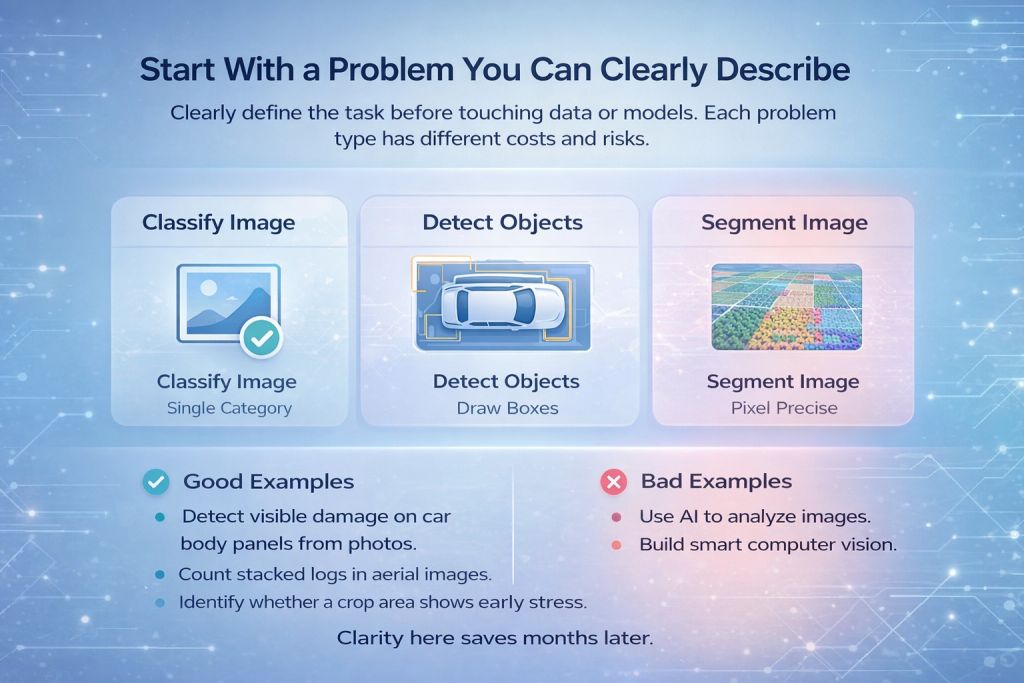
Start With a Problem You Can Clearly Describe
Before touching data or models, you need a sharply defined task. Not “recognize images,” but something concrete.
- Are you classifying a whole image into one category?
- Are you finding objects and drawing boxes around them?
- Are you identifying exact shapes or boundaries at pixel level?
Each of these is a different problem with different costs and risks.
Many projects fail because they start vague and become complicated too late. If you cannot explain your goal in one sentence to someone non-technical, it is not ready yet.
Good Examples
- “Detect visible damage on car body panels from photos.”
- “Count stacked logs in aerial images.”
- “Identify whether a crop area shows early stress.”
Bad Examples
- “Use AI to analyze images.”
- “Build smart computer vision.”
Clarity here saves months later.
Understand How Images Become Numbers
A computer does not see objects. It sees arrays of numbers.
Every image is converted into pixels, and every pixel becomes values representing intensity or color. A color image is not a picture to a model. It is a grid of numbers across multiple channels.
Image recognition works by learning patterns inside those numbers. Edges, shapes, textures, contrasts. Not because the model understands meaning, but because it finds statistical regularities that correlate with labels.
This matters because it changes how you think about data quality. If the model fails, it is often because the numbers it sees are inconsistent, noisy, or misleading.
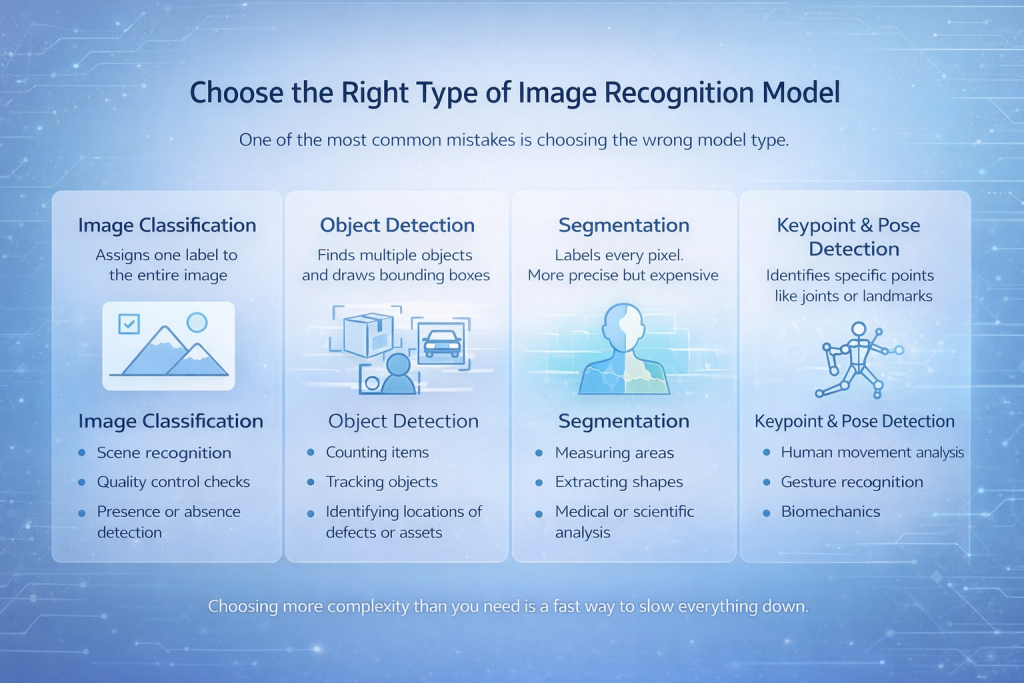
Choose the Right Type of Image Recognition Model
One of the most common mistakes is choosing the wrong model type.
There are several core categories:
Image Classification
The model assigns one label to the entire image. Simple, fast, and effective when the object of interest dominates the image.
Best For:
- Scene recognition
- Quality control checks
- Presence or absence detection
Object Detection
The model finds multiple objects and draws bounding boxes around them.
Best For:
- Counting items
- Tracking objects
- Identifying locations of defects or assets
Segmentation
Every pixel gets a label. This is more precise and more expensive.
Best For:
- Measuring areas
- Extracting shapes
- Medical or scientific analysis
Keypoint and Pose Detection
The model identifies specific points like joints or landmarks.
Best For:
- Human movement analysis
- Gesture recognition
- Biomechanics
Choosing more complexity than you need is a fast way to slow everything down.
Data Is Not Just Important. It Is the Project
Models get attention. Data does the real work.
A strong image recognition system depends far more on the dataset than the architecture. The most advanced model will fail if the data is weak or inconsistent.
Key principles that actually matter:
Data Variety Beats Data Volume
Ten thousand similar images are often worse than two thousand diverse ones. Different angles, lighting conditions, backgrounds, resolutions, and device types matter more than raw count.
Labels Must Match Reality
If humans argue about labels, the model will learn confusion. Ambiguous classes should be merged or redefined early.
Balance Matters
If one class dominates, accuracy becomes misleading. A model can be “accurate” by always guessing the majority class.
Annotation Is Where Quality Is Won or Lost
Labeling is often rushed, and it shows later. Poor annotation creates problems that are hard to spot during training but painfully obvious in real use. Models become unstable, predictions feel random, and edge cases pile up. Every mislabeled image quietly poisons the learning process.
Good annotation starts with clear labeling rules that everyone follows the same way. When different people interpret labels differently, the model learns confusion instead of patterns. Consistency matters just as much as accuracy, which is why regular spot checks and small audits are essential. They help catch drift early, before it spreads through the dataset.
Annotation also needs room to evolve. As new edge cases appear, labels should be refined rather than forced into definitions that no longer fit. This kind of iterative cleanup is slow, but it pays off in model stability.
AI-assisted labeling tools can speed things up, especially on large datasets, but they do not replace human judgment. They simply repeat whatever logic they are given. If the rules are unclear or flawed, automation will scale the mistake, not fix it.
Preprocessing Is Not Cosmetic
Preprocessing is not just about making images look neat. It is about reducing unwanted variation and highlighting what matters.
Common steps that actually help:
- Resizing images to a consistent resolution
- Normalizing pixel values
- Correcting orientation
- Cropping irrelevant areas
Data augmentation deserves special attention. Simple transformations like rotation, flipping, brightness shifts, or noise injection can dramatically improve generalization. The goal is not to trick the model, but to prepare it for reality.
If your data looks too perfect, your model will panic in the real world.
Model Architecture Matters Less Than You Think
There is a strong temptation to chase whatever model is newest or most talked about. Transformers, massive backbones, and complex pipelines can look impressive on paper, but they are not a guarantee of better results.
In practice, many reliable image recognition systems are built on well-established architectures. Convolutional neural networks still dominate this space for a reason. They are stable, efficient, and easier to understand when things go wrong. That reliability often matters more than squeezing out a few extra percentage points in benchmark tests.
Transfer learning is usually the smartest starting point. Using a model that has already learned from large and diverse datasets gives you a strong foundation, especially when your own data is limited. Fine-tuning works best when the new task is reasonably close to what the model has seen before, when overfitting is actively controlled, and when retraining is done carefully rather than aggressively. Small, deliberate adjustments tend to outperform brute-force retraining.
Bigger models are not always better models. They cost more to train, are harder to debug, and often fail in subtle ways that are difficult to trace.
Training Is an Iterative Conversation With Your Data
Training is not a one-click operation. It is a loop.
You train, observe results, identify failure patterns, adjust data or parameters, and repeat.
Key training practices:
- Use separate training, validation, and test sets
- Watch loss curves, not just accuracy
- Stop training when improvement plateaus
- Tune learning rate and batch size carefully
GPU acceleration is not optional for serious work. Training on CPUs is fine for learning, but impractical for real projects. GPUs reduce iteration time, which directly improves model quality by enabling experimentation.
Evaluation Must Go Beyond Accuracy
Accuracy is one of the easiest metrics to compute and one of the easiest to misunderstand. A model can appear highly accurate and still be useless in real-world conditions.
Good evaluation looks deeper. Confusion matrices help expose where the model consistently makes the wrong calls. Precision and recall are far more informative when classes are imbalanced or when certain mistakes are more costly than others. Testing on completely new, real-world images often reveals issues that never show up in clean validation data.
The most valuable evaluation step is still manual review. Looking directly at failed predictions and asking why they happened provides insights no metric can fully capture. Models are surprisingly honest about their weaknesses if you take the time to examine their mistakes instead of trusting summary numbers.
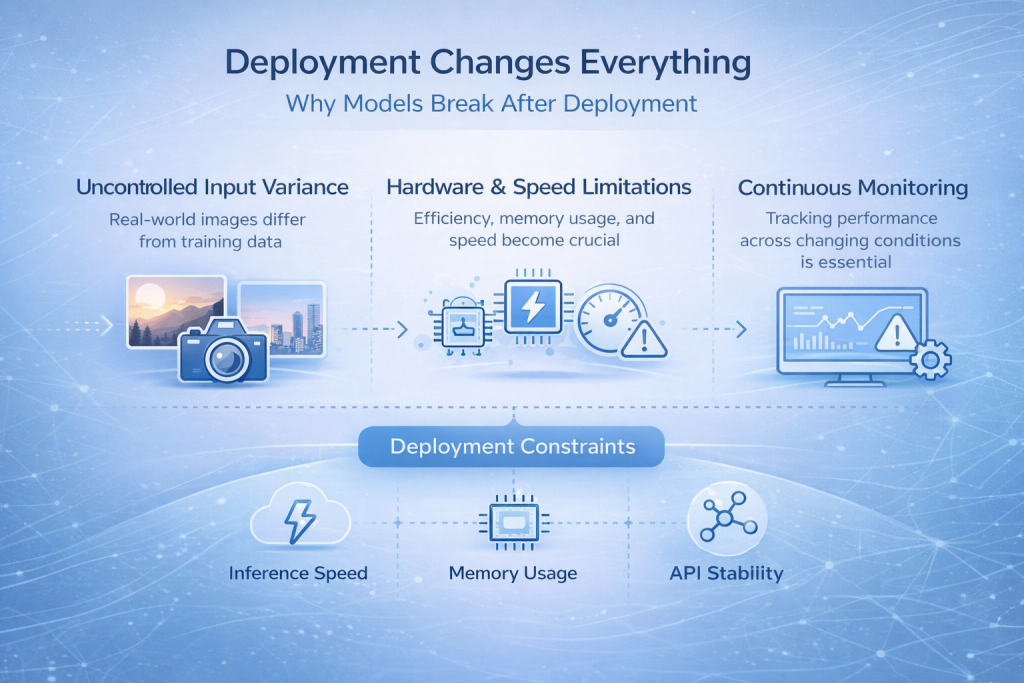
Deployment Changes Everything
Why Models Break After Deployment
Many image recognition models perform well during development and then quietly fall apart once they are deployed. This is one of the most common and frustrating moments in the entire process.
The reason is simple. Real-world inputs rarely look like training data. Images come from different cameras, lighting conditions change throughout the day, compression artifacts appear, and users do not follow ideal usage patterns. Even small shifts in how images are captured can push a model outside the space it learned to operate in.
What looked stable in a controlled environment suddenly becomes unreliable.
The Constraints You Cannot Ignore
Deployment forces you to think beyond model accuracy. Inference speed becomes critical when predictions are needed in real time. Memory usage matters when the model runs on edge devices or mobile hardware. Hardware constraints dictate what kind of architectures are even feasible, and API stability becomes essential once other systems depend on your predictions.
Monitoring also moves from a nice-to-have to a necessity. Without visibility into how the model behaves after release, failures can go unnoticed until trust is lost.
Making the Model Usable
Exporting a model into formats such as TensorFlow Lite or ONNX is not just a technical step at the end of the pipeline. It is part of turning a trained model into something that can actually be used in production. These formats help adapt the model to different environments, reduce overhead, and improve compatibility with deployment targets.
A model that performs well in a notebook but cannot survive deployment is not finished. Real success only happens when the system works consistently where it is meant to be used.

Image Recognition in the Real World: How We Build It at FlyPix AI
At FlyPix AI, we do not approach image recognition as a lab exercise. We work with satellite, aerial, and drone imagery every day, where scenes are dense, objects overlap, and conditions are never perfect. That reality shapes how we build and use AI.
Our goal has always been simple: remove the bottleneck of manual visual analysis. Teams were spending hundreds of hours annotating imagery, checking results, and rechecking them again whenever conditions changed. We built FlyPix to automate that work using AI agents that can detect, monitor, and inspect objects at scale, without sacrificing accuracy.
What matters most to us is practicality. You should not need deep AI knowledge or a team of machine learning engineers to train a model that works for your use case. With FlyPix, teams can create custom image recognition models using their own annotations, focused on the objects that actually matter in their industry. Construction sites, ports, agricultural land, infrastructure assets, forestry areas – the imagery is different, but the challenge is the same.
We also design everything with deployment in mind. Real-world geospatial data changes constantly, so models must handle variation from day one. That means building systems that perform reliably outside clean demos, process large volumes of imagery quickly, and deliver results teams can act on immediately. For us, image recognition only succeeds when it holds up in daily operations, not just during testing.
Feedback Loops Keep the Model Alive
An image recognition AI is not static. Data changes. Environments change. Expectations change.
Systems that last are designed with feedback in mind:
- Collect new images after deployment
- Track failure cases
- Retrain periodically
- Adjust labels when reality shifts
Ignoring post-deployment learning is one of the fastest ways to lose trust in the system.
Conclusion
Building an image recognition AI that actually works is less about chasing the latest models and more about getting the fundamentals right. Clear problem definition, disciplined data work, thoughtful evaluation, and realistic deployment planning matter far more than any single algorithm choice.
The most reliable systems are not the most complex ones. They are the ones built with an honest understanding of how images change in the real world and how models react to those changes. They are trained on data that reflects reality, evaluated with metrics that reveal weaknesses, and deployed with constraints in mind from day one.
If there is one takeaway, it is this: image recognition is an engineering process, not a one-time experiment. When you treat it that way, iterate carefully, and stay grounded in real usage, the results tend to hold up long after the demo is over.
FAQ
Image recognition AI is a type of computer vision system that learns to identify patterns, objects, or features in images. It works by analyzing pixel data and using trained models to associate visual patterns with labels or outcomes.
Not always. While large datasets help, diversity and quality matter more than raw volume. With transfer learning and proper augmentation, useful models can be trained on relatively small but well-curated datasets.
For most projects, starting with a proven convolutional neural network and applying transfer learning is a safe and effective approach. More complex models should only be used when there is a clear reason and sufficient data to support them.
Accuracy alone is not enough. You should look at confusion matrices, precision and recall, and test the model on real-world images that were never part of training. Manual review of failures is often the most revealing step.
This usually happens because production images differ from training data. Changes in lighting, camera quality, image compression, or user behavior can all affect performance. This gap is common and must be planned for during development.
Yes. Deployment is not a final step that can be ignored until the end. Hardware limits, inference speed, memory usage, and integration requirements all influence how the model should be built and trained.