ArcGIS Pro Tool Review 2026: Features & Performance

Published: 12 6月 2026
FlyPix で地理空間分析の未来を体験してください!

解決したい課題を教えてください。 私たちがお手伝いします!

簡単な概要: ArcGIS Pro is Esri’s flagship desktop GIS application offering robust spatial analysis, 2D/3D mapping, and data management capabilities across three license tiers (Basic, Standard, and Advanced). Performance varies significantly based on hardware specifications, with system memory above 80-85% capacity causing degraded performance, and dedicated GPU support critical for 3D rendering and complex visualizations.

ArcGIS Pro has become the industry standard for professional desktop GIS work, replacing the legacy ArcMap platform. But does it live up to expectations? This review examines the tool’s capabilities, performance characteristics, and practical limitations based on official documentation and real-world deployment scenarios.

What ArcGIS Pro Actually Does

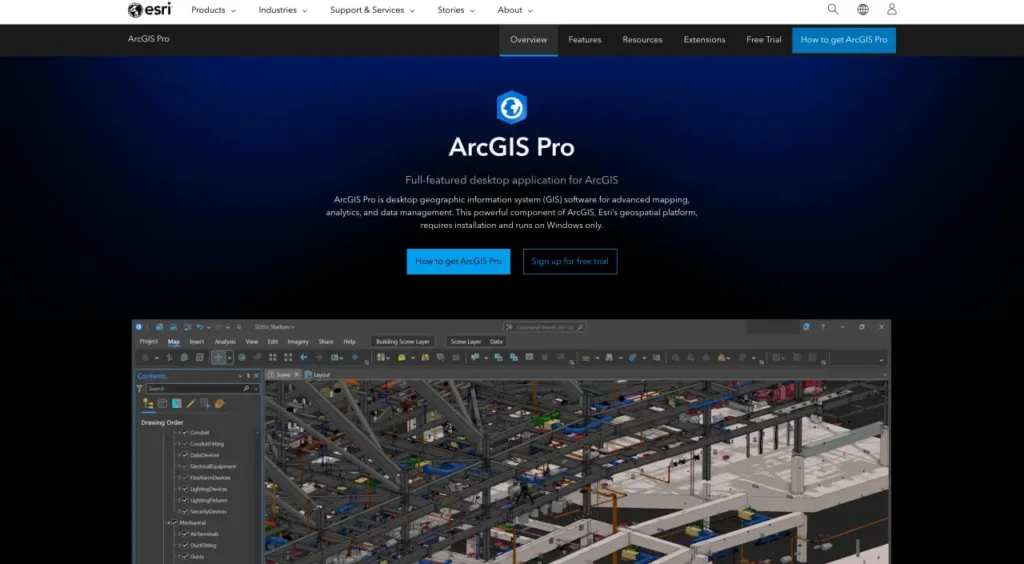
According to the official website, ArcGIS Pro is the essential application for creating and working with spatial data on desktop systems. It provides tools to visualize, analyze, compile, and share geospatial data across 2D maps, 3D scenes, layouts, reports, and charts.

The application organizes work into projects—containers that hold maps, data connections, toolboxes, and links to your active portal. Projects connect to local drives, databases, servers, and ArcGIS Online or ArcGIS Enterprise portals.

Here’s the thing though—ArcGIS Pro isn’t just a mapping tool. It’s a full-featured professional desktop GIS application that handles everything from basic visualization to advanced spatial statistics, geoprocessing workflows, and machine learning integration.

Process Satellite and Drone Imagery With FlyPix AI

Geospatial projects often involve large collections of imagery from multiple sources. FlyPix AI helps teams process and analyze these images using AI-powered tools designed for detection, monitoring, and classification.

価格

価格はユーロで表記
スターター
ストレージ
10GB
 
1ユーザーあたり月額100ユーロ
50 クレジット
約1ギガピクセル

  • 含まれる機能:
    • アナリティクスダッシュボードへのアクセス
    • ベクターレイヤーをエクスポート
    • 5営業日以内にメールでサポート
標準
ストレージ
120GB
 
月額 2 ユーザーあたり 500 ユーロ
500 + 100 クレジット
最大12ギガピクセル

  • 含まれる機能:
    • マルチスペクトルデータにアクセスする
    • 地図共有機能
    • 2営業日以内にメールでサポート
プロ
ストレージ
600GB
 
月額2000ユーロ/5ユーザー
2000 + 1000クレジット
最大60ギガピクセル

  • 含まれる機能:
    • APIアクセス
    • チームマネジメント
    • 1時間以内に返信するメールとチャット
企業
ストレージ
無制限
 
クレジット:
無制限
ユーザーシート:

無制限


  • 含まれる機能:
    • APIアクセス
    • チームマネジメント
    • 1時間以内に返信するメールとチャット

Working With Complex Geospatial Datasets?

FlyPix AIは以下の点で役立ちます:

  • satellite imagery analysis
  • drone image processing
  • object detection and tracking
  • カスタム地理空間AIモデル

👉 FlyPix AIをお試しください to see how AI can support your geospatial workflows.

FlyPix で地理空間分析の未来を体験してください!
今すぐトライアルを開始

License Levels and Feature Breakdown

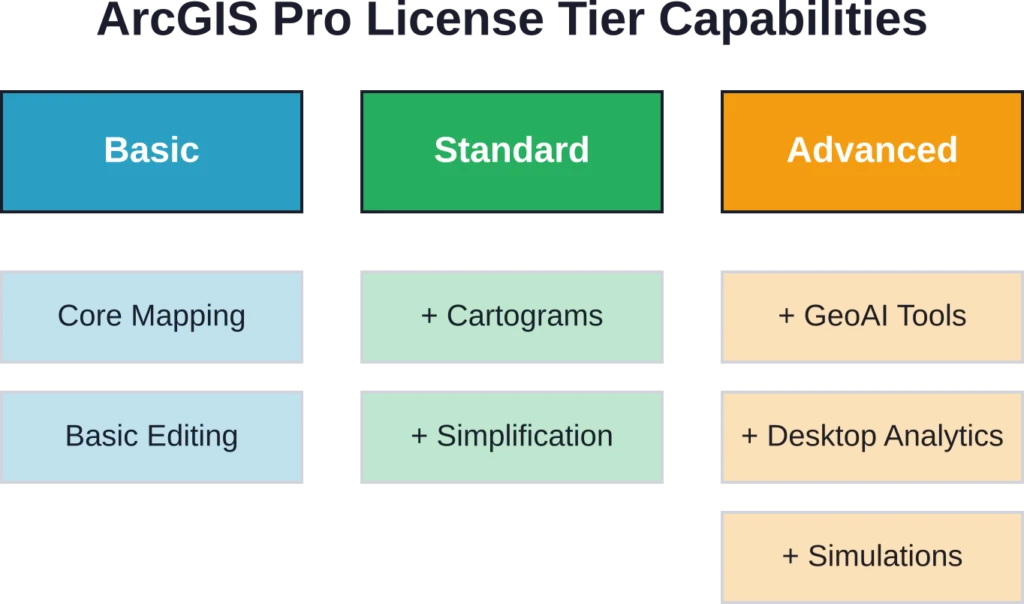
ArcGIS Pro operates on three license levels: Basic, Standard, and Advanced. Understanding these tiers matters because capabilities differ substantially.

機能カテゴリ基本標準高度な
2D/3D mapping
Custom symbology
Geoprocessing
Spatial statistics
Generate cartograms
Simplification/smoothing
Cartographic refinement
Predictive analytics/GeoAI
Desktop geoanalytics

All three license levels support editing using templates, domains, and subtypes. Map series and layout automation work across the board. The differences emerge with advanced cartography, flooding simulations, and predictive analytics—capabilities reserved for higher tiers.

License tier progression showing exclusive capabilities at each level

Performance Characteristics and Hardware Dependencies

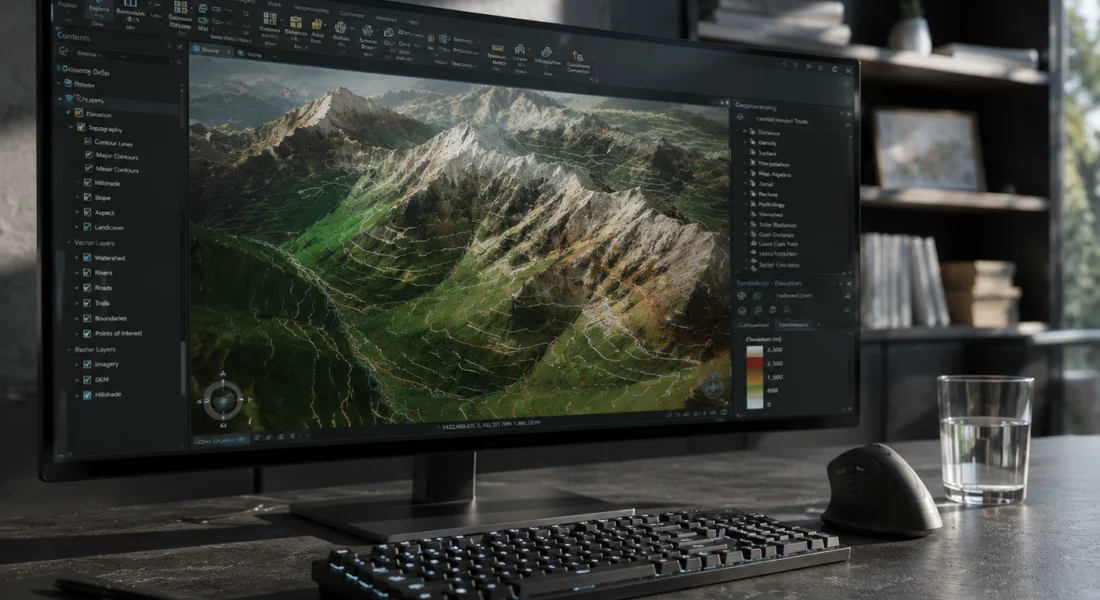
Performance varies dramatically based on hardware configuration. System memory emerges as a critical bottleneck—when usage exceeds approximately 80-85%, ArcGIS Pro experiences degraded performance or unexpected failures according to official support documentation.

GPU configuration matters significantly. On systems with multiple graphics processing units, such as laptops with integrated Intel graphics and dedicated NVIDIA or AMD GPUs, ArcGIS Pro may default to the integrated GPU. This results in degraded 2D or 3D rendering performance and slow scene navigation.

Real talk: Windows remains a hard requirement. While ArcGIS Pro is a desktop application for Windows systems (Windows 11 recommended), access on Mac requires virtual machine configurations according to academic institutional guides.

Coordinate Systems and Spatial Reference Support

ArcGIS Pro includes extensive support for coordinate systems and map projections, enabling accurate mapping and analysis across jurisdictions and data sources. The latest versions reorganized coordinate systems by geographic categories for easier discovery and application.

  • Extensive Library of Coordinate Systems: Supports a wide range of geographic and projected coordinate systems.
  • Map Projection Support: Ensures spatial data aligns correctly across different regions and datasets.
  • Version 3.7 Reorganization: Coordinate systems are categorized by geography, making it faster to locate and apply the correct system.
  • Integration Across Jurisdictions: Facilitates combining data from multiple sources with differing spatial references.
  • Enhanced Discoverability: Easier for professionals to find and use the correct coordinate system for their specific project needs.

Geoprocessing and Analysis Capabilities

The Analysis toolbox contains tools for spatial overlays, buffer creation, statistics calculation, and proximity analysis. These operations form the foundation of most GIS workflows.

The Image Analysis module includes functions for raster processing organized into categories: Analysis, Appearance, Band Indices, Classification, Conversion, Correction, Data Management, Math, Reclass, Statistical, and Surface. Some functions require Image Analyst or Spatial Analyst licenses—for instance, the Classify raster function and LinearUnmixing function both require additional licensing beyond the base ArcGIS Pro tiers.

Recent Updates and Version Changes

Performance Enhancements

ArcGIS Pro 3.7 introduced a new Analyze Map pane to evaluate map drawing performance, improving rendering speed and workflow efficiency.

Productivity Improvements

Updated editing tools, custom toolbars, and administrator-created system favorites streamline daily tasks and provide easier access to frequently used functions.

ModelBuilder and Chart Updates

ModelBuilder diagrams now default to 150% zoom for more compact nodes, and line charts support stacked and 100% stacked area displays, enhancing visualization flexibility.

Advanced Analytical Capabilities

New tools include file-based knowledge graphs, telecom domain networks (requiring Version 8 for propagation resetters), and GeoAI tools for embeddings-based spatial analysis, enabling more sophisticated data insights.

データ検証と品質管理

The ArcGIS Data Reviewer extension adds a data quality control framework. Data Reviewer validates data using checks that test spatial relationships and integrity, providing tools to correct errors discovered during validation.

The Data Reviewer toolbox includes tools for creating and deleting Reviewer sessions, running batch jobs, and selecting random data samples. This matters for organizations maintaining large datasets where quality assurance becomes non-negotiable.

Real-World Limitations and Known Issues

Several compatibility and operational challenges can affect ArcGIS Pro deployments:

  • Program Conflicts: Running ArcGIS Pro alongside Microsoft Visual Studio may cause issues opening new or existing project files, as shared features or drivers can update automatically and impact workflows.
  • General Function Failure Errors: These errors occur without specific diagnostic information, most commonly during map, layer, project exports, or package creation, and remain a persistent frustration in the community.
  • Version Retirement Impacts: The retirement of ArcGIS Pro versions 3.1.x in April 2026 introduced updated software environment requirements, particularly concerning .NET Framework compatibility, necessitating mandatory upgrades for organizations using older versions.

よくある質問

What’s the difference between ArcGIS Pro Basic, Standard, and Advanced?

All three tiers support core mapping, geoprocessing, and spatial statistics. Standard adds cartograms and simplification tools. Advanced includes cartographic refinement, predictive analytics, GeoAI tools, and desktop geoanalytics. Choose based on whether workflows require advanced analytics or remain focused on standard mapping and analysis tasks.

Can ArcGIS Pro run on Mac computers?

No, ArcGIS Pro requires Windows operating systems—Windows 11 is recommended according to system requirements. Mac users must run Windows through virtual machine configurations, which introduces additional performance overhead and complexity.

Why does ArcGIS Pro default to integrated graphics instead of dedicated GPU?

On systems with multiple GPUs, ArcGIS Pro may select the integrated Intel graphics rather than dedicated NVIDIA or AMD GPUs. This requires manual GPU configuration through Windows settings. The GPU configuration workflow is documented in official support articles published in early 2026.

How much RAM does ArcGIS Pro actually need?

Official documentation states that system memory usage exceeding approximately 80-85% causes degraded performance or unexpected failures. For complex 3D scenes and large datasets, 32GB or more becomes practical rather than minimum specifications suggesting less.

Do Image Analysis functions require additional licenses?

Some functions work with the base ArcGIS Pro license (such as ContrastBrightness, Convolution, and Pansharpen). Others require Image Analyst or Spatial Analyst extensions—specifically the Classify raster function and LinearUnmixing function according to official documentation.

What causes General Function Failure errors?

This catch-all error provides no diagnostic information but commonly occurs during map exports, layer exports, or package creation. Check system memory usage first, verify data source accessibility, and ensure coordinate systems align across all layers. Community discussions indicate these errors persist across versions despite patches.

How often does Esri release ArcGIS Pro updates?

Major versions release approximately annually (version 3.6 in November 2025, version 3.7 following in 2026). Patches release periodically—for instance, ArcGIS Pro 3.6 Patch 2 became available in February 2026. Patches are cumulative and don’t require incremental installation of previous patches.

結論

ArcGIS Pro delivers comprehensive GIS capabilities across mapping, analysis, and data management workflows. The three-tier licensing structure provides scalability, though advanced features like GeoAI tools and desktop geoanalytics remain locked behind the Advanced license.

Performance depends heavily on hardware specifications—particularly system memory and GPU configuration. Organizations deploying ArcGIS Pro should budget for robust hardware to avoid the degraded performance that occurs when system memory exceeds 80-85% utilization.

Check the official Esri website for current pricing and license details. Test performance with your specific datasets during evaluation periods before committing to enterprise deployments.

FlyPix で地理空間分析の未来を体験してください!