
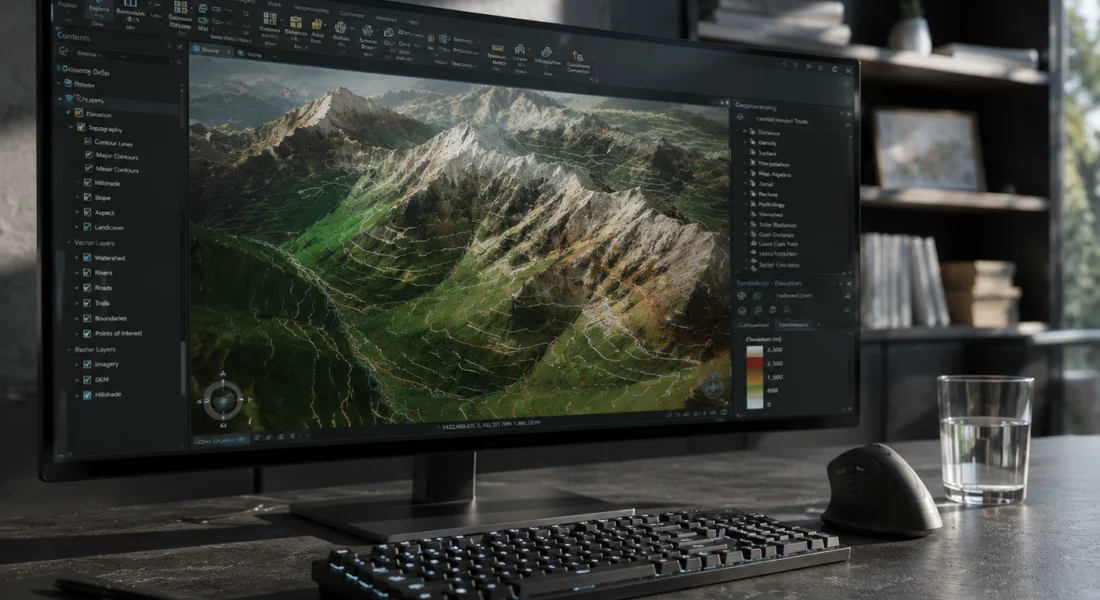
Korte samenvatting: ArcGIS Pro is Esri's vlaggenschip GIS-applicatie voor desktops en biedt robuuste mogelijkheden voor ruimtelijke analyse, 2D/3D-mapping en gegevensbeheer, verdeeld over drie licentieniveaus (Basic, Standard en Advanced). De prestaties variëren aanzienlijk afhankelijk van de hardwarespecificaties. Systeemgeheugen met een capaciteit van meer dan 80-851 TP3T leidt tot verminderde prestaties, terwijl ondersteuning voor een dedicated GPU cruciaal is voor 3D-rendering en complexe visualisaties.
ArcGIS Pro is uitgegroeid tot de industriestandaard voor professioneel desktop-GIS-werk en heeft het oude ArcMap-platform vervangen. Maar voldoet het aan de verwachtingen? Deze review onderzoekt de mogelijkheden, prestatiekenmerken en praktische beperkingen van de tool op basis van officiële documentatie en praktijkvoorbeelden.
Wat ArcGIS Pro daadwerkelijk doet
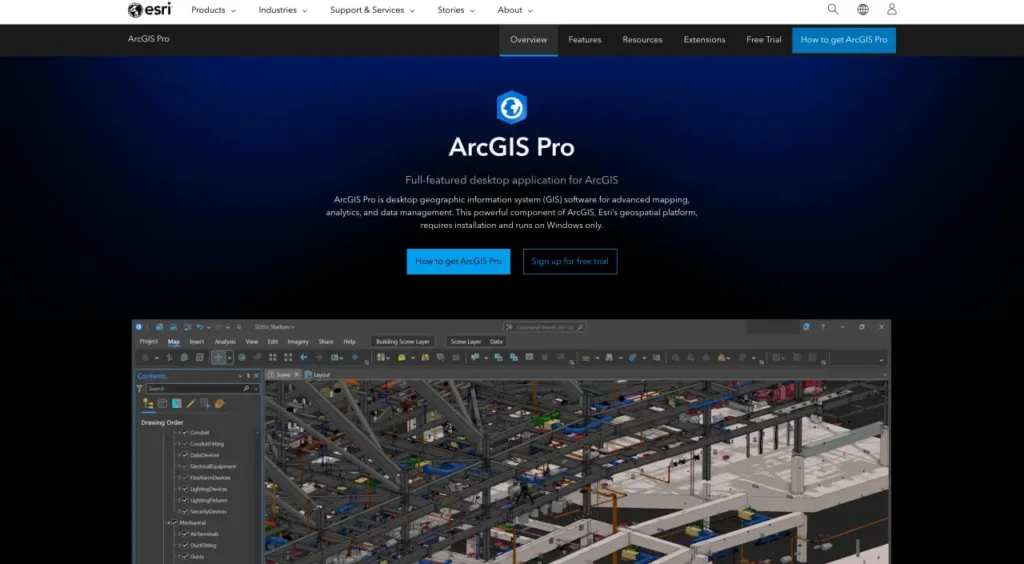
Volgens de officiële website is ArcGIS Pro de essentiële applicatie voor het creëren en bewerken van ruimtelijke data op desktopsystemen. Het biedt tools om geospatiale data te visualiseren, analyseren, samenstellen en delen in 2D-kaarten, 3D-scènes, lay-outs, rapporten en grafieken.
De applicatie organiseert werk in projecten: containers die kaarten, gegevensverbindingen, toolboxes en links naar uw actieve portal bevatten. Projecten maken verbinding met lokale schijven, databases, servers en ArcGIS Online- of ArcGIS Enterprise-portals.
Maar er is iets belangrijks om te weten: ArcGIS Pro is meer dan alleen een kaartprogramma. Het is een volwaardige, professionele GIS-applicatie voor de desktop die alles aankan, van basisvisualisatie tot geavanceerde ruimtelijke statistieken, geoprocessing-workflows en integratie met machine learning.
Verwerk satelliet- en dronebeelden met FlyPix AI.
Geospatiale projecten omvatten vaak grote verzamelingen beeldmateriaal uit meerdere bronnen. FlyPix AI helpt teams bij het verwerken en analyseren van deze beelden met behulp van AI-gestuurde tools die zijn ontworpen voor detectie, monitoring en classificatie.
Werkt u met complexe geospatiale datasets?
FlyPix AI kan helpen met:
- analyse van satellietbeelden
- drone beeldverwerking
- objectdetectie en -tracking
- aangepaste geospatiale AI-modellen
👉 Probeer FlyPix AI om te zien hoe AI uw geospatiale workflows kan ondersteunen.
Licentieniveaus en overzicht van functies
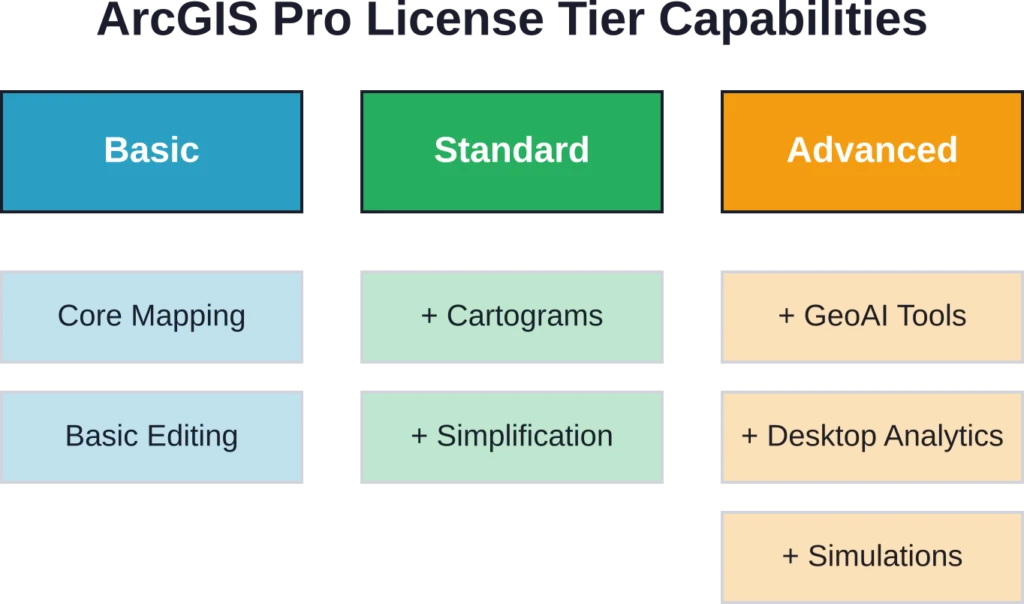
ArcGIS Pro werkt met drie licentieniveaus: Basic, Standard en Advanced. Het is belangrijk om deze niveaus te begrijpen, omdat de mogelijkheden aanzienlijk verschillen.
| Functiecategorie | Basis | Standaard | Geavanceerd |
|---|---|---|---|
| 2D/3D-mapping | ✓ | ✓ | ✓ |
| Aangepaste symbolen | ✓ | ✓ | ✓ |
| Geoprocessing | ✓ | ✓ | ✓ |
| Ruimtelijke statistieken | ✓ | ✓ | ✓ |
| Cartogrammen genereren | ✗ | ✓ | ✓ |
| Vereenvoudiging/gladmaking | ✗ | ✓ | ✓ |
| Cartografische verfijning | ✗ | ✗ | ✓ |
| Voorspellende analyses/GeoAI | ✗ | ✗ | ✓ |
| Desktop geoanalyse | ✗ | ✗ | ✓ |
Alle drie licentieniveaus ondersteunen bewerking met behulp van sjablonen, domeinen en subtypes. Kaartreeksen en lay-outautomatisering werken overal. De verschillen komen naar voren bij geavanceerde cartografie, overstromingssimulaties en voorspellende analyses – mogelijkheden die zijn voorbehouden aan hogere niveaus.
Prestatiekenmerken en hardwareafhankelijkheden
De prestaties variëren sterk afhankelijk van de hardwareconfiguratie. Het systeemgeheugen blijkt een kritieke bottleneck te zijn: wanneer het gebruik ongeveer 80-851 TP3T overschrijdt, ondervindt ArcGIS Pro volgens de officiële ondersteuningsdocumentatie verminderde prestaties of onverwachte storingen.
De GPU-configuratie is van groot belang. Op systemen met meerdere grafische processoren, zoals laptops met geïntegreerde Intel-graphics en aparte NVIDIA- of AMD-GPU's, kan ArcGIS Pro standaard de geïntegreerde GPU gebruiken. Dit resulteert in verminderde 2D- of 3D-renderingprestaties en trage navigatie in de scène.
Eerlijk gezegd: Windows blijft een absolute vereiste. Hoewel ArcGIS Pro een desktopapplicatie is voor Windows-systemen (Windows 11 aanbevolen), vereist toegang op een Mac virtuele machineconfiguraties volgens de richtlijnen van academische instellingen.
Coördinatensystemen en ruimtelijke referentieondersteuning
ArcGIS Pro biedt uitgebreide ondersteuning voor coördinatensystemen en kaartprojecties, waardoor nauwkeurige cartografie en analyse mogelijk zijn in verschillende rechtsgebieden en gegevensbronnen. De nieuwste versies hebben coördinatensystemen opnieuw georganiseerd op basis van geografische categorieën voor eenvoudiger zoeken en toepassen.
- Uitgebreide bibliotheek met coördinatensystemen: Ondersteunt een breed scala aan geografische en geprojecteerde coördinatensystemen.
- Ondersteuning voor kaartprojecties: Zorgt ervoor dat ruimtelijke gegevens correct op elkaar aansluiten in verschillende regio's en datasets.
- Reorganisatie versie 3.7: Coördinatensystemen worden gecategoriseerd op basis van geografie, waardoor het sneller is om het juiste systeem te vinden en toe te passen.
- Integratie tussen verschillende rechtsgebieden: Maakt het mogelijk om gegevens uit meerdere bronnen met verschillende ruimtelijke referentiepunten te combineren.
- Verbeterde vindbaarheid: Professionals kunnen zo gemakkelijker het juiste coördinatensysteem vinden en gebruiken voor hun specifieke projectbehoeften.
Geoprocessing- en analysemogelijkheden
De analysetoolbox bevat tools voor ruimtelijke overlays, het aanmaken van buffers, het berekenen van statistieken en nabijheidsanalyses. Deze bewerkingen vormen de basis van de meeste GIS-workflows.
De module Beeldanalyse bevat functies voor rasterverwerking, georganiseerd in categorieën: Analyse, Uiterlijk, Bandindexen, Classificatie, Conversie, Correctie, Gegevensbeheer, Wiskunde, Herclassificatie, Statistiek en Oppervlakte. Voor sommige functies is een Image Analyst- of Spatial Analyst-licentie vereist. Zo vereisen de functies 'Raster classificeren' en 'Lineaire ontmenging' bijvoorbeeld een aanvullende licentie bovenop de basislicenties van ArcGIS Pro.
Recente updates en versie-wijzigingen
Prestatieverbeteringen
ArcGIS Pro 3.7 introduceerde een nieuw paneel 'Kaart analyseren' om de prestaties van het tekenen van kaarten te evalueren, waardoor de weergavesnelheid en de efficiëntie van de workflow worden verbeterd.
Productiviteitsverbeteringen
Bijgewerkte bewerkingshulpmiddelen, aangepaste werkbalken en door de beheerder aangemaakte systeemfavorieten stroomlijnen dagelijkse taken en bieden eenvoudigere toegang tot veelgebruikte functies.
ModelBuilder en grafiekupdates
ModelBuilder-diagrammen gebruiken nu standaard een zoomniveau van 150% voor compactere knooppunten, en lijndiagrammen ondersteunen gestapelde en gestapelde vlakweergaven van 100%, wat de visualisatieflexibiliteit vergroot.
Geavanceerde analytische mogelijkheden
Nieuwe tools omvatten op bestanden gebaseerde kennisgrafieken, telecomdomeinnetwerken (waarvoor versie 8 vereist is voor propagatie-resetters) en GeoAI-tools voor op embeddings gebaseerde ruimtelijke analyse, waardoor geavanceerdere data-inzichten mogelijk zijn.
Gegevensvalidatie en kwaliteitscontrole
De ArcGIS Data Reviewer-extensie voegt een raamwerk voor gegevenskwaliteitscontrole toe. Data Reviewer valideert gegevens met behulp van controles die ruimtelijke relaties en integriteit testen, en biedt hulpmiddelen om fouten te corrigeren die tijdens de validatie worden ontdekt.
De Data Reviewer-toolbox bevat tools voor het aanmaken en verwijderen van Reviewer-sessies, het uitvoeren van batchtaken en het selecteren van willekeurige datamonsters. Dit is van belang voor organisaties die grote datasets beheren, waar kwaliteitsborging essentieel is.
Praktische beperkingen en bekende problemen
Verschillende compatibiliteits- en operationele uitdagingen kunnen de implementatie van ArcGIS Pro beïnvloeden:
- Programmaconflicten: Het gelijktijdig gebruiken van ArcGIS Pro en Microsoft Visual Studio kan problemen veroorzaken bij het openen van nieuwe of bestaande projectbestanden, omdat gedeelde functies of stuurprogramma's automatisch kunnen worden bijgewerkt en de workflow kunnen beïnvloeden.
- Algemene foutmeldingen bij functiefalen: Deze fouten treden op zonder specifieke diagnostische informatie, meestal tijdens het exporteren van kaarten, lagen of projecten, of bij het aanmaken van pakketten, en blijven een bron van aanhoudende frustratie binnen de community.
- Gevolgen van pensionering voor deze versie: De uitfasering van ArcGIS Pro-versies 3.1.x in april 2026 introduceerde bijgewerkte softwareomgevingsvereisten, met name op het gebied van compatibiliteit met .NET Framework, waardoor verplichte upgrades noodzakelijk werden voor organisaties die oudere versies gebruikten.
Veelgestelde vragen
Alle drie de abonnementen ondersteunen basisfuncties voor cartografie, geoprocessing en ruimtelijke statistieken. Standaard voegt cartogrammen en vereenvoudigingstools toe. Geavanceerd omvat cartografische verfijning, voorspellende analyses, GeoAI-tools en desktop-geoanalyse. Kies het abonnement op basis van de vraag of uw workflows geavanceerde analyses vereisen of dat ze zich willen blijven richten op standaard taken voor cartografie en analyse.
Nee, ArcGIS Pro vereist Windows-besturingssystemen; Windows 11 wordt aanbevolen volgens de systeemvereisten. Mac-gebruikers moeten Windows via virtuele machines uitvoeren, wat extra prestatieverlies en complexiteit met zich meebrengt.
Op systemen met meerdere GPU's kan ArcGIS Pro de geïntegreerde Intel-grafische kaart selecteren in plaats van de dedicated NVIDIA- of AMD-GPU's. Dit vereist handmatige GPU-configuratie via de Windows-instellingen. De workflow voor GPU-configuratie wordt beschreven in officiële ondersteuningsartikelen die begin 2026 worden gepubliceerd.
Volgens de officiële documentatie leidt een systeemgeheugengebruik van meer dan ongeveer 80-851 TP3T tot verminderde prestaties of onverwachte storingen. Voor complexe 3D-scènes en grote datasets is 32 GB of meer praktisch, in tegenstelling tot de minimale specificaties die minder suggereren.
Sommige functies werken met de standaard ArcGIS Pro-licentie (zoals ContrastBrightness, Convolution en Pansharpen). Andere vereisen Image Analyst- of Spatial Analyst-extensies, met name de functie Classify raster en de functie LinearUnmixing volgens de officiële documentatie.
Deze algemene foutmelding geeft geen diagnostische informatie, maar komt vaak voor tijdens het exporteren van kaarten, lagen of pakketten. Controleer eerst het geheugengebruik van het systeem, verifieer de toegankelijkheid van de gegevensbron en zorg ervoor dat de coördinatensystemen in alle lagen op elkaar zijn afgestemd. Uit discussies in de community blijkt dat deze fouten ondanks patches in verschillende versies blijven bestaan.
Er verschijnen ongeveer jaarlijks grote versies (versie 3.6 in november 2025, versie 3.7 in 2026). Patches worden periodiek uitgebracht; zo werd ArcGIS Pro 3.6 Patch 2 bijvoorbeeld beschikbaar in februari 2026. Patches zijn cumulatief en vereisen geen incrementele installatie van eerdere patches.
Conclusie
ArcGIS Pro biedt uitgebreide GIS-functionaliteit voor workflows op het gebied van cartografie, analyse en gegevensbeheer. De licentiestructuur met drie niveaus biedt schaalbaarheid, hoewel geavanceerde functies zoals GeoAI-tools en desktopgeoanalyse alleen beschikbaar zijn met de Advanced-licentie.
De prestaties zijn sterk afhankelijk van de hardwarespecificaties, met name het systeemgeheugen en de GPU-configuratie. Organisaties die ArcGIS Pro implementeren, moeten budgetteren voor robuuste hardware om de prestatievermindering te voorkomen die optreedt wanneer het systeemgeheugen meer dan 80-851 TP3T benut wordt.
Raadpleeg de officiële Esri-website voor actuele prijzen en licentiegegevens. Test de prestaties met uw specifieke datasets tijdens evaluatieperiodes voordat u overgaat tot implementatie op bedrijfsniveau.