
Claude Code and OpenClaw are two popular AI tools that help people get things done automatically. They both use strong language models, but they solve very different problems. One is built mainly for writing and fixing code. The other is made to handle everyday tasks like email, calendar, messages, and more.
Here is a clear and straightforward look at what each tool does, how they differ, and when you might want to use one, the other, or both.
What is Claude Code?
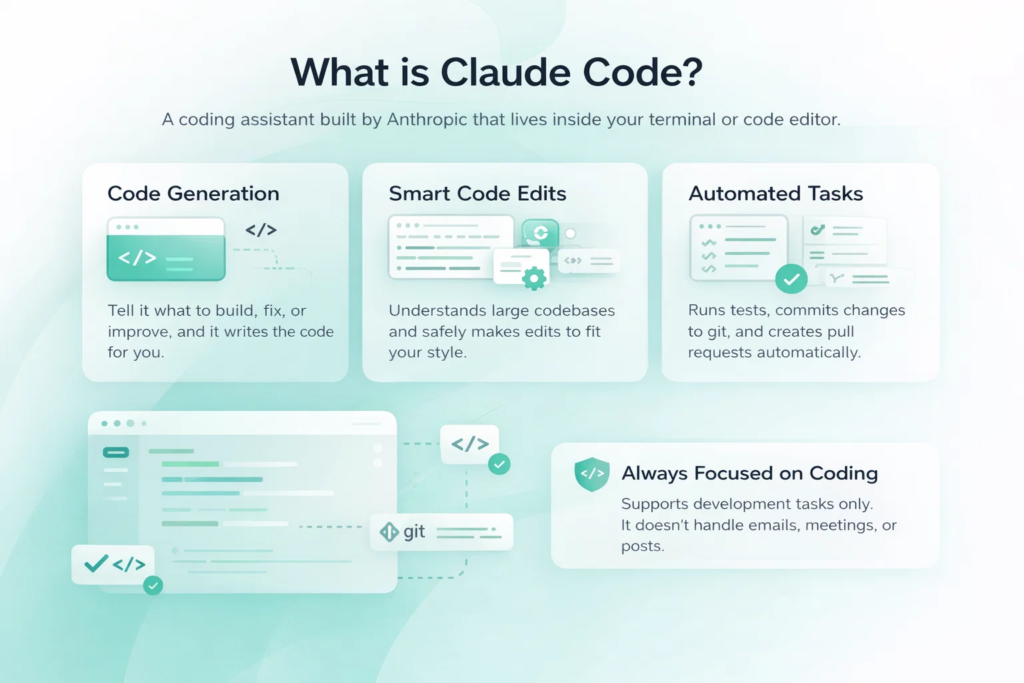
Claude Code is a tool made by Anthropic. It lives inside your terminal or your code editor (like VS Code or JetBrains). You tell it what you want to build, fix, or improve in your project, and it writes the code, changes files, runs tests, commits changes to git, and even creates pull requests.
It is very good at understanding big codebases. It can look at many files at once, see how everything connects, follow the style of your existing code, and make smart changes without breaking things too often. It thinks step by step before it starts editing, which helps it avoid silly mistakes.
Claude Code only works on coding tasks. It does not read your email, book meetings, or post on social media. Its job is to be a very capable coding helper that stays inside your development environment.
What is OpenClaw?
OpenClaw is a free, open-source AI agent that you run on your own computer (or server). It works mostly through chat apps like WhatsApp, Telegram, Slack, Discord, Signal, and others. You message it the same way you message a friend, and it does things for you.
It can read and answer emails, schedule meetings, organize files, search the web, post on social media, control smart home devices, give you morning summaries of news and calendar, and handle hundreds of other small daily tasks. It keeps running 24/7 in the background and remembers things from previous days and weeks.
OpenClaw is not locked to one company’s model. You can connect it to Claude, GPT, Gemini, or even free local models that run on your machine. Because it is open-source, people have built thousands of extra “skills” that add new abilities.
Quick Comparison Table
| Feature | Claude Code | OpenClaw |
| Main job | Writing, editing and fixing code | Everyday life & work automation |
| Where you talk to it | Terminal or code editor | WhatsApp, Telegram, Slack, Discord, etc. |
| Runs 24/7 in background | No (session-based) | Yes (always-on daemon) |
| Remembers things for weeks | No (mostly resets after session) | Yes (long-term memory) |
| Deep codebase understanding | Very strong | Basic (depends on model) |
| Can change many files at once | Yes, with good planning | Possible, but weaker and less precise |
| Runs tests & git commands | Built-in and reliable | Possible via skills, but not as smooth |
| Handles email & calendar | No | Yes |
| Posts to social media | No | Yes |
| Works with many AI models | Works with many AI modelsPrimarily Anthropic Claude models (via subscription/Console), plus third-party providers via Amazon Bedrock, Google Vertex AI, and Microsoft Foundry | Claude, GPT, Gemini, local models, etc. |
| Software cost | Requires Claude subscription | Free (open-source) |
| Setup difficulty | Easy (minutes) | Medium-hard (hours + security setup) |
| Security risk level | Lower (narrow scope) | Higher (broad access to private data) |
| Best for | Developers who code a lot | People who want help with daily routine tasks |
How They Feel in Daily Use
When you use Claude Code, you are usually sitting at your computer, working on a coding problem. You type a request in the terminal or in your editor, watch it think, see the changes it suggests, approve them, and move on. It feels like having a very smart coworker who only cares about code.
With OpenClaw, you send a message from your phone or computer at any time: “Summarize emails from today”, “Book dentist next Tuesday afternoon”, “Find me cheap flights to Berlin in May”, “Post this photo on Twitter with this caption”. It answers in the same chat, does the work quietly, and keeps going even if you close the app.
Because OpenClaw is always on, it can do things without you asking every time – like sending you a short report every morning or warning you when a meeting overlaps with something else.
Security and Privacy – Keep This in Mind
Claude Code has a smaller risk area. It only works with your code and approved commands. The company behind it (Anthropic) follows strict rules about data safety.
OpenClaw needs access to many private things: your email, messages, files, and sometimes even full computer commands. Because it is open-source and people add their own skills, there is a higher chance of mistakes or bad add-ons that can cause problems. You have to lock it down yourself (use containers, limit permissions, check every new skill).
Which One Is More Private?
It depends on your priorities and skills. If you want zero chance of your code or data ever leaving your machine, a properly locked-down OpenClaw installation can actually be the most private option. Everything stays local, no third-party servers see anything.
But most people do not configure it perfectly, so the default or casual setup usually carries higher risk than Claude Code.
Claude Code trades some privacy (your code goes to Anthropic servers) for much stronger out-of-the-box safety controls and a tiny attack surface.
In practice:
- Choose Claude Code if you want “set it and forget it” security with minimal effort
- Choose OpenClaw only if you are comfortable doing serious security work yourself and want maximum data control
Cost – What You Actually Pay
Pricing is one of the biggest practical differences between these two tools. Claude Code comes with a fixed monthly bill from Anthropic and no way around it if you want full access. OpenClaw has zero upfront or license cost, but its real price depends entirely on which model you plug in and how much you lean on it. For many people the choice comes down to whether they prefer predictable payments and zero setup hassle, or maximum flexibility even if it means some initial work. Here’s how the numbers shake out in early 2026.
Claude Code
Claude Code requires an Anthropic subscription.
Pro starts at ~$20/month (or less if paid annually) and includes Sonnet models plus full Claude Code access in terminal or IDE.
Heavy users upgrade to Max plans ($100–$200/month) for 5×–20× usage and Opus access to avoid rate limits during intensive sessions.
You can also pay per token via Anthropic API:
- ~ $3 input / $15 output per million for Sonnet 4.5
- ~ $5 input / $25 output for Opus models
Heavy agentic coding with long contexts adds up quickly; light use remains cheap.
OpenClaw
OpenClaw software is completely free – it’s fully open-source with no license fees or hidden costs at all.
The only expense comes from the AI model you choose to connect to it. If you use your existing Claude subscription or API access, the cost is exactly the same as using Claude directly, with no extra markup. Switching to cheaper cloud-based models (like Gemini Flash or GPT mini equivalents) usually keeps monthly spending in the single digits even for regular use. And if you run a local open-source model (such as Llama or Mistral through Ollama), there are zero ongoing API fees – you only pay for electricity and, if needed, a one-time upgrade to a better GPU for faster performance.
Local models may need a decent GPU/server for speed – one-time cost.
Setup time (Docker, permissions, config) is the main hidden expense.
When to Choose Each Tool
These two tools are built for completely different daily realities. Claude Code is a specialist that lives inside your coding workflow, while OpenClaw is a general helper that tries to run your life outside of the editor. The right choice depends almost entirely on where you lose the most time each day.
Claude Code
Use Claude Code if most of your work is writing, fixing, or improving code. It shines when:
- You need to change many files at once without making a mess
- You want accurate test runs and git handling inside the tool
- You like working in a terminal or editor and want fast, focused help
- You are okay with a tool that only does coding
OpenClaw
Choose OpenClaw if you want help with everything else in life and work. It is useful when:
- You spend more time in email, calendar, and messages than in code
- You want an assistant that works all day and night
- You like talking to your AI through normal chat apps
- You want one tool that can do many different small tasks
Using Both Together
A lot of people run both and get the best of both worlds. They use Claude Code when they are deep in coding work. They use OpenClaw for everything else: email, reminders, research, social posts, travel plans, and so on. Sometimes they even connect OpenClaw to Claude so that OpenClaw can ask Claude for hard coding questions when needed. This way you get strong coding help plus a full-time personal assistant.

Extending FlyPix Analysis with OpenClaw
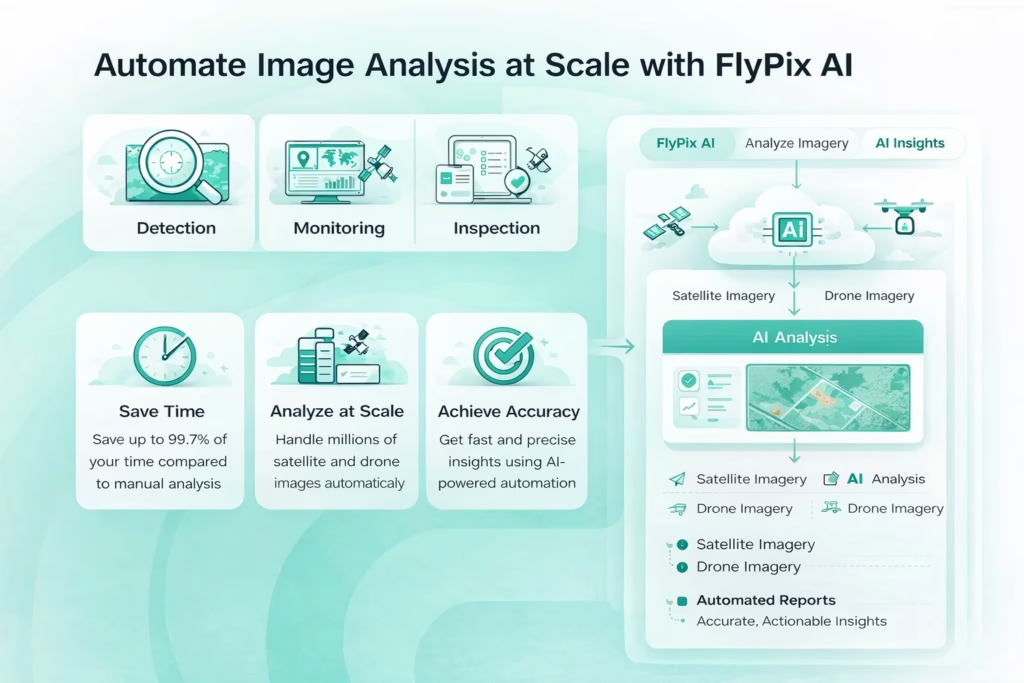
At FlyPix AI, we turn satellite, drone, and aerial imagery into fast, actionable insights: detecting objects, outlining them, tracking changes across massive areas – farms, construction sites, forests, ports. You upload your data, add a few annotations for a custom model, and it’s done. No coding, no complex training required. What once took days of manual outlining now happens in seconds to minutes, cutting annotation time by up to 99% in many cases. Farmers catch crop stress in time, infrastructure teams spot bridge cracks or road damage before it becomes critical, environmental crews monitor illegal logging or oil spills.
But even after the analysis is complete, a lot of manual work remains: writing reports, organizing files, replying to clients, scheduling follow-ups. That administrative load can easily consume half your day.
This is where OpenClaw fits in perfectly. It takes over the entire “after” stage: sorting client questions about the results, drafting email replies and reports, filing outputs into project folders, setting reminders for inspections or meetings, monitoring team chats for urgent issues, and automatically creating tasks. Running locally with strong privacy controls, it keeps your sensitive geospatial data and client communications under your full control.
Together, FlyPix removes the visual analysis bottleneck, while OpenClaw clears away the paperwork and communication drag. For professionals in agriculture, forestry, infrastructure, and environmental management, this means far less time scrolling through images or inbox chaos – and far more time making the decisions that actually matter. We see it every day with our users: less grunt work, faster outcomes, more focus on what really counts.
Final Thoughts
Claude Code and OpenClaw are not really competitors. They are tools for different jobs.
If your main problem is code, Claude Code will probably feel better and save you more time. If your main problem is too many small tasks eating your day (emails, meetings, messages, reminders), OpenClaw can take a big load off.
Many people find that having both covers almost everything they need from AI agents in 2026.
FAQ
No. It only works on code and coding-related tasks.
It depends. If you use cloud models like Claude or GPT, even a normal laptop is enough. If you want to run a local model for free, you need a decent GPU for good speed.
It can be safe if you set it up carefully – use containers, limit what it can access, check skills before installing. Without good setup, it has more risk because it touches private data.
Yes, if you run a local open-source model on your machine. The software itself is free.
No. It needs to send data to Anthropic’s servers to work.
Claude Code is faster to install and start if you already have a Claude account. OpenClaw takes more time to set up correctly.
Yes. They do different jobs and do not interfere with each other. Many people run both daily.