

Most AI tools respond. OpenClaw executes. You send a message and something changes: files move, tests run, inboxes get sorted, a server gets checked while you are away from your desk. The real value is not in flashy demos. It is in small, practical automations that remove friction from daily work. OpenClaw lives inside the chat apps you already use and quietly handles the next step, so you spend less time switching tabs and more time moving forward.
What Makes OpenClaw Different From Regular AI Tools
Most AI tools are built to inform. You ask a question, get a well written answer, and then switch to another app to actually do the work. OpenClaw is designed around execution. It sits on your machine or server and turns a simple message into a completed action.
The focus is not just intelligence, but measurable output. Something changes in your system because you asked for it. With OpenClaw, a single conversation can:
- Run shell commands on your local environment (via the built-in shell tool) or remote environment (via the optional SSH/remote-exec tool, which must be installed and configured with credentials/keys)
- Create, move, rename, or edit files automatically
- Trigger scripts and background jobs
- Call external APIs and return structured results
- Control a browser session for data extraction or form submission(via the optional Playwright- or Puppeteer-based browser tool/skill)
- Send updates and reports to Slack, Telegram, WhatsApp, or other chat platforms
The key difference is persistence. OpenClaw runs continuously, not only when you prompt it. It can monitor folders, check system status, run scheduled tasks, and notify you when predefined conditions are met. That shift from explanation to execution is what makes OpenClaw practical. It does not just tell you what to do. It gets the work done.
When OpenClaw Is the Right Tool
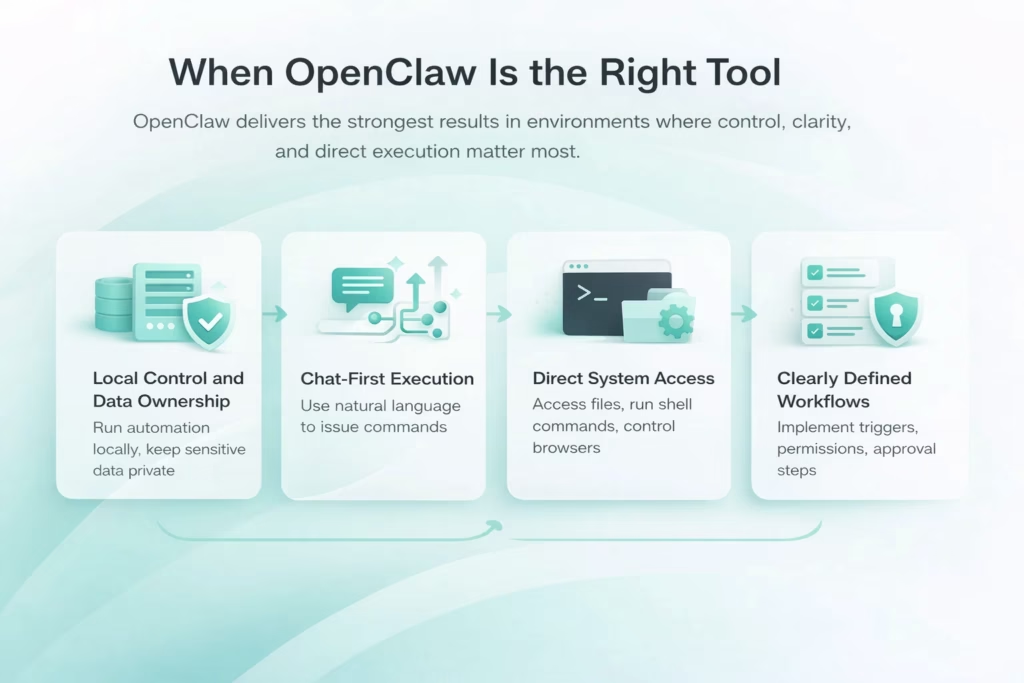
OpenClaw delivers the strongest results in environments where control, clarity, and direct execution matter more than visual dashboards. It is not designed to replace every automation platform. It is built for situations where you want precision and ownership over how workflows run.
1. Local Control and Data Ownership
OpenClaw is a strong fit when you want your automation to run on your machine or server, not inside a third party cloud. This matters when handling sensitive data, internal APIs, or operational scripts that should not leave your environment. Running locally gives you visibility into what executes, when it runs, and how permissions are scoped.
2. Chat-First Execution
If you prefer issuing commands in natural language instead of building flows in a visual editor, OpenClaw aligns well with that style. It transforms conversation into structured action. The interface remains simple, but the execution layer behind it is powerful. You describe what needs to happen. The system carries it out within defined boundaries.
3. Direct System Access
OpenClaw is particularly effective when workflows require direct file access, shell commands, or browser control. Tasks like running scripts, managing directories, checking system status, or interacting with internal services benefit from this level of integration. Instead of bridging multiple cloud connectors, the assistant works directly with your environment.
4. Clearly Defined Workflows and Managed Permissions
The tool performs best when workflows are structured and responsibilities are clear. Defined triggers, scoped permissions, and approval checkpoints create stability. Users who are comfortable managing access rights and reviewing automation logic gain the most value.
In practice, OpenClaw suits individual operators, technical founders, and small teams that want flexibility without handing full control to external platforms. It is a focused solution for those who prioritize execution speed and direct oversight.

From Automation to Scalable Visual Intelligence with FlyPix AI
At FlyPix AI, we apply the same execution driven mindset to geospatial analysis. Instead of manually reviewing satellite, aerial, or drone imagery, we use AI agents to detect, monitor, and inspect objects directly within complex visual data. The goal is clear – reduce manual annotation, accelerate analysis, and deliver precise results that teams can act on immediately.
Our platform enables organizations to train custom AI models using their own annotations, without requiring deep AI expertise. Industries such as construction, agriculture, infrastructure, and government use FlyPix AI to transform large volumes of imagery into structured insights.
We are also available on LinkedIn for those who prefer to connect there. FlyPix AI focuses on delivering practical, scalable geospatial automation for teams that need precision and speed in visual analysis.
Productivity Use Cases That Remove Daily Friction
Daily productivity rarely breaks because of big failures. It slows down because of small, repeated actions. Checking email again. Scanning your calendar. Switching between task apps just to confirm what needs attention. These micro interruptions add up and quietly fragment your focus. OpenClaw works well in this layer. It reduces the manual glue between tools and turns short messages into completed steps.
Inbox cleanup is a common starting point. OpenClaw can categorize new emails, summarize long threads, draft replies for review, and highlight only what truly requires action. Instead of scrolling through noise, you see structured priorities. You keep control over final decisions, but the repetitive sorting disappears.
The same logic applies to daily briefings and task updates. A scheduled summary can combine meetings, open tasks, and key notifications into one message. Adding or adjusting a task becomes a quick chat instead of a tool switch. The result is steady, measurable efficiency – less context switching, fewer missed actions, and a clearer start to every day.
Daily Briefings That Replace App Switching
One of the most effective OpenClaw use cases is the daily briefing that eliminates constant app switching. Instead of checking calendar, inbox, and task tools separately, you receive a single scheduled summary with what truly matters. OpenClaw turns scattered updates into a clear, focused start to the day.
One Clear View of the Day
Instead of opening multiple apps, you receive a concise summary that highlights meetings, priority tasks, critical emails, and relevant system updates. The information is filtered before it reaches you. You are not scanning dashboards. You are reviewing decisions that already matter.
Structured Context Without the Noise
A well configured briefing can include deployment alerts, key deadlines, and even contextual details like weather if it affects your schedule. Everything arrives in one place, ready to act on. The result is simple but effective. One message replaces five logins. You start the day informed, focused, and already moving forward.
Task and Calendar Management Through Chat
Managing tasks and meetings should not require constant navigation between tools. OpenClaw turns short chat commands into structured updates, reducing friction and keeping your schedule aligned without breaking focus.
- Add tasks instantly: Create a task with time, deadline, and description in one message, and have it saved directly to your task manager.
- Check availability clearly: Ask about your schedule for the week or a specific day and receive a structured summary without opening your calendar.
- Reschedule meetings efficiently: Move or adjust an event through chat, with the system updating the correct entry and confirming the change.
- Capture follow ups immediately: Turn a quick note after a call into a scheduled reminder or task before details are forgotten.
- Summarize upcoming commitments: Request a focused overview of key meetings and deadlines to prepare for the days ahead.
Behind each command is a direct system action. APIs are called. Entries are updated. Reminders are scheduled. From your side, it feels simple. From an operational perspective, it is precise execution that keeps planning accurate and effortless.
Developer and DevOps Use Cases
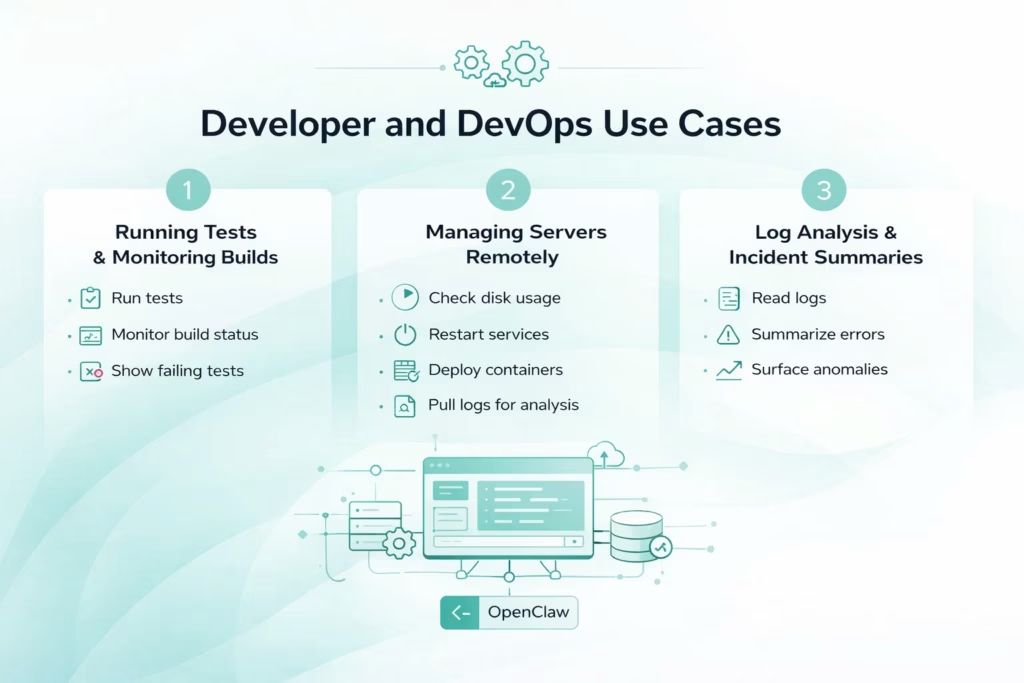
For developers, OpenClaw becomes a remote execution layer. It is especially powerful when running on a persistent server or workstation.
1. Running Tests and Monitoring Builds
Instead of opening CI dashboards, developers can ask:
- “Run the full test suite.”
- “Did the last deployment pass?”
- “Show me failing tests from the latest build.”
OpenClaw executes commands, parses results, and returns summaries. It does not replace your CI system. It becomes a conversational interface for it.
2. Managing Servers Remotely
When connected to remote machines, OpenClaw can:
- Check disk usage
- Restart services
- Apply configuration updates
- Deploy containers
- Pull logs for analysis
All of this runs through a simple chat interface, which is especially useful when you are away from your workstation. Instead of opening SSH on your phone, you send a message and get structured feedback. With properly scoped permissions, it becomes a controlled and reliable operations assistant.
3. Log Analysis and Incident Summaries
Monitoring systems generate a flood of data. OpenClaw can read logs, summarize patterns, and surface anomalies. For example:
- “Summarize errors from the last 24 hours.”
- “Did response time spike after the latest release?”
Instead of scanning raw logs, you receive structured insight. It saves time. It also reduces fatigue during incident response.
Business Workflow Automation
Many OpenClaw use cases support everyday business operations, not just technical tasks. By automating repetitive processes like support triage or CRM updates, OpenClaw delivers consistency at scale while keeping human control in place. The result is less manual work and more focus on meaningful decisions.
Customer Support Triage
Support inboxes are predictable in structure but demanding in volume. The same types of questions appear again and again. Instead of manually reviewing each message, OpenClaw can handle the first operational layer.
Automated Classification and Drafting
OpenClaw can:
- Classify incoming tickets by urgency, topic, or product area
- Draft structured responses for common issues
- Identify messages that require escalation
- Create tickets in a tracking system automatically
- Notify the appropriate team member when a case moves beyond standard scope
The system operates continuously, processing requests as they arrive. Human agents review and approve sensitive or high impact responses before they are sent. This hybrid model protects quality while significantly reducing response time and manual load.
Content and SEO Pipelines
Content production is rarely a single step. Research, drafting, formatting, publishing, and reporting are often scattered across multiple tools. OpenClaw consolidates these stages into one coordinated workflow.
Coordinated Execution Across Tools
OpenClaw can manage:
- Topic research from predefined sources
- Initial draft creation based on structured inputs
- File generation and formatting
- Upload and publishing via controlled browser automation(only after installing and configuring a browser automation skill/tool like Playwright or Puppeteer integration)
- Status reporting back to chat once tasks are complete
Instead of switching between platforms, you initiate the process once and monitor progress from a single interface. This approach works particularly well for recurring content production where consistency and speed matter.
CRM Updates and Sales Logging
Sales processes often break down at the documentation stage. Notes remain in chats or emails, and CRM entries lag behind reality. OpenClaw addresses this gap by extracting structured information and proposing updates.
Structured Data Extraction and Logging
A typical workflow includes:
- Extracting deal stage from a transcript or summary
- Estimating potential value based on discussion
- Capturing next steps and deadlines
- Drafting a CRM update for review
With a short approval message, the entry is finalized and saved. The result is clean, consistent records without additional administrative effort. It is a small automation, but the long term impact on data accuracy and pipeline visibility is significant.
Personal Automation and Life Management
OpenClaw use cases also apply to everyday routines outside of work. From tracking expenses to managing connected home systems, it brings multiple actions into one interface. The result is simpler control and fewer manual steps across daily life.
- Finance tracking through conversation: Query structured accounting data with direct questions such as how much was spent on travel last month or which subscriptions exceed a defined amount, and receive clear, formatted results without opening a spreadsheet.
- Structured expense visibility: Analyze categories, identify spending patterns, and surface anomalies directly from chat when your financial records are properly formatted and accessible.
- Receipt processing automation: Send receipt photo via chat; OpenClaw extracts details using optional OCR/vision skill, converts to tables, generates spreadsheets, appends to files – requires installing vision + spreadsheet tools.
- Media management control: Request new media downloads, check availability, and trigger library updates through integrated media servers without navigating separate dashboards.
The pattern stays simple. One interface connects to multiple systems, and tasks that once required separate tools are handled with a single instruction. Practical automation, full control, less effort.
Proactive and Scheduled Automation
Some of the most powerful OpenClaw use cases appear when it stops waiting for instructions. With scheduling and monitoring configured, OpenClaw operates continuously in the background. Tasks that once required manual checks can run automatically at defined intervals or when specific conditions are met, without constant prompting.
It can execute nightly sync jobs, monitor folders for changes, trigger alerts when thresholds are crossed, or send a structured summary of tomorrow’s agenda before the day begins. You define the rules once, and the system follows them consistently. The result is a shift from reactive to proactive workflows, where updates arrive exactly when they are needed, not when you remember to look for them.
Self-Extending Workflows
One of the more advanced capabilities of OpenClaw is its ability to expand its own skill set. Instead of manually writing every integration or script, you describe what you need in clear terms. For example, you might request a daily query of an internal API with results delivered to Slack at a fixed time.
OpenClaw can generate TypeScript code, suggest a manifest and folder structure for a new tool/skill based on your description, but it does not automatically create, register, or enable the skill – you must manually create the files, install dependencies, and register the tool via config or CLI. From that moment on, the new capability becomes part of the system. The workflow runs automatically, just like any other defined task. This reduces the technical barrier to adding functionality while keeping control in your hands.
The key is structured oversight. New skills should be reviewed carefully before activation, especially when they interact with sensitive systems. When managed responsibly, this approach transforms OpenClaw from a static tool into an evolving assistant that adapts to new operational needs without complex redevelopment.
Limits and Trade-Offs
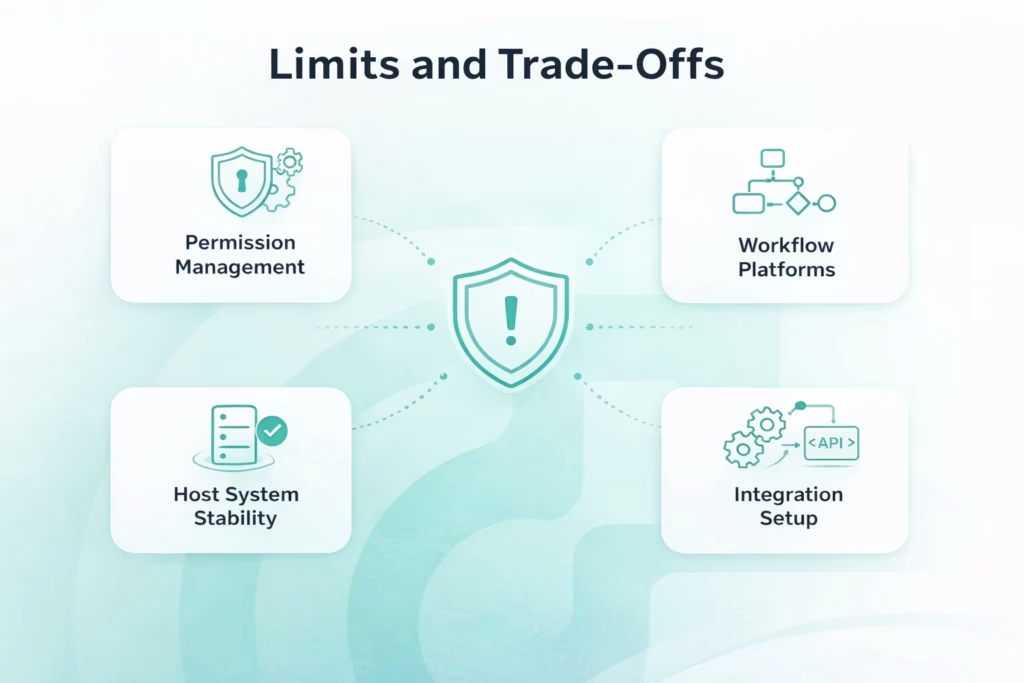
OpenClaw delivers speed and control, but it is not a universal solution. Like any execution layer with system access, it performs best within defined boundaries. Understanding its limits is part of using it responsibly and effectively.
- Requires clear permission management: Because OpenClaw can access files, run commands, and call APIs, misconfigured permissions can introduce risk. Production systems should always have scoped access and approval checkpoints.
- Not a replacement for full workflow platforms: For complex multi-user environments with role based permissions, audit trails, and visual orchestration, dedicated cloud automation tools may offer stronger governance.
- Dependent on local environment stability: Since OpenClaw runs on your machine or server, reliability is tied to that infrastructure. If the host system goes offline, automation pauses.
- Needs structured inputs: Vague or loosely defined workflows can lead to inconsistent outcomes. The more clearly a task is defined, the more precise the execution.
- Limited by integration setup: Every capability depends on configured skills, APIs, or scripts. Without proper setup, the assistant cannot extend beyond its defined toolset.
These trade-offs do not reduce its value. They define where it performs best. OpenClaw is strongest when workflows are controlled, permissions are deliberate, and execution speed matters more than visual complexity.
Conclusion
OpenClaw use cases are not about impressive demos or abstract AI potential. They are about execution. A short message becomes a completed action. A routine task disappears without you opening another tool. Whether it is inbox cleanup, test execution, CRM updates, or scheduled monitoring, the real value shows up in steady, repeatable efficiency.
When workflows are clearly defined and permissions are managed carefully, OpenClaw becomes a reliable execution layer that supports daily operations without adding complexity. It does not replace judgment or strategy. It handles the mechanical steps in between. That practical shift from explanation to outcome is what makes OpenClaw genuinely useful in real world automation.
FAQ
The most effective starting point is usually something repetitive and low risk. Inbox triage, daily briefings, and running test suites are common first steps. These tasks happen often, have clear inputs and outputs, and deliver immediate value without exposing sensitive systems.
In many cases, no. OpenClaw excels at direct execution and chat driven control, especially when local system access is required. However, complex multi user workflows with advanced governance, audit trails, and visual orchestration may still benefit from dedicated cloud automation platforms.
It can be, but only with proper configuration. Permissions should be scoped carefully, high impact actions should require approval, and logs should be monitored. OpenClaw is powerful because it has system access. That power must be managed responsibly.
Basic technical familiarity helps, especially when connecting APIs or configuring scripts. However, many productivity and business workflows can be implemented with structured prompts and clear definitions. The key is clarity, not complexity.