
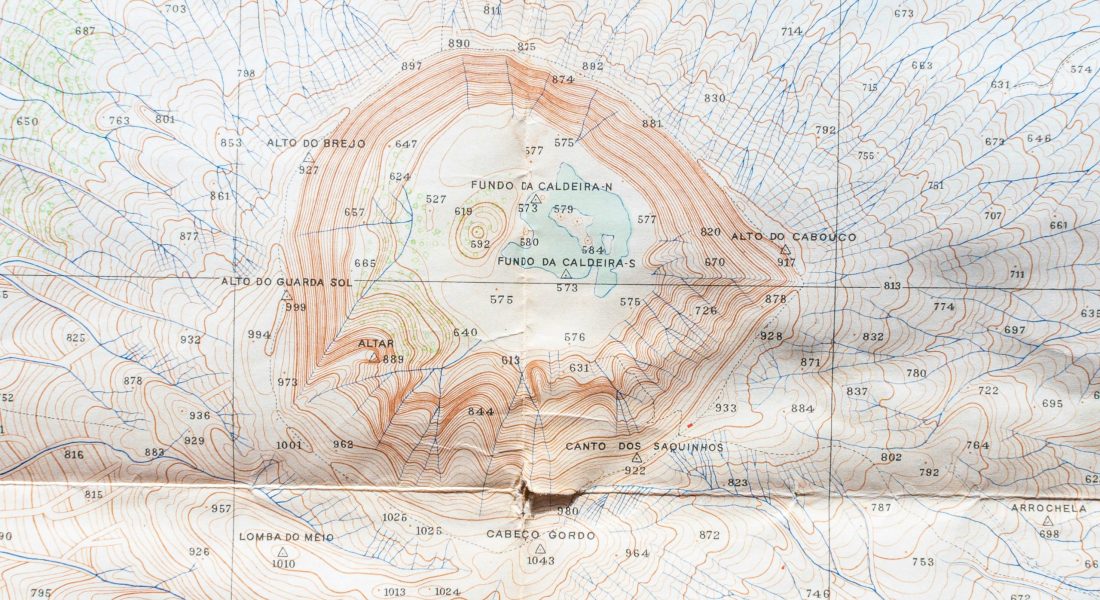
Topography is the quiet backbone of spatial intelligence. Mapping landforms, gradients, and surface changes used to take weeks of manual work – now it can happen in minutes. With modern topographic analysis tools, we read elevation, slope, and contour data in ways that are both visual and computationally precise. These platforms bring automation to tasks that once depended on slow interpretation, using AI and geospatial modeling to detect features, generate elevation models, and track terrain evolution over time. It’s not just about maps anymore – it’s about understanding the surface in motion.

1. FlyPix AI
FlyPix AI works with satellite, aerial, and drone imagery to automate the detection, segmentation, and classification of ground features. We focus on transforming how surface and terrain data are analyzed at scale. Our platform brings together AI-driven topographic analysis tools and geospatial data to identify elevation patterns, monitor land-use change, and support terrain mapping with consistent precision. Instead of relying on manual annotation, our system processes complex imagery within seconds, helping users interpret contours and structures across varied landscapes.
Through our GeoAI platform, we enable users to train models, process spatial imagery, and extract information related to slope, elevation, and terrain variation without programming knowledge. The goal is to simplify analytical workflows for industries that depend on accurate topographic insight, from construction and mining to agriculture and environmental management. By combining automation and customizable AI models, FlyPix AI supports terrain analysis that adapts to diverse spatial requirements and datasets.
Key Highlights:
- Integration of AI-based tools for automated terrain and object detection.
- No-code environment for topographic and geospatial data analysis.
- Compatibility with satellite, drone, and aerial imagery.
- Customizable model training for terrain-specific features.
- Scalable processing that supports large-area analysis.
Services:
- AI-powered topographic and surface analysis.
- Custom model development for landform and object classification.
- Data sourcing and integration from satellite or drone providers.
- Geospatial project setup, including segmentation and monitoring.
- Support for multi-sensor workflows using LiDAR, SAR, and optical data.
Contact information:
- Website: flypix.ai
- Email: [email protected]
- LinkedIn: www.linkedin.com/company/flypix-ai
- Address: Robert-Bosch-Str. 7, 64293 Darmstadt, Germany
- Phone: +49 6151 7076949
| Tool | Category | Key Features | Target Audience | Unique Differentiator | Integrations |
|---|---|---|---|---|---|
| FlyPix AI | AI-powered geospatial imagery and topographic analysis | No-code AI model training; object detection and segmentation; change and anomaly detection; dynamic tracking; heatmap generation; support for satellite, drone, hyperspectral, LiDAR, and SAR data | Agriculture, construction, mining, environmental monitoring, urban planning, government, energy, forestry, and infrastructure teams | Combines no-code custom AI model development with multi-source geospatial imagery analysis | API access; GIS platform integration; satellite, drone, LiDAR, SAR, and hyperspectral data sources |
| OpenTopography | High-resolution elevation data and terrain analysis | DEM and LiDAR access; TIN and local gridding; slope and hillshade generation; hydrologic analysis; 3D point-cloud visualization; REST APIs | Geomorphologists, hydrologists, geoscientists, researchers, educators, and geospatial developers | Combines a large high-resolution topography data repository with browser-based processing services and developer APIs | Whitebox Workflows; PDAL; OGC CSW; REST APIs; USGS 3DEP data services |
| NV5 Geospatial Software / ENVI | Remote sensing, imagery, DEM, and terrain analysis | DEM extraction; viewshed analysis; feature extraction; image classification; LiDAR and SAR processing; hyperspectral analysis; photogrammetry | Remote-sensing analysts, GIS professionals, scientists, defense and intelligence teams, agriculture, utilities, and environmental organizations | Combines extensive remote-sensing analytics with direct ArcGIS access and programmable ENVI workflows | ArcGIS Pro; ArcMap; ArcGIS Online; Python; IDL; ENVI Modeler; ImageIQ |
| point electronic GmbH | SEM/FIB-SEM surface topography measurement | Live BSE height measurement; calibrated 3D reconstruction; surface-height mapping; automated calibration; in-situ topography monitoring; 3D measurement and visualization | Microscopy researchers, materials scientists, semiconductor laboratories, and laboratories using SEM/FIB-SEM | Adds quantitative, calibrated third-dimensional surface measurements directly to SEM imaging workflows | Multivendor SEM/FIB-SEM systems; standard topography software; standard 3D-printing file formats |
| Esri / ArcGIS Pro | Desktop GIS, terrain modeling, and spatial analysis | 2D/3D mapping; raster and vector analysis; contour and elevation processing; geoprocessing automation; point-cloud and TIN processing; AI and imagery analysis | GIS professionals, surveyors, cartographers, planners, environmental scientists, government agencies, and engineering teams | Combines extensive spatial-analysis tooling with a broader enterprise GIS ecosystem and 2,000+ geoprocessing tools | ArcGIS Online; ArcGIS Enterprise; Autodesk BIM 360; Autodesk Construction Cloud; Adobe Illustrator; Python; Jupyter Notebooks |
| Digital Surf / Mountains | Surface metrology and microscopic topographic analysis | 3D surface reconstruction; profilometry analysis; SEM and SPM analysis; quantitative surface parameters; spectroscopy processing; ISO-compliant surface characterization | Metrology laboratories, semiconductor manufacturers, microscopy researchers, materials scientists, and industrial manufacturers | Supports data from a very broad range of surface-measurement instruments and microscopy systems within one analysis environment | 170+ instrument and file formats; ActiveX integration; profilometers and microscopes from manufacturers including Zeiss, FEI, Hitachi, JEOL, Tescan, and Taylor Hobson |
| Equator Studios | Cloud-based topographic and LiDAR mapping | LiDAR data access; 3D terrain visualization; contour generation; cross-sections and elevation profiles; customizable map layers; collaborative sharing | Surveyors, civil engineers, architects, landscape designers, planners, and GIS users | Provides browser-based access to topographic and LiDAR data with direct CAD/GIS export workflows | Autodesk Civil 3D; ArcGIS; Google Earth; CAD/GIS software through supported data formats |
| Blue Marble Geographics / Global Mapper | GIS, terrain, LiDAR, and geospatial data processing | Contour generation; watershed analysis; slope and curvature analysis; cut-and-fill and volume calculations; LiDAR processing; 2D/3D visualization; coordinate transformation | Surveyors, GIS professionals, engineers, environmental specialists, researchers, and mapping teams | Combines broad geospatial format support with terrain, LiDAR, scripting, and geodetic processing in one desktop environment | GeoCalc; ArcGIS formats; AutoCAD DWG/DXF; Trimble formats; E57; LAS/LAZ; Python; OGC WMS/WMTS |
| Topographic Analysis Tool (TAT) | Point-cloud processing and geomorphic change analysis | Large point-cloud handling; point-cloud preparation; interpolation; TIN/DEM creation; uncertainty analysis; roughness analysis; surface differencing | River engineers, geomorphologists, bathymetric survey teams, GIS users, and researchers | Research-based workflow for scientifically defensible geomorphic change detection from repeat topographic and bathymetric surveys | ArcGIS Desktop; Geomorphic Change Detection workflows; ToPCAT |
| QGIS | Open-source GIS and terrain analysis | Raster and vector analysis; 2D/3D visualization; Processing Toolbox; geometry editing; point-cloud processing; automated workflows; extensive plugin ecosystem | GIS professionals, researchers, planners, environmental scientists, students, governments, and organizations using open-source GIS | Free and open-source GIS with a large plugin and processing ecosystem and broad spatial-format support | GRASS GIS; GDAL/OGR; PostGIS; SpatiaLite; Oracle Spatial; MS SQL Spatial; R; SAGA; OGC WMS/WMTS/WCS/WFS |
| TopoExport | Web-based topographic and site-context data export | 2D vector maps; contour lines; DTM generation; 3D terrain models; LoD2 roof models; customizable layers; multi-format exports | Architects, urban planners, landscape designers, engineers, students, and site-design teams | Converts geographic and topographic data into CAD/BIM-ready 2D and 3D files without requiring a conventional GIS workflow | AutoCAD; Revit; Archicad; SketchUp; Rhino; Blender; Vectorworks; Adobe Illustrator |
| TopoToolbox | Scientific DEM and geomorphological analysis | DEM processing; drainage-network extraction; river-profile analysis; flow accumulation; geomorphometric calculations; hydrologic modeling; landscape-evolution analysis | Geomorphologists, hydrologists, geologists, researchers, students, and scientific users comfortable with scripted workflows | Provides reproducible process-oriented terrain analysis through MATLAB and Python implementations | MATLAB; Python; R; OpenTopography; optional MATLAB Mapping Toolbox; Parallel Computing Toolbox |
| Lidarvisor | Automated aerial LiDAR processing | AI point-cloud classification; DTM/DSM generation; hillshade and slope maps; contour extraction; building/tree/wire vectorization; browser-based 3D visualization | Surveyors, mapping companies, engineers, planners, asset managers, and LiDAR processing teams | Automates classification and production of multiple terrain and vector deliverables from a single LiDAR upload | CloudCompare; TerraScan; Global Mapper; QGIS; ArcGIS; Civil 3D; AutoCAD |
| GEO5 | Geotechnical engineering and terrain-ground analysis | Geological modeling; slope stability; excavation analysis; foundation design; settlement calculations; point-cloud handling; terrain and stratigraphy modeling | Geotechnical engineers, civil engineers, engineering geologists, survey teams, and foundation designers | Connects terrain geometry, geological layers, geotechnical parameters, and engineering calculations within a modular suite | CAD; IFC; LandXML; TXT/XLS; AGS; SEP3; CPT/GEF/GRU field-test formats |
| CADmapper | Public geospatial data to CAD conversion | Area-of-interest selection; layered CAD generation; roads and buildings; water bodies; terrain and topography where available; city-scale datasets | Architects, designers, urban planners, illustrators, and 3D modelers | Converts public geospatial sources such as OpenStreetMap, NASA, and USGS into layered CAD files for design workflows | AutoCAD; SketchUp; Rhino; Adobe Illustrator; DWG/DXF workflows |
| eSpatial Radius Analysis Tool | Business mapping, proximity, and radius analysis | Radius zones; proximity analysis; territory mapping; route optimization; heatmaps; location-based dataset comparison; CRM mapping | Sales operations, marketing, field-service, logistics, real estate, and territory-management teams | Combines radius/proximity analysis with territory management and CRM-based business mapping | Salesforce; HubSpot; Microsoft Dynamics; Google Maps; Excel/CSV |
| MUSES9 Spectral Imaging Systems / Spectricon | Multispectral and hyperspectral surface imaging | Visible, infrared, and ultraviolet imaging; spectral data capture; material differentiation; hidden-feature detection; portable imaging; spectral composition mapping | Art conservators, museums, archaeologists, researchers, precision-agriculture teams, and material-analysis specialists | Combines spectral, multispectral, and hyperspectral imaging in portable systems for non-invasive surface and material analysis | Spectricon spectral-analysis software; hyperspectral and multispectral camera systems; image/data export workflows |
| Trimble Topographic Surveying Solutions | Field-to-office topographic surveying | GNSS surveying; total-station measurement; laser scanning; UAV/mobile mapping; field data collection; survey adjustment; CAD/GIS processing | Land surveyors, engineering survey teams, construction professionals, mapping organizations, and infrastructure projects | Connects field measurement hardware, survey processing, GIS interoperability, and CAD deliverables in a field-to-office workflow | Trimble Access; Trimble Business Center; Trimble Connect; Esri ArcGIS; Autodesk Civil 3D; PostgreSQL; SQL Server; Bentley software |

2. OpenTopography
OpenTopography provides a platform that combines access to high-resolution elevation data with a wide set of analytical and visualization tools. The system supports users in generating and processing digital elevation models (DEMs) that form the foundation of most topographic analysis work. Through algorithms such as TIN-based interpolation and local gridding, OpenTopography enables the creation of precise terrain models that capture subtle variations in surface form. These models are key for analyzing slope, drainage, and other landform characteristics across complex terrain.
Beyond data generation, OpenTopography includes tools for derivative modeling and visualization that help interpret surface structure in more intuitive ways. Users can produce hillshade maps, slope grids, and hydrologic terrain analyses directly within the platform. The integration of 3D point cloud visualization adds another layer of spatial context, allowing users to interact with data rather than only viewing static maps. These tools collectively support research, planning, and environmental work where accurate terrain modeling and topographic analysis tools play a central role.
Key Highlights:
- Platform focused on high-resolution elevation and terrain modeling.
- TIN and local gridding algorithms for DEM generation.
- Built-in support for slope, hillshade, and hydrologic analysis.
- Web-based 3D point cloud visualization for better spatial interpretation.
- Open-source integration with PDAL, TauDEM, and GRASS GIS.
Services:
- DEM creation using TIN and gridding methods.
- Terrain derivative production such as slope and hillshade maps.
- Hydrologic terrain analysis through TauDEM integration.
- Solar irradiation modeling based on elevation surfaces.
- Interactive 3D visualization of point cloud and raster data.
Contact information:
- Website: opentopography.org
- E-mail: [email protected]
- Facebook: www.facebook.com/OpenTopography
- LinkedIn: www.linkedin.com/company/opentopography
- Instagram: www.instagram.com/opentopography
- Address: 9500 Gilman Drive, La Jolla, CA 92093-0505

3. NV5 Geospatial Software
NV5 Geospatial Software provides a suite of tools within the ENVI platform designed to process and analyze elevation and terrain data. The company’s topographic analysis tools focus on transforming vector or point-based data into raster digital elevation models (DEMs) that can be used for further modeling, visualization, or terrain interpretation. ENVI supports surface extraction, contour generation, and hydrologic modeling, allowing users to better understand variations in elevation and surface structure across large or complex landscapes. Each function is built to streamline the workflow between raw spatial data and measurable terrain outputs.
The ENVI environment also includes visualization options such as 3D SurfaceView and topographic shading, making it easier to interpret slopes, shadows, and relief. These capabilities help users working in areas such as landform analysis, watershed mapping, and environmental planning. By combining analytical tools with clear visual feedback, NV5 Geospatial Software supports a workflow where terrain modeling and surface measurement are tightly connected. The tools act as practical components in the broader process of topographic analysis and geospatial understanding.
Key Highlights:
- Integrated suite of terrain and elevation analysis tools in ENVI.
- Support for creating raster DEMs from vector and point data.
- Functions for contour generation, slope modeling, and 3D visualization.
- Built-in correction options for bad DEM values.
- Compatible with hydrologic and solar modeling workflows.
Services:
- DEM extraction and terrain model generation.
- Topographic feature identification and contour creation.
- Interactive viewshed and shading analysis.
- Rasterization of vector and point elevation data.
- 3D surface visualization for terrain interpretation.
Contact information:
- Website: www.nv5geospatialsoftware.com
- E-mail: [email protected]
- Facebook: www.facebook.com/NV5GeospatialSoftware
- Twitter: x.com/GeoByENVI
- LinkedIn: www.linkedin.com/company/nv5geospatialsoftware
- Instagram: www.instagram.com/geobyenvi
- Address: 385 Interlocken Crescent, Suite 300, Broomfield, CO 80021, United States of America
- Phone: +1 (303) 786-9900

4. point electronic GmbH
point electronic GmbH develops systems that enable live and calibrated surface height measurements in scanning electron microscopy (SEM) and focused ion beam SEM (FIB-SEM) environments. The company’s BSE Topography solution adds a third dimension to standard imaging workflows, allowing researchers to measure, visualize, and interpret variations in surface height and structure. Through a combination of detectors, controllers, and software, the system reconstructs 3D surfaces directly from backscattered electron signals. This makes it possible to analyze geometric features and surface morphology with real-time feedback, an essential function in topographic analysis.
The topographic analysis tools offered by point electronic GmbH work across different microscope platforms and can integrate into multivendor setups. The software allows for calibrated 3D visualization, automated workflows, and in-situ measurement series that support ongoing experiments. Applications include correlative microscopy, height mapping, and texture reconstruction, helping users connect electrical or structural data with surface geometry. In essence, the system turns topography into quantifiable data that can be examined both live and offline.
Key Highlights:
- BSE Topography system for real-time surface height measurement in SEM and FIB-SEM.
- Combination of hardware and software for calibrated 3D visualization.
- Automated 3D calibration ensuring consistent measurement scales.
- Compatibility with standard microscopy setups and multivendor systems.
- Integration of correlative microscopy and automated 3D workflows.
Services:
- Supply of BSE Topography detectors and scan controllers.
- Development of calibrated 3D measurement and visualization software.
- Support for SEM modernization and system integration.
- Tools for automated height analysis and in-situ topographic monitoring.
- Workflow customization for 3D terrain and morphology analysis.
Contact information:
- Website: www.pointelectronic.de
- E-mail: [email protected]
- LinkedIn: www.linkedin.com/company/pointelectronic-gmbh
- Address: Erich-Neuß-Weg 15, 06120 Halle (Saale), Germany
- Phone: +49 345 1201190

5. Esri
Esri provides ArcGIS Pro, a geospatial platform used for mapping, spatial analysis, and terrain modeling. Within ArcGIS Pro, a set of topographic analysis tools allows users to work with elevation data, create digital surface models, and generate features such as contours, spot heights, and slope maps. The platform’s structure is modular, covering everything from data management to 3D visualization, making it possible to analyze landscapes at various scales. The integration of raster analysis, spatial statistics, and geostatistical modeling gives users a comprehensive set of options for exploring surface geometry and terrain relationships.
The Topographic Production toolbox in ArcGIS Pro is specifically designed for creating, refining, and validating topographic products. It supports workflows such as contour generation, elevation band creation, and topographic data generalization. These capabilities are often applied in mapping, hydrology, and environmental studies, where accurate representation of surface form is essential. Through its mix of analytical tools and automation features, Esri provides a structure where topographic analysis becomes part of broader spatial modeling and data visualization tasks.
Key Highlights:
- Integrated tools for generating and refining topographic data.
- Support for contour, spot height, and elevation band creation.
- Built-in functionality for 3D terrain visualization and raster analysis.
- Workflow automation through the Topographic Production toolbox.
- Compatibility with geostatistical and GeoAI-based spatial modeling.
Services:
- Topographic data preparation and contour generation.
- Terrain analysis using raster and vector inputs.
- Digital surface and elevation model creation.
- Visualization and refinement of elevation-based map features.
- Training resources and documentation for topographic workflows.
Contact information:
- Website: www.esri.com
- E-mail: [email protected]
- Facebook: www.facebook.com/esrigis
- Twitter: x.com/Esri
- LinkedIn: www.linkedin.com/company/esri
- Instagram: www.instagram.com/esrigram
- Address: 4, A. Petrytskoho Str., Kyiv
- Phone: +380445024121

6. Digital Surf
Digital Surf provides a unified software platform for topographic analysis and surface metrology. The Mountains® platform serves as a central environment where data from different instruments—such as profilometers, scanning electron microscopes, and scanning probe microscopes—can be processed and compared. The platform focuses on 3D visualization, quantitative measurement, and the extraction of surface parameters that define texture and geometry. By combining datasets from multiple instruments, Digital Surf helps users interpret topographic variations with accuracy and consistency across different measurement scales.
The platform is modular, offering dedicated applications for specific types of instruments and techniques. MountainsMap handles profilometry data, MountainsSEM® works with electron microscopy, and MountainsSPIP® supports probe-based microscopy. Each module connects to the same analytical core, making it easier to manage surface data, reconstruct 3D maps, and evaluate surface characteristics under standard metrology frameworks. Digital Surf’s approach to topographic analysis emphasizes interoperability, reproducibility, and straightforward integration into laboratory and industrial workflows.
Key Highlights:
- Multi-instrument software platform for topographic and surface analysis.
- Modules tailored for profilometry, SEM, and SPM workflows.
- 3D surface reconstruction and quantitative parameter extraction.
- Compatibility with ISO and metrology standards for surface evaluation.
- Unified interface for managing and comparing data across instruments.
Services:
- Software platform for topographic and surface data analysis.
- Tools for 3D visualization and reconstruction of surface geometry.
- Processing of profilometry, microscopy, and spectroscopy data.
- Integration of spectral and topographic datasets for correlative analysis.
- Training materials and technical support for surface metrology workflows.
Contact information:
- Website: www.digitalsurf.com
- E-mail: [email protected]
- Facebook: www.facebook.com/FollowDigitalSurf
- Twitter: x.com/_DigitalSurf
- LinkedIn: www.linkedin.com/company/digital-surf
- Address: 16 rue Lavoisier, 25000 Besançon,France
- Phone: +33 38150 4800

7. Equator Studios
Equator Studios provides a web-based platform that simplifies access to high-resolution topographic and LiDAR data. The platform enables users to find, extract, and share elevation models and contour information directly from a browser, reducing the need for traditional ground-based surveys. Equator functions as an online environment for topographic analysis, allowing users to visualize terrain in 3D, generate contours, and cut cross-sections in real time. The system supports file integration from common CAD and GIS tools, making it suitable for engineers, planners, and designers who need accurate surface information early in their workflow.
The platform’s design focuses on speed and collaboration, with on-demand data extraction and customizable resolution settings. Users can overlay imagery, markups, and external datasets, producing base plans and surface models ready for export. Equator integrates directly with software such as Civil 3D, ArcGIS, and Google Earth, helping users connect topographic analysis to project design and mapping tasks. As a cloud-based system, Equator Studios provides continuous access to elevation data and terrain visualization tools that align closely with modern digital workflows in engineering and geospatial projects.
Key Highlights:
- Web-based platform for topographic and LiDAR data access.
- Real-time 3D terrain visualization and cross-section analysis.
- Integration with Civil 3D, ArcGIS, Google Earth, and other GIS tools.
- On-demand extraction of digital elevation models and contours.
- Support for collaborative editing and data sharing across teams.
Services:
- Online platform for topographic data extraction and visualization.
- Creation of contours, cross-sections, and elevation profiles.
- Integration with CAD and GIS environments for surface modeling.
- Upload and overlay of external spatial datasets.
- Generation of base plans and terrain maps for design workflows.
Contact information:
- Website: equatorstudios.com
- E-mail: [email protected]
- Facebook: www.facebook.com/EquatorStudios
- Twitter: x.com/equatormaps
- Instagram: www.instagram.com/equator_maps
- Address: 3 W 23rd St, New York NY 10010, United States

8. Blue Marble Geographics
Blue Marble Geographics develops Global Mapper, a GIS and terrain analysis platform that combines data processing, visualization, and modeling within one environment. The platform includes a comprehensive set of tools for working with elevation and raster datasets, enabling users to analyze, modify, and extract terrain information for mapping, engineering, or environmental purposes. Global Mapper’s terrain analysis tools support operations such as contour generation, watershed delineation, cut-and-fill calculation, and volume measurement. These capabilities help users interpret landform characteristics, model hydrologic systems, and visualize terrain surfaces in both 2D and 3D formats.
The platform is designed to handle a broad range of spatial datasets and integrates easily with LiDAR, raster, and vector formats. Users can compare terrain layers, simulate water level rise, and calculate slope or curvature across selected areas. Global Mapper also includes specialized tools for ridge line detection, breakline creation, and terrain painting, which allow for precise surface modeling and visualization. By bringing topographic analysis tools into an accessible interface, Blue Marble Geographics supports both field professionals and researchers working with elevation data across different disciplines.
Key Highlights:
- Integrated GIS and terrain analysis platform for raster and elevation data.
- Tools for contour creation, slope analysis, and curvature modeling.
- Capabilities for watershed delineation, flood simulation, and volume measurement.
- Support for LiDAR, raster, and 3D vector data comparison.
- Terrain modification features including painting, breakline generation, and grid creation.
Services:
- Terrain and surface data processing in Global Mapper.
- Contour and elevation grid generation from terrain or LiDAR data.
- Volume and cut-fill analysis for site modeling.
- Hydrologic and watershed analysis for surface water studies.
- Visualization and comparison of terrain layers across multiple datasets.
Contact information:
- Website: www.bluemarblegeo.com
- E-mail: [email protected]
- Facebook: www.facebook.com/bluemarble.geographics
- LinkedIn: www.linkedin.com/company/blue-marble-geographics
- Instagram: www.instagram.com/bluemarblegeo
- Address: 22 Carriage Lane, Hallowell, Maine 04347 U.S.A.
- Phone: +1-207-622-4622

9. Topographic Analysis Tool (TAT)
The Topographic Analysis Tool (TAT) is an ArcGIS add-in designed to process and manage large point clouds within a GIS environment, with a strong focus on preparing topographic data for geomorphic change detection. It supports cleaning, structuring, and interpolating point clouds from sources such as multibeam sonar or terrestrial laser scanning, enabling accurate surface creation and differencing to quantify terrain or riverbed changes between repeat surveys.
Built on research-driven methods from topographic surveying and river engineering, TAT implements established workflows for data post-processing, error handling, and surface comparison while maintaining compatibility with ESRI-dependent functions that newer toolsets no longer support. Although development is currently inactive, it remains a practical, scientifically grounded option for high-resolution change detection analyses.
Key Highlights:
- Works inside an ArcGIS environment as an add-in
- Designed for large point cloud handling
- Supports preparation for geomorphic change detection
- Based on research led workflows for terrain and river bed analysis
- Connects field data handling with post processed surface comparison
Who it’s best for:
- River engineers and geomorphologists
- Teams working with repeat topographic or bathymetric surveys
- GIS users who need ESRI based tools for surface differencing
- Researchers dealing with terrain change over time
Contact information:
- Website: tat.riverscapes.net

10. QGIS
QGIS is a powerful open-source Geographic Information System (GIS) that provides a unified environment for mapping, data editing, visualization, and spatial analysis. Users can create professional maps for print, desktop, mobile, or web publication, using flexible layout tools to design maps, reports, and atlas-style series with advanced cartographic options.
It offers robust editing capabilities for creating and modifying vector features (points, lines, polygons, and complex geometries), including precise construction tools reminiscent of CAD workflows. The Processing Toolbox enables a broad range of built-in spatial analysis functions that can be chained into automated, repeatable workflows, while an extensive plugin ecosystem and support for numerous data formats, standards (e.g., OGC), and web/cloud services allow seamless integration of diverse datasets and sharing of results across platforms.
Key Highlights:
- Open source GIS for mapping and spatial analysis
- Strong cartography and layout design tools
- Advanced layer editing and geometry construction
- Visual workflow building for automated analysis
- Wide format support and standards based data sharing
- Large plugin ecosystem
Who it’s best for:
- GIS professionals who need a flexible desktop platform
- Analysts building repeatable spatial workflows
- Organizations working with mixed data sources and formats
- Users who prefer open source tools with a large community
Contact information:
- Website: qgis.org
- Email: [email protected]
- Facebook: www.facebook.com/groups/qgiscommunityofficialvirtualgroup

11. TopoExport
TopoExport is a web-based tool that allows users to quickly generate ready-to-use topographic data by simply selecting an area of interest and choosing the required layers. It transforms global topographic and mapping sources into clean, structured outputs — including 2D maps, contour lines, and 3D terrain models — that can be directly imported into CAD, BIM, and 3D modeling software.
The tool supports both flat vector exports and full terrain-based outputs such as Digital Terrain Models (DTM) and simplified 3D building representations (LoD2 roof models). Designed specifically for early design stages and site analysis workflows, TopoExport eliminates the need for complex GIS processing by delivering properly formatted files ready for immediate use in common architectural, engineering, and urban planning software.
Key Highlights:
- Web based export of 2D map data and 3D terrain models
- Selection of multiple map layers for custom outputs
- DTM based terrain representation
- LoD2 level roof geometry in 3D models
- Exports in formats used in CAD, BIM, and modeling software
Who it’s best for:
- Architects working on site context and massing studies
- Urban planners preparing base maps
- Landscape designers analyzing terrain form
- Designers who need vector site data inside CAD or BIM tools
Contact information:
- Website: topoexport.com
- Email: [email protected]
- Instagram: www.instagram.com/topoexport
- Linkedin: www.linkedin.com/company/topoexport
12. TopoToolbox
TopoToolbox is a MATLAB-based terrain analysis toolbox specifically designed for processing and analyzing Digital Elevation Models (DEMs) in the context of geomorphology, hydrology, and landscape evolution studies. It provides a comprehensive suite of functions for extracting and analyzing drainage networks, flow accumulation, stream power, hillslope processes, channel morphology, and other surface-related features, enabling detailed investigations of river systems, slope stability, and terrain evolution.
The toolbox supports seamless integration with global elevation datasets through built-in download tools, offers performance-optimized algorithms for large DEMs, and emphasizes script-based, reproducible scientific workflows rather than purely graphical interfaces. Continuously expanded with new methods, improved efficiency, and connections to complementary modeling approaches, TopoToolbox remains a widely used open-source resource for researchers and practitioners conducting process-oriented terrain analysis.
Key Highlights:
- MATLAB based toolbox for terrain and DEM analysis
- Tools for drainage, river networks, and surface processes
- Supports access to global elevation datasets
- Ongoing development with new functions and updates
- Suited for building scripted and repeatable analysis workflows
Who it’s best for:
- Researchers in geomorphology and hydrology
- Students learning terrain analysis in a scientific context
- Users comfortable with MATLAB based workflows
- Teams studying landscape change and surface processes
Contact information:
- Website: topotoolbox.wordpress.com

13. Lidarvisor
Lidarvisor is a cloud-based platform designed for automated processing of aerial LiDAR point clouds. Users simply upload LAS files, and the system applies preset, intelligent workflows to classify points into standard categories — such as ground, vegetation, buildings, and other features — with minimal manual parameter tuning. This automation streamlines the transition from raw data to structured topographic outputs.
The platform generates practical mapping products directly from classified point clouds, including Digital Terrain Models (DTM), hillshade visualizations, contour lines, and vectorized features. Results can be interactively viewed and explored in 3D within a browser-based interface and exported in standard formats compatible with CAD and GIS software, making it an efficient solution for quickly producing usable topographic maps and surface models from airborne LiDAR datasets.
Key Highlights:
- Cloud based processing of LAS point clouds
- Automatic classification into standard object classes
- Generation of DTM, hillshade, and surface models
- One click contour and topographic linework extraction
- Vector outputs such as buildings, trees, and wires
- Browser based 3D visualization and sharing
Who it’s best for:
- Survey and mapping teams working with aerial LiDAR
- Engineers needing terrain and contour data in CAD
- Planners and asset managers using topographic maps
- Users who want automated LiDAR processing without complex setup
Contact information:
- Website: lidarvisor.com
- Email: [email protected]
- Address: 102 Gold Ave SW, Albuquerque, NM 87102, USA

14. GEO5
GEO5 is a modular geotechnical engineering software suite that integrates site investigation data, terrain geometry, and subsurface profiles to support the full design process for soil- and rock-related structures. It enables engineers to model stratigraphy, define ground layers and soil/rock parameters, and perform stability, settlement, bearing capacity, and structural interaction analyses for slopes, excavations, retaining walls, foundations (shallow and deep), piles, tunnels, and underground works.
The system organizes specialized calculation modules within a unified environment, allowing seamless data transfer between terrain modeling, geological interpretation, and engineering verification tasks. By directly linking surface topography and subsurface conditions to design outcomes, GEO5 treats terrain and ground layers as active components of the analysis rather than mere background elements, providing a practical workflow for geotechnical professionals to assess and mitigate risks in real-world site conditions.
Key Highlights:
- Modular suite for geotechnical and ground related design
- Tools for slope stability and excavation analysis
- Retaining wall and foundation design modules
- Settlement and ground deformation calculations
- Geological modeling and survey data handling
Who it’s best for:
- Geotechnical engineers working on site specific design
- Civil engineers dealing with slopes and foundations
- Engineering geologists linking ground data to design models
- Teams handling both terrain conditions and structural interaction
Contact information:
- Website: www.finesoftware.eu
- Facebook: www.facebook.com/FineSoftware
- Linkedin: www.linkedin.com/company/fine-software
15. Cadmapper
Cadmapper is an online tool that quickly converts public map and terrain data into structured, layered CAD files (primarily DWG and DXF formats). Users simply define an area of interest, and the system automatically generates ready-to-use drawings containing roads, buildings, water bodies, land use, and — where available — topographic information such as contours and elevation data, providing an immediate site context for design work.
The tool draws from global open datasets and organizes them into clean, editable layers optimized for common CAD, BIM, and 3D modeling software. It serves as a fast, low-effort starting point for early-stage planning, site illustrations, conceptual modeling, and preliminary design, delivering base terrain and contextual elements without requiring users to handle raw GIS processing or data compilation themselves. While not intended for high-precision engineering-grade topographic analysis, it excels at bridging public geospatial information to practical design workflows.
Key Highlights:
- Online generation of layered CAD files from map data
- Includes roads, buildings, water, and terrain where available
- Uses public geographic and elevation sources
- Files structured for editing in design software
- Supports common CAD and illustration formats
Who it’s best for:
- Architects preparing site context drawings
- Urban designers building base maps
- Illustrators and modelers needing city layouts
- Designers who want quick access to terrain and map layers
Contact information:
- Website: cadmapper.com
- Email: [email protected]
- Twitter: x.com/cad_mapper

16. eSpatial Radius Analysis Tool
The eSpatial Radius Analysis Tool is a map based analysis tool designed to create distance based zones around selected locations. Users place one or more center points on the map, define a distance, and the tool generates circular coverage areas that can be layered with other mapped data. This setup helps people quickly see how far customers, sites, or assets are from specific points, using clear visual boundaries instead of complex GIS processes.
The eSpatial Radius Analysis Tool links this radius method with practical location analysis. It is used to compare two datasets on a map, such as customers and store locations, or facilities and service coverage areas. Within topographic and spatial analysis, the tool is not focused on terrain or elevation modeling. Its role sits more in proximity and spatial reach analysis, meaning it looks at how places relate to each other in space rather than how the land surface itself is shaped.
Key Highlights:
- Creation of radius based zones around map locations
- Distance measurement between two mapped datasets
- Visual analysis of coverage and reach
- Editing, clearing, and saving of radius analyses
- Used within a broader mapping and spatial analysis platform
Who it’s best for:
- Sales and revenue operations teams
- Marketing analysts working with location data
- Operations planners reviewing service coverage
- Real estate professionals checking proximity to amenities
Contact information:
- Website: www.espatial.com
- Phone: +1 877 365 1456
- Email: [email protected]
- Address: 2201 Cooperative Way, Suite 600, Herndon, VA 20171, USA
- Facebook: www.facebook.com/eSpatial
- Twitter: x.com/espatial
- Linkedin: www.linkedin.com/company/espatial

17. MUSES9 Spectral Imaging Systems
MUSES9 Spectral Imaging Systems are spectral camera tools built to capture detailed image data across multiple parts of the light spectrum, including visible, infrared, and ultraviolet ranges. Rather than producing only standard photographs, these systems record spectral information that highlights surface and material differences that are not visible to the human eye. In areas like artwork study and archaeology, this makes it possible to examine surface layers, hidden features, and material composition without physically interfering with the object.
MUSES9 Spectral Imaging Systems bring together different imaging methods into portable camera setups that can be used outside traditional laboratory environments. The systems operate alongside software that converts spectral data into visual maps showing variations in materials or structure. Although this is not terrain topography, it represents a type of surface level analysis at object scale, focusing on fine surface features, coatings, layers, and concealed details rather than large scale landforms.
Key Highlights:
- Spectral imaging across visible, infrared, and ultraviolet ranges
- Detection of hidden surface and material features
- Combination of imaging and spectroscopic techniques in one system
- Portable systems for field use
- Software for spectral analysis and composition mapping
Who it’s best for:
- Art conservators and restorers
- Museum researchers and curators
- Archaeology teams documenting artifacts
- Researchers analyzing surface materials and layers
Contact information:
- Website: spectricon.com
- Phone: +30 2821045517
- Email: [email protected]
- Address: Igoumenou Gavriil 10 73134 Chania, Crete, GREECE
- Facebook: www.facebook.com/SpectriconImaging
- Linkedin: www.linkedin.com/company/spectricon-diagnostic-imaging-technologies

18. Trimble Topographic Surveying Solutions
Trimble Topographic Surveying Solutions are a group of hardware and software tools used to collect and manage topographic survey data and bring it into digital design environments. The solutions focus on measuring physical site features and converting them into structured data that fits into CAD and GIS workflows. Surveyors use these tools to capture ground points, terrain shape, and surface features across a wide range of site conditions, from small areas to large scale projects.
Trimble Topographic Surveying Solutions connect field equipment such as GNSS systems, total stations, and laser scanners with office software that processes and organizes the collected information. The workflow links field data capture, data adjustment, and final outputs, allowing terrain and site details to move smoothly from measurement to design use. In topographic analysis, the role of these solutions centers on accurate data acquisition and structured processing rather than on modeling or visualization alone.
Key Highlights:
- Field to office workflow for topographic surveying
- GNSS systems and total stations for ground measurement
- Laser scanning and mobile mapping options
- Field software for on site data collection
- Office software for processing and survey CAD work
- Integration with CAD and GIS environments
Who it’s best for:
- Land surveyors collecting site topography
- Engineering survey teams supporting design projects
- Professionals working on large area mapping
- Teams needing structured field to office survey workflows
Contact information:
- Website: geospatial.trimble.com
- Phone: +37322507892
- Address: 19 Bulgara St. Chisinau, 2001
- Linkedin: www.linkedin.com/showcase/trimble-geospatial
- Facebook: www.facebook.com/TrimbleSurvey
- Instagram: www.instagram.com/trimblegeospatial
Conclusion
Topographic analysis tools keep evolving, but the core idea stays the same – understanding the shape of the Earth in a way that’s useful and repeatable. What used to demand layers of manual tracing now happens through models that learn patterns and surface variations almost instantly. The tools we have today don’t just produce maps; they reveal behavior – how terrain shifts, erodes, and interacts with what’s built on top of it.
As automation takes on more of the workload, our role shifts from drawing to deciding. Choosing the right data sources, defining what counts as meaningful change, and interpreting patterns all still rely on human judgment. Topographic tools just make that judgment faster and more grounded. In the end, it’s less about replacing manual work and more about extending what we can see – and how clearly we can see it.