
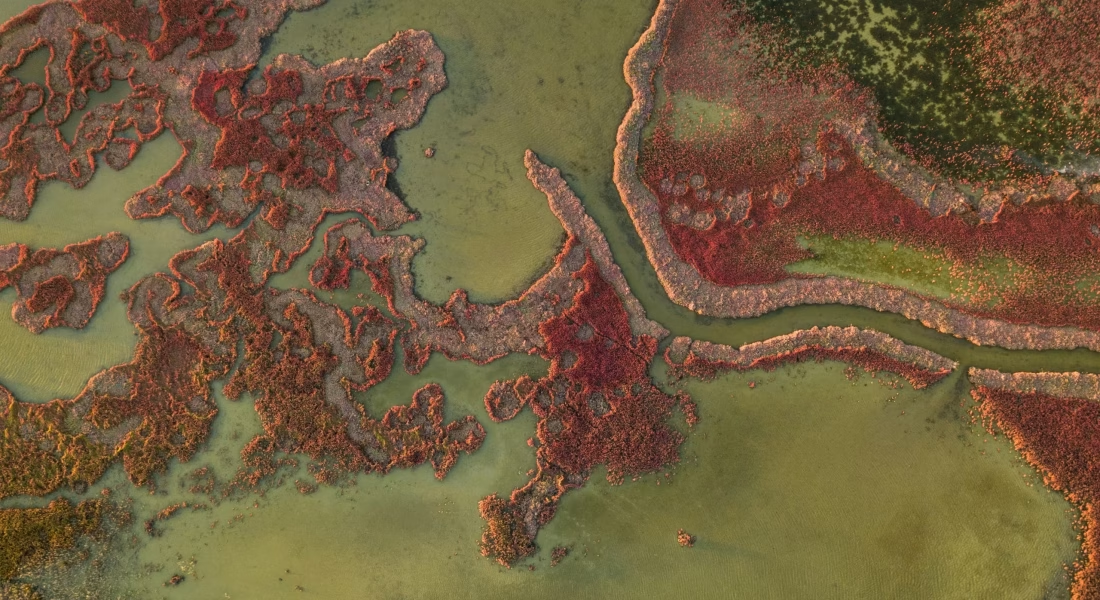
In today’s fast-moving world, geospatial image analysis solutions have become essential for turning massive amounts of satellite, aerial, and drone imagery into clear, actionable insights. These tools help organizations spot objects, track changes, and make smarter decisions across complex scenes – all with remarkable speed and accuracy.
What once took teams weeks or even months of tedious manual work now happens in minutes thanks to smart AI-driven approaches. The best geospatial image analysis solutions stand out by making advanced technology feel effortless, whether you’re dealing with dense construction sites, vast agricultural fields, or critical infrastructure monitoring.
Powerful Geospatial Image Analysis Tools You Can Start Using Today
Leading geospatial image analysis tools are changing how professionals handle satellite, aerial, and drone imagery. These smart tools make it incredibly easy to detect, outline, and monitor objects at scale – delivering precise results in seconds instead of hours. Whether you need custom detection or ready-to-use automation, the right tools save massive amounts of time and bring next-level accuracy to any project.

1. FlyPix AI
FlyPix AI serves as a geospatial image analysis tool that uses AI agents to detect, monitor, and inspect objects at scale in satellite, aerial, and drone imagery. Our tool quickly identifies and outlines numerous objects even in complex and dense scenes, turning raw imagery into structured data through automated processes. Many find the no-code approach handy when training custom models with user-defined annotations.
Our platform supports multispectral data and offers features like an analytics dashboard, vector layer export, and map sharing. It fits into workflows where repetitive manual annotation would otherwise take a lot of time. Some users mention it feels straightforward once the initial model training clicks into place.
Key Highlights:
- AI agent-based detection and monitoring
- Custom AI model training with annotations
- Object outlining in dense geospatial scenes
- Support for satellite, aerial, and drone imagery
- Analytics dashboard and vector export
Capabilities:
- Automated image annotation
- Object detection and segmentation
- Change monitoring in imagery
- Map visualization and sharing
- Multispectral data processing
Contact Information:
- Website: flypix.ai
- Email: [email protected]
- Phone: +49 6151 2776497
- Address: Robert-Bosch-Str. 7, 64293 Darmstadt, Germany
- LinkedIn: www.linkedin.com/company/flypix-ai

2. QGIS
QGIS serves as a versatile desktop application for working with geospatial data, including raster imagery from satellite, aerial, and drone sources. It supports loading and visualizing different raster layers directly, and users commonly extend its functionality through plugins to handle remote sensing tasks. One popular choice is the Semi-Automatic Classification Plugin, which helps with supervised and unsupervised classification of satellite images, along with other extensions that assist in band calculations and image processing workflows.
The software allows combining multiple imagery sources in one project, applying basic raster operations, and exploring the data visually before moving to more advanced steps. Because it works with a broad range of file formats, many people start their geospatial image analysis here and then connect it with specialized plugins or external tools when the project requires deeper remote sensing techniques.
Key Highlights:
- Raster layer support and visualization
- Plugin system for remote sensing
- Semi-Automatic Classification Plugin integration
- Band math and raster calculations
- Multi-source imagery handling
Capabilities:
- Raster data processing
- Image classification via plugins
- Remote sensing analysis
- Layer visualization and exploration
- Format conversion for imagery
Contact Information:
- Website: qgis.org
- Email: [email protected]
- Facebook: www.facebook.com/people/QGIS/100057434859831

3. GRASS GIS
GRASS GIS offers a comprehensive set of tools focused on raster data processing and analysis of satellite and aerial imagery. It includes dedicated modules for image classification, radiometric correction, and various geospatial computations that work well with raster layers. The system also features a temporal framework that makes it easier to analyze series of images captured over time.
Users often choose GRASS GIS when they need to run more intensive raster operations or script repetitive tasks through its Python interface. It handles complex imagery workflows such as filtering, segmentation, and statistical analysis on large raster datasets coming from different sensors.
Key Highlights:
- Advanced raster processing modules
- Imagery classification capabilities
- Temporal framework for image series
- Python API for automation
- Geospatial computation tools for rasters
Capabilities:
- Satellite image classification
- Raster-based analysis
- Time series imagery processing
- Radiometric corrections
- Statistical analysis on images
Contact Information:
- Website: grass.osgeo.org
- Email: [email protected]
- Address: 14525 SW Millikan #42523, Beaverton, Oregon, United States
- Linkedin: www.linkedin.com/company/grass-gis
- Twitter: x.com/grassgis

4. SAGA GIS
SAGA GIS specializes in raster image processing with a strong emphasis on image classification and calculation of vegetation indices from satellite and aerial imagery. It provides modules for terrain analysis derived from digital elevation models often extracted from imagery sources. The toolset also supports various hydrological and morphometric calculations that complement image-based analysis.
Many turn to SAGA GIS for targeted steps in a workflow, such as generating specific indices or performing supervised classification on multispectral data. Its modular design lets users build custom processing chains by connecting different raster tools in sequence.
Key Highlights:
- Image classification routines
- Vegetation indices calculation
- Terrain analysis from raster imagery
- Hydrological and morphometric tools
- Modular raster processing
Capabilities:
- Classification of satellite images
- Index computation on multispectral data
- Terrain feature extraction
- Raster data manipulation
- Custom processing chains
Contact Information:
- Website: saga-gis.sourceforge.io
- Address: Bundesstrasse 55, D-20146 Hamburg, Germany

5. Orfeo ToolBox
Orfeo ToolBox provides a library and set of applications designed for processing optical, multispectral, and radar images in remote sensing projects. It includes functions for ortho-rectification to correct geometric issues in imagery, pansharpening to improve resolution of multispectral bands, and classification algorithms to categorize land cover. The toolbox also handles SAR data with specific radar processing techniques.
The applications connect through several interfaces, including a command line option, a Python API for scripting, and direct integration inside QGIS for visualization and workflow building. Many users combine Orfeo ToolBox with QGIS when working with high-resolution satellite or aerial imagery that requires both processing power and visual inspection.
Key Highlights:
- Optical and multispectral image processing
- Radar and SAR handling
- Ortho-rectification
- Pansharpening
- Classification algorithms
Capabilities:
- Ortho-rectification of images
- Pansharpening for multispectral data
- SAR image processing
- Land cover classification
- Python and command line access
Contact Information:
- Website: www.orfeo-toolbox.org
- Twitter: x.com/orfeotoolbox

6. WhiteboxTools
WhiteboxTools delivers a large collection of tools aimed at raster and image processing tasks in geospatial work. It handles image enhancement, mosaicing, filtering, and basic classification methods such as k-means, along with common image transformations that many analysts apply to satellite or aerial imagery. The package also supports LiDAR point clouds by allowing interrogation, segmentation, tiling, and interpolation into rasters like digital elevation models or intensity images.
Some users find the sheer number of available tools a bit overwhelming at first, yet the parallel processing helps when running operations on larger datasets. WhiteboxTools fits well into workflows that mix remote sensing image handling with terrain or hydrological analysis derived from raster data.
Key Highlights:
- Raster image processing
- Image enhancement and filtering
- LiDAR point cloud handling
- K-means classification
- Terrain analysis tools
Capabilities:
- Image mosaicing
- Raster reclassification
- LiDAR interpolation to raster
- Hydrological analysis from rasters
- Remote sensing transformations
Contact Information:
- Website: www.whiteboxgeo.com
- Email: [email protected]
- LinkedIn: www.linkedin.com/in/john-lindsay-phd
- Facebook: www.facebook.com/Whitebox-Geospatial-108678944764778
- Twitter: x.com/whiteboxgeo

7. Sentinel Toolbox
Sentinel Toolbox known as SNAP serves as the official tool from ESA for working with Sentinel satellite data. It supports calibration of raw Sentinel imagery, classification routines, and various analysis steps tailored to these specific datasets. Users load Sentinel scenes and apply corrections or extract information directly within the interface.
The toolbox integrates different Sentinel missions so analysts can combine optical and radar data in one project. Some steps feel a little technical at the start, especially when setting up complex processing chains, but it stays focused on handling Sentinel imagery end to end.
Key Highlights:
- Sentinel data calibration
- Image classification
- Sentinel-specific analysis
- Radar and optical data support
- Processing chain building
Capabilities:
- Data calibration
- Classification of Sentinel imagery
- Radiometric corrections
- Multispectral analysis
- Change detection preparation
Contact Information:
- Website: step.esa.int
- LinkedIn: www.linkedin.com/company/european-space-agency
- Facebook: www.facebook.com/EuropeanSpaceAgency
- Twitter: x.com/esa
- Instagram: www.instagram.com/europeanspaceagency

8. pktools
pktools consists of a suite of command-line utilities written in C++ for image processing with emphasis on remote sensing applications. The tools rely on GDAL and cover operations such as classification, filtering, and other raster manipulations commonly needed in satellite or aerial image workflows. Analysts often chain these utilities together for specific processing steps.
The collection feels quite technical and aimed at users comfortable with scripts. It fills a niche for those who want lightweight utilities without a full graphical interface.
Key Highlights:
- Image processing utilities
- Remote sensing focus
- Classification tools
- Filtering operations
- GDAL integration
Capabilities:
- Raster classification
- Image filtering
- Remote sensing transformations
- Command-line processing
- Raster operations chaining
Contact Information:
- Website: pktools.nongnu.org

9. GDAL
GDAL works as a translator library for raster and vector geospatial data formats along with a set of command-line utilities. It handles conversion between different raster formats and performs common processing tasks on imagery such as warping to change projection or resolution, translating to shift between file types, and mosaicing multiple images into one seamless raster. Many people use these utilities when preparing satellite or aerial imagery for further analysis.
The tools allow basic raster operations that fit into larger workflows. Some find the command-line approach a bit old-school compared to graphical interfaces, yet it stays reliable for batch processing of imagery files.
Key Highlights:
- Raster format translation
- Image warping and reprojection
- Mosaic creation from multiple rasters
- Command-line utilities for imagery
- Support for various data formats
Capabilities:
- Raster data conversion
- Geometric correction of images
- Image mosaicing
- Format handling for remote sensing
- Basic raster manipulation
Contact Information:
- Website: gdal.org
10. Open Data Cube
Open Data Cube acts as an open-source framework that helps organize and analyze large collections of satellite imagery and other Earth observation data. It simplifies access to ready-to-use imagery by reducing the usual preprocessing steps through Analysis Ready Data. Users can develop custom Python algorithms or apply built-in ones for tasks like calculating vegetation indices or detecting changes over time.
The system supports different data formats and works with parallel computing for handling bigger datasets. Some users mention that setting up the initial cube takes some effort, but once in place it makes repeated analysis on archive imagery smoother.
Key Highlights:
- Management of satellite imagery archives
- Analysis Ready Data support
- Python algorithm development
- Change detection capabilities
- Integration with external tools
Capabilities:
- Imagery data organization
- Time series analysis
- Custom algorithm implementation
- NDVI and index calculation
- Large archive processing
Contact Information:
- Website: www.opendatacube.org
Leading Geospatial Image Analysis Companies Delivering Real Results
Several companies now offer specialized geospatial image analysis solutions that turn satellite, aerial, and drone imagery into clear, actionable insights. These providers focus on automation and precision, helping organizations across industries cut down manual work dramatically while maintaining high accuracy in object detection and monitoring.

1. AI Superior
AI Superior is a company that works with geospatial artificial intelligence and provides solutions for processing satellite, aerial, and drone imagery. The company develops custom deep learning models for object detection, segmentation, and analysis of remote sensing data, including hyperspectral imagery. It helps turn raw geospatial images into maps and insights for different use cases.
AI Superior focus on high-accuracy detection even with low-resolution objects stands out. The company also applies its approach to environmental monitoring tasks such as identifying coastal debris or oil spillage. It all depends on the project, but the combination of computer vision and geospatial data makes their services useful for automated visual inspection.
Key Highlights:
- Custom deep learning models for imagery
- Object detection on satellite and aerial images
- Hyperspectral imagery analysis
- Segmentation and tracking of objects
- Environmental monitoring applications
Services:
- Satellite image object detection
- Drone imagery processing
- Change detection and analysis
- Geospatial data interpretation
- Automated visual inspection workflows
Contact Information:
- Website: aisuperior.com
- Phone: +49 6151 3943489
- Email: [email protected]
- Address: Robert-Bosch-Str. 7, 64293 Darmstadt, Germany
- LinkedIn: www.linkedin.com/company/ai-superior
- Facebook: www.facebook.com/aisuperior
- Twitter: x.com/aisuperior
- Instagram: www.instagram.com/ai_superior

2. NV5
NV5 is a company that provides imagery analysis capabilities focused on satellite and airborne data. It offers preprocessing steps such as calibration, atmospheric correction, and orthorectification along with tools for change detection and feature extraction. The company works with different sensor types including multispectral, hyperspectral, SAR, and LiDAR.
Users often combine NV5’s offerings with other GIS tools for smoother workflows. The batch processing features help when repeating similar steps on multiple images, though setting up custom models can feel a bit involved at first.
Key Highlights:
- Imagery preprocessing tools
- Change detection functions
- Feature extraction capabilities
- SAR and hyperspectral support
- Integration with GIS environments
Services:
- Data calibration and correction
- Classification of satellite imagery
- Anomaly detection in images
- Terrain and viewshed analysis
- Spectral analysis workflows
Contact Information:
- Website: www.nv5geospatialsoftware.com
- Phone: +1 (303) 786-9900
- Email: [email protected]
- Address: 385 Interlocken Crescent, Suite 300, Broomfield, CO 80021, United States of America
- LinkedIn: www.linkedin.com/company/nv5geospatialsoftware
- Facebook: www.facebook.com/NV5GeospatialSoftware
- Twitter: x.com/GeoByENVI
- Instagram: www.instagram.com/geobyenvi

3. Esri
Esri is a company known for its work in imagery processing and deep learning within the ArcGIS environment. It supports handling large collections of satellite and aerial imagery, time series analysis, classification, and terrain processing. The company also enables streaming of orthomosaics and dynamic image services for analysis.
The integration with ArcGIS Pro makes it convenient for users already working in the ecosystem. Some find the range of raster functions useful for automating repetitive imagery tasks.
Key Highlights:
- Imagery processing and hosting
- Deep learning support for analysis
- Time series capabilities
- Multidimensional raster tools
- Integration with ArcGIS workflows
Services:
- Image classification and analysis
- Terrain processing from imagery
- Dynamic image service creation
- Automated geoprocessing workflows
- Metadata tagging for imagery
Contact Information:
- Website: www.esri.com
- Email: [email protected]
- Phone: +19097932853
- Address: 380 New York Street, Redlands, California, United States of America
- LinkedIn: www.linkedin.com/company/esri
- Facebook: www.facebook.com/esrigis
- Twitter: x.com/Esri
- Instagram: www.instagram.com/esrigram

4. Trimble
Trimble is a company that focuses on object-based image analysis in geospatial projects. It offers capabilities that segment imagery into objects and apply rules for classification and feature extraction, often combining raster data with point clouds or GIS layers. The company supports automation through custom rulesets and Python scripting.
This object-based approach differs from traditional pixel-based methods, which some users prefer for certain interpretation tasks. Building effective rulesets requires attention to detail but can speed up repetitive analysis once set up.
Key Highlights:
- Object-based image analysis
- Data fusion with multiple sources
- Rule-based classification
- Feature extraction from imagery
- Change detection automation
Services:
- Image segmentation and object creation
- Custom ruleset development
- Analytics generation for GIS
- Integration of raster and vector data
- Python scripting for workflows
Contact Information:
- Website: trimble.com
- Phone: +1 (720) 887-6100
- Address: 10368 Westmoor Drive, Westminster, CO 80021, USA
- LinkedIn: www.linkedin.com/company/trimble
- Facebook: www.facebook.com/TrimbleCorporate
- Twitter: x.com/TrimbleCorpNews

5. Maxar Technologies
Maxar Technologies is a company that supplies high-resolution satellite imagery together with geospatial intelligence and analytics services. It focuses on delivering detailed Earth observation data that supports various analysis needs in remote sensing projects. Many who work with satellite imagery appreciate the consistency in resolution and coverage options provided by Maxar.
The analytics side helps turn raw imagery into usable information through different processing methods. It all depends on the specific project, but the combination of imagery and intelligence tools makes it a common choice for those handling complex geospatial tasks.
Key Highlights:
- High-resolution satellite imagery collection
- Geospatial intelligence services
- Imagery analytics capabilities
- Tasking and access programs
Services:
- Satellite imagery delivery
- Geospatial data fusion
- AI-powered analysis support
- 3D terrain model creation
- Change monitoring from imagery
Contact Information:
- Website: www.maxar.com
- Email: [email protected]
- Address: 3875 Fabian Way, Palo Alto, CA 94303
- Facebook: www.facebook.com/MaxarTechnologies
- LinkedIn: www.linkedin.com/company/maxar-technologies-ltd
- Twitter: x.com/Maxar
- Instagram: www.instagram.com/maxartechnologies

6. Planet Labs
Planet Labs is a company that operates a constellation providing daily satellite imagery along with analytics for image analysis. It gives access to frequent revisits of locations with both optical and derived data products. Some users like how Planet Labs brings together current imagery and historical archives in one place.
Analytics features include change detection and various derived insights from the imagery. It feels straightforward for monitoring applications once you get the hang of the tools.
Key Highlights:
- Daily satellite imagery coverage
- Analytics platform for imagery
- Change detection functions
- Derived data products
- Maritime and environmental monitoring tools
Services:
- Image analysis through analytic feeds
- Vessel detection from imagery
- Carbon estimation support
- Agricultural monitoring workflows
- Forest and land use analysis
Contact Information:
- Website: www.planet.com
- Address: 645 Harrison Street, 4th Floor, San Francisco, CA 94107
- LinkedIn: www.linkedin.com/company/planet-labs
- Facebook: www.facebook.com/PlanetLabs
- Twitter: x.com/planet
- Instagram: www.instagram.com/planetlabs

7. Google
Google is a company that maintains capabilities for planetary-scale imagery analysis and processing through Google Earth Engine. It brings together a large catalog of satellite imagery and geospatial datasets in one cloud environment. Users can run scripts to detect changes or map trends across the Earth’s surface.
The code editor and APIs in Python or JavaScript make custom analysis more accessible. Some find it particularly handy when working with long time series of imagery because everything stays in the same place.
Key Highlights:
- Planetary-scale imagery analysis
- Multi-petabyte data catalog
- Historical satellite imagery access
- Cloud-based processing tools
- Change detection and trend mapping
Services:
- Geospatial data analysis
- Algorithm development for imagery
- Time series processing
- Surface change quantification
- Interactive code editing for Earth data
Contact Information:
- Website: earthengine.google.com
- Address: 12396 Grant St, Thornton, CO 80241
- LinkedIn: www.linkedin.com/company/google
- Facebook: www.facebook.com/Google
- Twitter: x.com/google
- Instagram: www.instagram.com/google

8. Fugro
Fugro is a company that delivers remote sensing services along with geospatial data analysis and imagery-derived insights. It works with various types of Earth observation data to support mapping and monitoring projects. Many who use Fugro’s services combine them with other survey data for a more complete picture.
Fugro focuses on turning raw imagery into practical information through different analysis methods. It all depends on the project requirements, but the approach often fits well when detailed surface or environmental insights are needed from satellite or aerial sources.
Key Highlights:
- Remote sensing services
- Geospatial data analysis
- Imagery-derived insights
- Mapping and monitoring solutions
Services:
- Aerial and satellite imagery processing
- Data interpretation and extraction
- Terrain and feature analysis
- Environmental monitoring support
- Geospatial dataset creation
Contact Information:
- Website: www.fugro.com
- Phone: +1 713 369 5600
- Address: 13501 Katy Freeway, Suite 1050 Houston TX 77079
- LinkedIn: www.linkedin.com/company/fugro
- Facebook: www.facebook.com/fugro
- Twitter: x.com/fugro
- Instagram: www.instagram.com/fugro

9. BlackSky
BlackSky is a company that offers real-time geospatial intelligence including satellite imagery analysis. It operates systems that capture multiple images of the same location throughout the day and apply automatic analysis to deliver quick insights. Users can task satellites directly through the interface for specific areas of interest.
The company emphasizes near real-time delivery of analyzed information for decision-making. Some find the workflow straightforward once set up, especially when persistent monitoring or rapid updates from imagery are part of the workflow.
Key Highlights:
- Real-time geospatial intelligence
- Satellite imagery analysis
- Automatic image processing
- Tasking capabilities
- Spectra platform features
Services:
- Imagery analytics and insights
- Change detection from satellite data
- Persistent monitoring support
- On-demand satellite tasking
- AI-enhanced image interpretation
Contact Information:
- Website: blacksky.com
- Address: 2411 Dulles Corner Park, Suite 300, Herndon, VA 20171
- LinkedIn: www.linkedin.com/company/blackskyinc
- Twitter: x.com/BlackSky_Inc

10. EarthDaily
EarthDaily is a company that operates its own satellite constellation and delivers daily Earth observation data with consistent global coverage. The company processes raw satellite imagery through AI models to generate change detection, predictive analytics, and other actionable insights. It supports work in agriculture, mining, environmental monitoring, defense, and additional remote sensing areas.
Many who have looked into EarthDaily appreciate how the vertically integrated approach – from satellites to final insights – simplifies the usual data handling headaches. Still, getting the predictive side to align perfectly with a specific project can take some trial and error depending on the use case.
Key Highlights:
- Daily satellite data delivery
- AI-powered imagery analysis
- Change detection from satellite imagery
- Predictive analytics capabilities
- Actionable insights from raw data
Services:
- Satellite imagery processing
- Change detection and monitoring
- Predictive analytics for remote sensing
- Agriculture and mining insights
- Environmental and defense applications
Contact Information:
- Website: earthdaily.com
- Email: [email protected]
- Address: 7365 Kirkwood Court N., Suite 150, Maple Grove, MN 55369
- LinkedIn: www.linkedin.com/company/earthdailyanalytics
- Twitter: x.com/EarthDailyA

11. Hexagon
Hexagon is a company specializing in advanced remote sensing and image processing. It develops technologies that handle complex workflows with satellite, aerial, and other geospatial imagery, allowing users to perform corrections, enhancements, and detailed analysis. Many analysts turn to Hexagon when they need precise control over multispectral and hyperspectral data.
The company’s approach supports various processing steps that fit into larger projects. Some users mention it takes time to explore all the available options, but once familiar it becomes a steady part of remote sensing work.
Key Highlights:
- Advanced remote sensing capabilities
- Image processing workflows
- Support for multispectral data
- Geometric and radiometric corrections
- Detailed imagery analysis tools
Services:
- Remote sensing image processing
- Atmospheric and geometric correction
- Feature extraction from imagery
- Classification and change detection
- Data visualization and mapping
Contact Information:
- Website: hexagon.com
- Phone: +46 8 601 26 20
- Address: Lilla Bantorget 15, SE-111 23 Stockholm, Sweden
- LinkedIn: www.linkedin.com/company/hexagon-ab
- Facebook: www.facebook.com/HexagonAB
- Twitter: x.com/HexagonAB
- Instagram: www.instagram.com/hexagon_ab
Conclusion
Choosing the right geospatial image analysis solution ultimately comes down to what kind of work you do and how much automation you actually need. Some projects run fine with open-source tools and a bit of scripting, while others demand faster results and custom object detection without diving deep into code.
The field keeps moving quickly. What felt cutting-edge just a couple of years ago now looks routine, and new approaches keep making it easier to pull actionable insights from satellite, aerial, and drone imagery. Whether you’re monitoring construction progress, tracking changes in agriculture, or supporting environmental projects, the options available today can save a surprising amount of time.
At the end of the day, the most effective solution is the one that fits smoothly into your existing workflow and delivers reliable results without unnecessary complexity. Take time to test a few approaches on your own data – that’s usually the clearest way to see what works for your specific needs.